You keep two piles of notes. One lives in Notion, where your team already keeps meeting notes, specs, and half-finished docs. The other is a graveyard of PDFs, bookmarks, and YouTube transcripts you dumped into NotebookLM, which Google renamed to Gemini Notebook in July 2026. Both piles now have AI that answers questions. Neither pile gets searched, because you can never remember which pile has the thing you need.
That is the actual problem this comparison is about. Most "Notion AI vs NotebookLM" posts compare feature checklists and quietly assume you will maintain both systems. You will not. A second brain only works if it is one brain, and the only real decision is which tool is the home and which one is a tool you visit.
The short version: Notion is where your notes should live. Gemini Notebook is where a bounded pile of sources becomes answers. Pick the home first, then add AI to it. Here is how to decide, and how to use both without duplicating yourself into silence.
First, understand what each tool actually is
The two products get compared constantly, but they are not competing for the same job, and the 2026 versions make that clearer than ever.
Notion is a workspace. Pages, databases, wikis, projects, permissions, comments. Its AI layer, called Notion AI, is a bundle of features built into that workspace: a Notion Agent that can create and edit pages and databases on your behalf, Enterprise Search that queries your workspace plus connected apps like Slack and Google Drive, Research Mode for reports, AI Meeting Notes, translation, and database autofill. Notion AI is now included with the Business and Enterprise plans; Free and Plus workspaces only get a small number of complimentary AI responses before being asked to upgrade, which tells you exactly who Notion thinks this product is for.
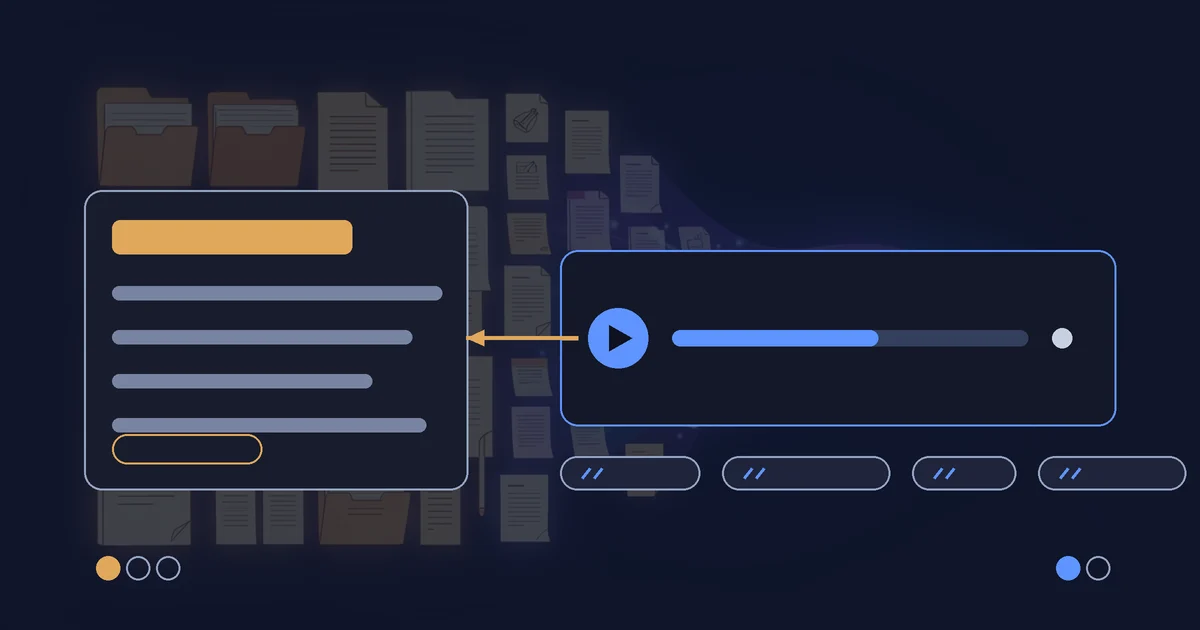
Gemini Notebook is a research container. You create a notebook, add sources to it (PDFs, docs, links, audio, video), and the notebook answers questions strictly grounded in those sources with inline citations. It also generates artifacts from your sources: audio overviews, reports, mind maps, flashcards, and as of the July 2026 update, code execution via a "secure cloud computer" so it can run data analysis directly on what you uploaded. If you have never built a notebook properly, start with a structured research workflow before you judge the tool; most disappointing notebooks are under-fed notebooks. Google kept it a standalone product in the rename, but it now syncs across the Gemini app and is heading into AI Mode in Search.
One is a filing cabinet with a librarian. The other is a reading room. If you build your second brain in the reading room, you will eventually be living out of a reading room.
The decision: pick the home first, then add AI
The mistake almost everyone makes is starting with the AI. They try a NotebookLM audio overview on a weekend, it is delightful, and suddenly their "knowledge system" is a pile of notebooks with no structure, no permissions, no life outside the tool. Structure first, intelligence second.
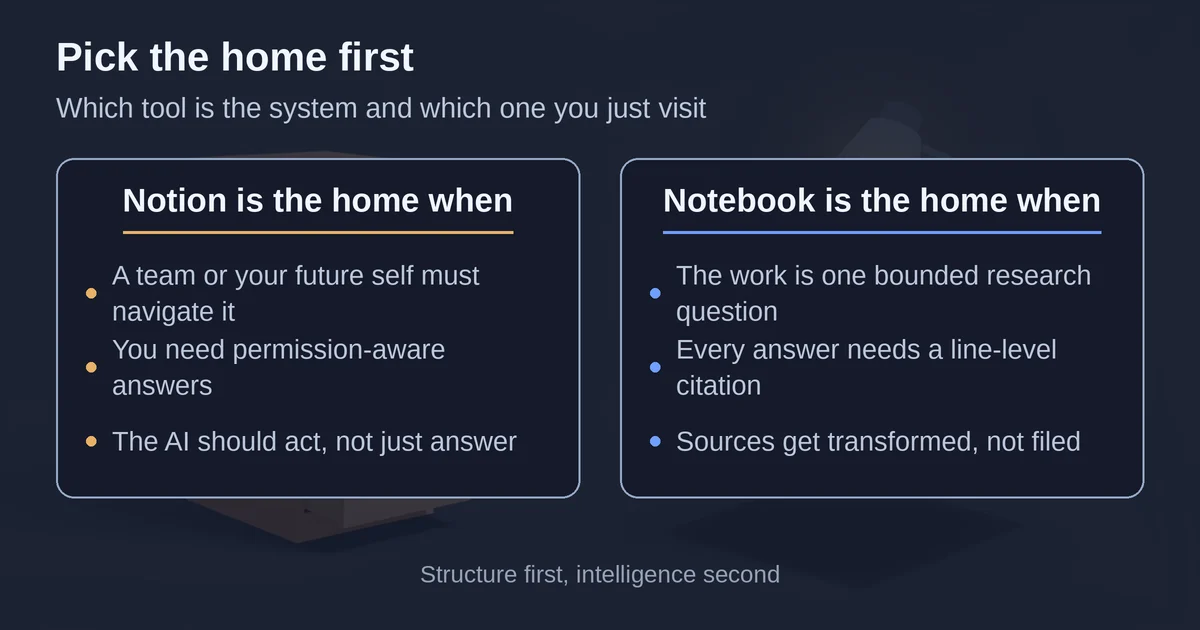
Make Notion the home if any of these are true:
- Your material is something a team or your future self needs to navigate: specs, decisions, how-tos, project context, meeting notes.
- You want permission-aware answers. Notion's Agent has the same permissions you do, so answers only surface what you are allowed to see, and Enterprise Search respects that across connected apps.
- You want the AI to act, not just answer: draft the page, update the database, generate action items from a meeting.
- Your notes need to outlive the tool's hype cycle. Notion is the system; AI is a feature inside it. If Notion AI changes pricing or models tomorrow, your pages are untouched.
Make Gemini Notebook the home if the honest answer is "I do not have a team, I have a research question":
- You are working through a bounded set of sources: a literature review, competitor PDFs, a legal binder, lecture recordings.
- You want every answer pinned to a citation in the actual source, not a paragraph three pages from where the quote lives.
- You want the source pile transformed, not filed: audio overviews to listen to while commuting, mind maps to see the shape of a topic, reports you can hand to someone else.
There is a real asymmetry in cost here, too. Gemini Notebook's free tier is genuinely usable: 100 notebooks, 50 sources per notebook, and 50 chat questions per day, with Deep Research limited to 10 per month. Notion AI, in 2026, is effectively a Business-plan feature at $20 per member per month, with premium models like GPT-5 and Claude spending Notion credits ($10 per 1,000) on top. A solo person casually organizing their life gets far more AI per rupee or dollar out of Gemini Notebook. A team gets far more leverage out of Notion AI, because it sits on top of the workspace where the work already happens.
Notion AI in 2026: what it is actually good and bad at
The 2026 version of Notion AI is not the old "improve my paragraph" add-on you may remember. The three features that matter for a second brain:
Notion Agent. It is a teammate with your permissions. It reads the page you are on, or whatever you @-mention, and can create or edit pages and databases for you. Connect Gmail or Calendar and it can search your inbox, draft replies, or find meeting times from chat. It supports MCP servers too, so it can reach into connected tools. It also has a model picker, with options like Claude Sonnet 5 and the newest GPT and Gemini models, and knowing when to use which model matters more here than most people think. The pitch is honest: it does work, it does not just talk about the work. If your second brain's job is "run my projects," this is the closest thing to a brain that acts.
Enterprise Search. You ask a question, it searches your workspace, your connected Slack and Google Drive, and the web, then answers with links back to the source pages. This is the feature that makes a big messy Notion usable again, because it converts "where did we write that down" into a one-line question.
AI Meeting Notes and Research Mode. Meetings get transcribed, summarized, and mined for action items. Research Mode generates longer reports. Both feed the same loop: unstructured input becomes searchable pages.
Where Notion AI is weak for second-brain duty:
- The allowance ceiling. Business and Enterprise plans include a usage allowance for AI features, and if you blow past it, features "may see a temporary pause" until the rolling window resets. Heavy daily users feel this. Credits can buy headroom, at $10 per 1,000 monthly credits.
- Grounding is looser. Enterprise Search answers across your whole workspace and the web. That is powerful, but it is not the strict "answers only from these 12 sources, cited line by line" contract Gemini Notebook offers. For a second brain, most questions tolerate that looseness. For a research claim, they should not. When the answer needs to be traceable to a source, that is a job for a citation-backed research assistant, not for workspace search.
- Solo pricing is rough. If you are one person on Plus, the complimentary AI responses run out quickly and the upgrade path is a Business seat. That is a lot to pay for AI over your personal notes.
Gemini Notebook in 2026: what it is actually good and bad at
The rename was not just branding. Gemini Notebook is being woven into Google's ecosystem: notebooks sync with the Gemini app, integration with AI Mode in Search is "coming soon," and notebooks got a secure cloud computer that can write and execute code for data analysis grounded in your sources. Google reports over 30 million people and 600,000 organizations using it, which for a research tool is remarkable.
What it does well:
- Grounded answers with citations. Ask a question, get an answer with inline citations to the exact spot in your sources. If you have ever mistrusted a chatbot's confident summary of your own documents, this is the fix.
- Transformation. Audio overviews (turn a 40-page report into a podcast-style discussion), mind maps, reports, flashcards, and now data tables and infographics. The free tier gives you 3 audio overviews a day, 20 on Pro.
- The free tier is real. 100 notebooks and 50 sources each, before you pay anything. Deep Research on the free tier is 10 per month, which is enough to know whether it matters to you.
Where it fails as a second brain:
- It has no concept of your ongoing life. A notebook is a container for a question or a project, not for three years of evolving notes. There is no "my team's decisions" notebook the way there is a team wiki, and 100 notebooks of 50 sources each is a filing system you will not maintain.
- No permissions model for a team brain. Sharing exists, but this is not where a company keeps its docs.
- Notes stay trapped in the notebook. You cannot treat a notebook as a page in your wiki, and there is no good path from "notebook answer" to "structured knowledge" except copying it out by hand.
That last point is the honest summary of the tool: Gemini Notebook is for the trip, not the house.
The dual-use trap, and how to stop duplicating everything
Here is the failure mode, and you may recognize it. You start a Notion page about a topic. Then you dump the same PDFs into a notebook so you can ask questions. Now your knowledge lives in two places with different search, different answers, and different upkeep. After a month, you stop maintaining one of them. You do not choose which one to abandon, your habits choose, and now the AI confidently answers from the stale pile. That is how notes go to die.
The fix is not discipline. The fix is a rule about direction:
Everything in Notion is a claim. Everything in Gemini Notebook is a source. Information flows one way: notebook to Notion, never the reverse.
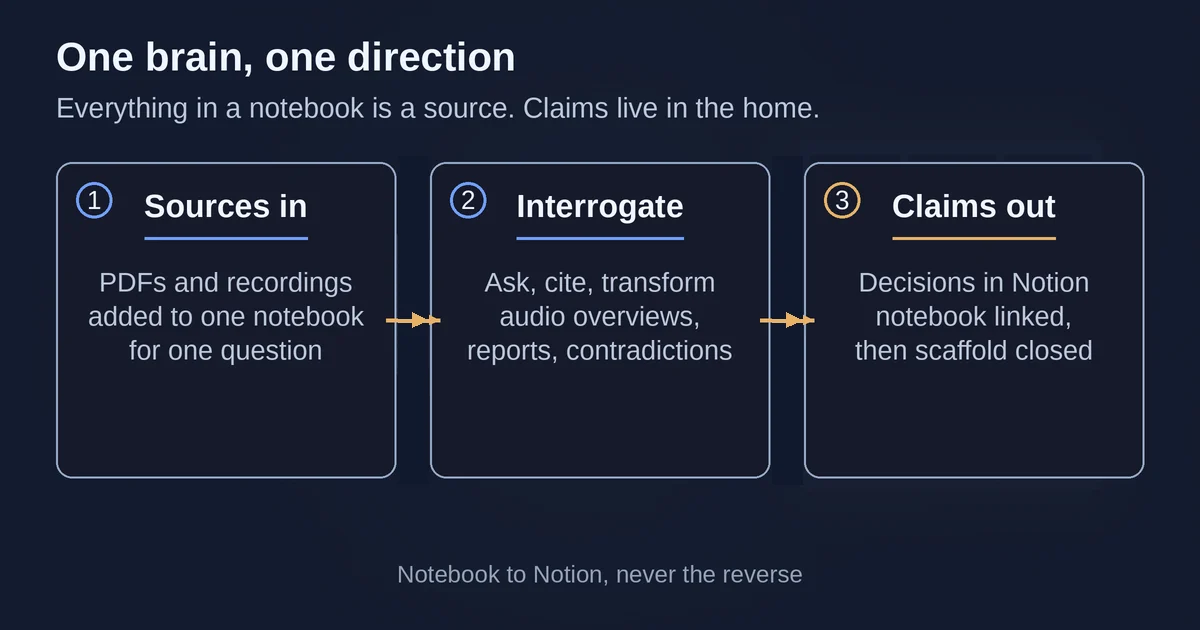
The workflow looks like this:
- You get a research question, or a pile of sources lands in your lap (a vendor sends 12 PDFs, your team hits an unfamiliar topic, you start a course).
- Create a notebook for it, add the sources, and interrogate them. Ask for contradictions, open questions, and summaries of the parts you actually need. Generate an audio overview if it helps.
- Write the conclusions into Notion. Not the raw highlights, the claims: "we chose X because Y, decision made on date Z, evidence in notebook linked here." Link the notebook from the Notion page so the source pile stays reachable.
- Close the notebook. It is a scaffold, not an archive. When the project ends, its job is done.
The rule sounds trivial and changes everything. It means Notion never bloats with PDFs it cannot reason over, and your notebooks never become a graveyard you pretend is a knowledge base. Notion answers "what do we know and what should we do." Gemini Notebook answers "is that actually true in these sources." One brain, one direction.
The week-one test: capture honestly for seven days using this rule. Every loose idea, meeting, and PDF goes to its proper side. On day seven, ask a question you would have asked last Monday, and see which tool you reach for and whether the answer comes back with a citation you trust. If a question only your notebook can answer is one you have not written a Notion conclusion for yet, that is your backlog, not a missing tool.
What about Mem or Fabric?
If the real reason you are comparing these two is that you want a tool where you never have to organize anything at all, look at the dedicated AI notes apps first. Mem in 2026 positions itself as an "AI chief of staff": you capture notes, meetings, and saved pages without organizing them, Mem Workspace maintains a structured memory in the background, and Mem Agent surfaces the right context proactively, even nudging you when something needs attention. Fabric does something similar as an AI workspace that ingests your apps and files. These are genuinely a third option, a dedicated notes inbox with the organizing done for you. The tradeoff is the same one you escape by choosing Notion or Gemini Notebook deliberately: they shine for a solo person's flow of ideas and are weaker as the structured, shared, durable home a team needs. If that sounds like you, try one before forcing yourself to build a wiki you will resent.
Verdict: the Notion AI vs Gemini Notebook answer
If you are maintaining anything bigger than yourself, your notes belong in Notion, and Notion AI is what makes the pile searchable. Business at $20 per member per month with AI included is a real cost, but you are paying for a workspace where the AI answers with your permissions, acts on your databases, and sits inside the tool your team already opens every day. Buy it for Enterprise Search and the Agent, not for the writing polish.
Use Gemini Notebook as what it is: the best free grounded-research container available, with a free tier generous enough for most people's actual research volume, and 2026 additions like code execution and Gemini app syncing that keep expanding what a "notebook" means. It is the tool you visit, with sources, when a question deserves citations.
Use both, but only in one direction: sources become claims, and claims live in the home. Two piles, one brain. That is the entire trick, and it is the difference between a second brain you search and two graveyards you avoid.
FAQ
Is NotebookLM now Gemini Notebook the same product? Yes. Google renamed NotebookLM to Gemini Notebook in July 2026. It remains a standalone research product, with the same notebook-and-sources model, now syncing with the Gemini app and gaining features like in-notebook code execution.
Can I use Notion AI on the free or Plus plan? Only in a limited trial. Notion AI's full features are included with Business and Enterprise plans; other plans get a small number of complimentary AI responses, and premium models spend Notion credits on top.
Which one is better for a team's shared knowledge? Notion, and it is not close. Permission-aware search, shared workspaces, and an agent that can edit pages and databases make it a team brain. Gemini Notebook is designed for bounded research on specific sources, not for maintaining a company wiki.
Pricing and plan details are as published by the vendors around September 2026 and can change. Confirm current limits on the Notion pricing page and Google's Gemini Notebook upgrade guide before committing.
Pricing and plan details are as published by the vendor around September 2026 and can change - confirm on the official site.