Your client just emailed a spreadsheet full of customer names and asked for a summary by end of day. Your instinct says "paste it into ChatGPT and be done in ten minutes." The other instinct, the one that made you search this question in the first place, says that might be a bad idea. Both instincts are partly right, and the difference between them is worth about ten minutes of your time, because the honest answer is not "never use AI." It is "know which surface you are on, because the same chat box can be two very different machines."
Here is the part most guides skip: the three big chat assistants all run two parallel rulebooks. There is the consumer app you signed up for with your personal email, and there is the business tier your employer or your own company could be on. The consumer side of ChatGPT, Claude, and Gemini all allow your conversations to be used to improve their models unless you switch that off. The business side of all three does not train on your content by default. Same chat box, same model quality for your purposes, completely different data agreement. Almost every scary headline you have read collapses into that one distinction once you see it.
The short answer
If you want the rule of thumb before the nuance, here it is: it is almost never the AI that gets you in trouble. It is you, being the one who moved someone else's confidential information onto a server they never agreed to. A vendor's privacy policy does not override your NDA, your client contract, or data protection law. That responsibility lands on the person who pasted, every time.
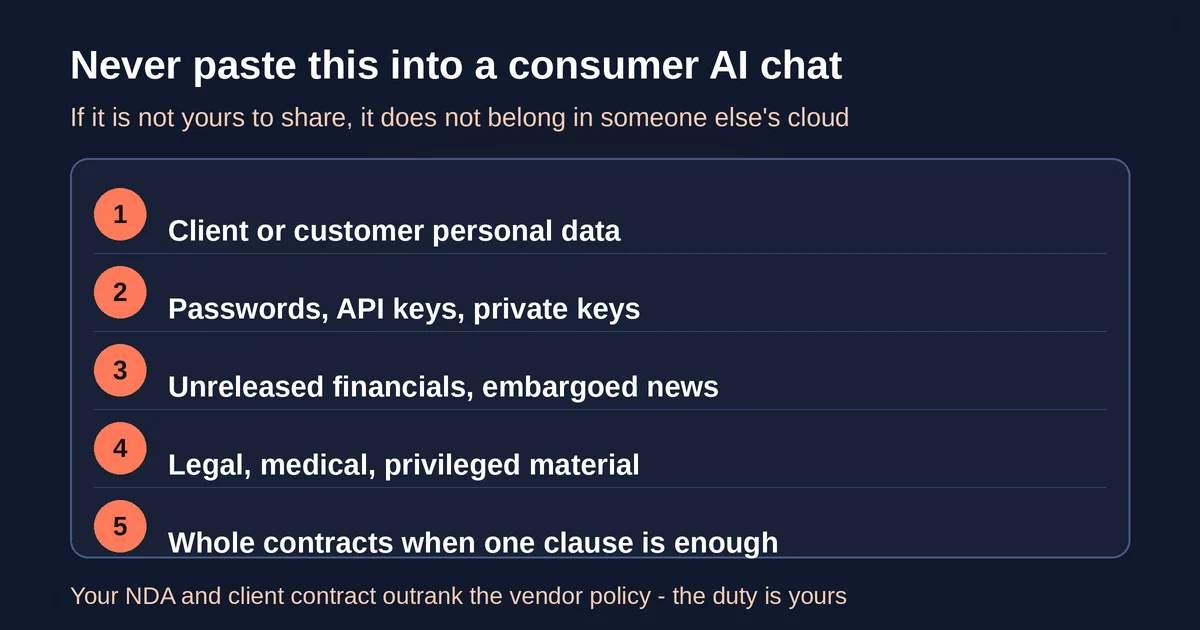
So the real list of things that should never go into a consumer chat box, on any of the three platforms:
- Client or customer personal data. Names, emails, phone numbers, order histories, health details, anything that identifies a real person and connects to a reason they would not want it shared. If your client is in the EU, GDPR obligations attach to you as the processor of that data the moment you paste it.
- Passwords, API keys, tokens, private keys. Beyond the obvious, pasted secrets are also a security risk in ways people underestimate. A credential sitting in a chat window can end up in a transcript, a memory, a shared link, or an agent with file access. If you want to understand how pasted text can turn into an instruction the model actually follows, read our piece on prompt injection, the hidden security risk.
- Unreleased financials, embargoed announcements, material non-public information. If the number is not public and moves markets, it does not belong in someone else's cloud.
- Legal, medical, or privileged material that is not yours. Attorney-client content, patient files, HR complaints. These carry professional confidentiality rules that no toggle satisfies.
- Whole documents when you only need one clause. Most contract questions need the termination clause, not the 40 pages around it. Redact first, paste the part you need.
Note what is not on the list: your own rough drafts, your code snippets without secrets, your research notes, your half-formed ideas. The frightened-freelancer version of this question usually overcorrects into "AI is dangerous, avoid it," and that is just as wrong. The risk is concentrated in a specific category of content, and it is manageable.
Consumer plans versus team plans: the split that matters most
Everything above gets softer or harder depending on which side of the consumer/business line you are standing. Here is what each vendor actually says, in their own words, as of September 2026.
OpenAI. If you are on ChatGPT Free, Plus, or Pro on a personal workspace, data sharing is enabled by default, and you can opt out. The toggle lives in Settings, then Data Controls, and it is called "Improve the model for everyone." Turn it off and, per OpenAI's data controls documentation, new conversations stop being used for training, though the setting is not retroactive. If your account is on ChatGPT Business, Enterprise, or Edu, or you use the API, the polarity flips entirely: OpenAI does not use your inputs and outputs to train models by default. The ChatGPT Business privacy page states it flatly: workspace data is excluded from training by default and encrypted in transit and at rest. (If you remember a plan called ChatGPT Team, it still exists: OpenAI renamed it ChatGPT Business in August 2025, nothing about the privacy posture changed.)
Anthropic. The Claude situation is the one people most often get wrong, because it changed. For years Anthropic did not train on consumer conversations at all. In late August 2025 the company updated its consumer terms: now chats from Free, Pro, and Max accounts can be used to improve its models unless you opt out, through a toggle called "Help Improve our AI models" in Settings, then Privacy. Anthropic describes this as giving users a choice, and the choice is genuinely yours to make. But here is the part to be careful with: Anthropic does not publish a single plain sentence stating what the toggle reads for every account, and accounts were prompted to choose when the change landed. The only reliable answer is to open your own settings and look. On the commercial side, Claude for Work (Team and Enterprise plans) and the API are unambiguous: by default Anthropic does not train on inputs or outputs from commercial products.
Google. Gemini runs on your Google Account, and the control is the Gemini Apps Activity setting, often called "Keep activity." For adults it is on by default, and with it on, Google can use your chats to improve its services, including training generative models, with some chats reviewed by human reviewers. Turn it off and future chats are not used for training. The Gemini Apps Privacy Hub says the quiet part plainly: please do not enter confidential information you would not want a reviewer to see. Here is the twist most people miss: the same Google Account can live in two different regimes. Personal Gemini Apps are consumer territory. If that account is part of a Google Workspace organization, the Workspace privacy commitments say your chats and files will not be used to train generative models outside your domain without your permission. Same email address, same gemini.google.com, completely different agreement.
Here is the comparison at a glance. All statements are as published by each vendor around September 2026, and all of these policies can change, so treat this table as a map, not a contract.
| Consumer plan training default | Your off switch | Business plan training default | |
|---|---|---|---|
| ChatGPT | On by default, opt out | Settings > Data Controls > "Improve the model for everyone" | No training by default (Business, Enterprise, Edu, API) |
| Claude | Can be used unless you opt out (terms changed Aug 2025) | Settings > Privacy > "Help Improve our AI models" | No training by default (Team, Enterprise, API) |
| Gemini | Used to improve services while "Keep activity" is on | Gemini Apps Activity > turn Keep activity off | No training outside your domain without permission (Workspace) |
If you take one action from this article, make it this: open the settings of every consumer AI account you use, today, and check the state of the toggle. It takes less time than reading this paragraph did.
Training settings versus retention: the distinction people miss
Turning off the training toggle feels like a clean, decisive act. It is useful, and you should do it, but it is narrower than most people assume. Here is what opting out actually does, and what it does not.
Opting out stops training use going forward. OpenAI is explicit that after you opt out, it will not train models on your new conversations. Anthropic says the same: turning the setting off stops future training runs from using your chats, but data already part of a completed or in-progress training run does not come back out. This is a physical limitation as much as a policy one: once a model has learned from text, the text cannot be surgically removed without rebuilding the model.
Opting out does not stop the vendor from processing and storing your chat. Every plan, on every platform, retains conversations for some period to run the service, fight abuse, and comply with law. The specifics differ: Anthropic drops its standard consumer retention to about 30 days with the training toggle off, and keeps chats for up to five years in de-identified form if you allow training. Google keeps chats for up to 72 hours even when Keep activity is off, and reviewed chats can be retained disconnected from your account for up to three years. OpenAI's Temporary Chat, the closest thing it offers to a burner window, is still kept for about 30 days for safety purposes before deletion.
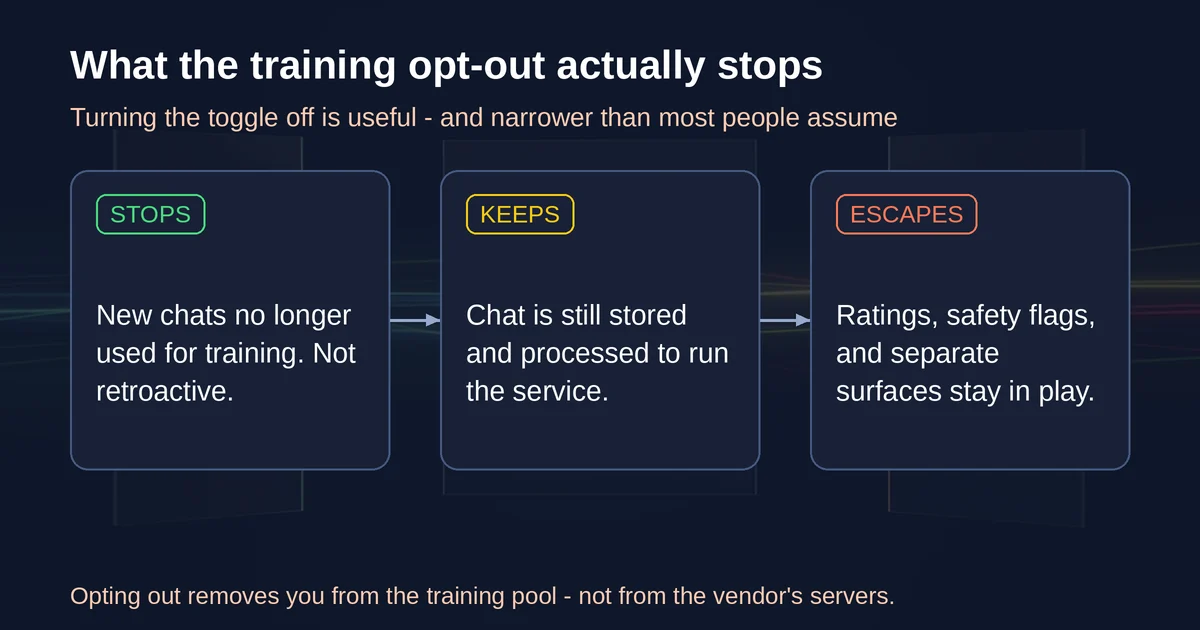
Some data escapes the toggle entirely. This is the part that deserves a coffee and a settings page, because each vendor has carve-outs:
- Feedback. Rate a response thumbs up or down on ChatGPT or Claude and the entire related conversation may be collected and stored, on both vendors, even with training off. On Claude, feedback data is kept for up to five years, de-linked from your account. The lesson: do not rate the response that contains the client data.
- Safety flags. Content flagged by automated safety systems can be reviewed and retained regardless of your settings, on every platform. Normal work will never trip this; a genuinely flagged conversation has bigger problems than retention policy.
- Separate toggles for separate surfaces. OpenAI's Codex has its own training controls for full environments that do not sync with the ChatGPT toggle. Google has a second, separate setting for audio and Gemini Live recordings, which is off by default. Claude's memory features live under Capabilities, not Privacy. If you are the thorough type, check every surface, not just the main one.
There is one more distinction worth naming because it trips up people who did everything right. A few hours after turning off the setting, your chat still sits on a server. It is simply not in the training pool. That is a real and meaningful difference, and for most professional risk it is the difference that matters: the training pool is where data gets folded into a model that could, in principle, resurface fragments of it, while retained conversations sit behind the vendor's security. But if your requirement is "this text exists nowhere I do not control," then no consumer chat tool on the market satisfies it, and the honest answer is a local model or a redacted prompt.
Meeting bots and file tools: the risk that is not about you
Everything so far has been about what you paste. The other half of the story is what your tools capture without anyone pasting anything, and as of 2026 this is where the legal heat is.
Meeting notetakers record everyone on the call, but only the person who invited the bot ever saw a settings page. The other participants never consented, never got a toggle, and may be in a jurisdiction where recording a conversation without every party's consent can violate wiretap law. In the United States, roughly a dozen states, including California, Florida, Illinois, Massachusetts, Pennsylvania, and Washington, require all-party consent for recording. This stopped being theoretical in 2026: in August 2026, a federal judge let core claims proceed to discovery in consolidated litigation against Otter.ai over its meeting assistant, and in July 2026 a separate class action was filed against Granola, whose notetaker runs invisibly on one participant's machine rather than joining as a visible bot. The complaints argue the tools captured and used other people's conversations without valid consent. Nothing is finally decided, and this is not legal advice, but the direction of travel is obvious enough that Granola's own guidance now tells users to disclose the tool in the calendar invite and obtain verbal consent on the record.
The practical rules fall out of that:
- Announce the notetaker, every time, out loud. A calendar-invite line plus a spoken sentence at the top of the call. Google Meet's "Take notes for me" feature already shows every participant a visible indicator, which is the standard to aim for.
- Ask before recording client calls, and take no for an answer. If the client says no, the bot goes off, and that is the end of it.
- Do not paste other people's transcripts into a chat bot. Once a meeting transcript is in a consumer chat window, it is subject to everything in the earlier sections, and you have doubled the number of people whose data you moved without asking.
- Check the notetaker's own training setting. Several vendors run training-on-recordings as opt-out on free tiers. The people whose voices are in those recordings usually have no account and therefore no setting to find.
File tools deserve a mention in the same breath. The moment you connect Google Drive, Slack, or Notion to an assistant, its effective reach is your whole workspace, not just the document you mentioned. An agent with file access that hits a malicious instruction inside one document can act on the rest of the drive, which is a different and more consequential failure mode than a chat box repeating your text. We walk through that scenario in the real risks of AI agents nobody talks about.
A client-work rule of thumb you can put in your contract
Freelancers do not need a privacy department. They need one rule they can apply in the ten seconds before pasting, and one sentence they can put in their client contracts. Here is a version that holds up:
"Is this text mine to share?" Not "is this text sensitive?" but "mine to share?" Your own draft, your own code, your own research: yours. Client names, client files, other people's meeting transcripts: not yours. If the answer is not clearly yes, one of three doors: redact it, put it behind a business tier, or ask the client first.
For contracts, one honest sentence covers most of it: something like "Where AI tools are used on client materials, the contractor will use plans where customer content is not used for model training by default, will not input client personal data into consumer AI services, and will obtain consent before recording any call." That is a commitment you can actually keep, because the business tiers of all three vendors make it cheap to keep, and because the rest of this article tells you how.
Then spend five minutes on settings, once, today:
- Open ChatGPT. Settings, Data Controls, turn off "Improve the model for everyone" if you do not want training on your chats. Same check in the Codex settings if you use it.
- Open Claude. Settings, Privacy, read the state of "Help Improve our AI models" and set it to match your intent.
- Open Gemini. Activity settings, decide whether Keep activity stays on, and if you keep it, set the auto-delete window to something you actually want.
- Check your notetaker. Turn on every disclosure mechanism it has, and find its training setting.
None of this takes longer than a coffee. All of it is reversible. And if you are weighing which assistant to standardize on for client work, the data-handling posture is only one input, so we keep a running comparison of Claude and ChatGPT for that decision, plus a guide to prompting ChatGPT, Claude, and Gemini differently once the settings are locked down.
One last angle for anyone working with European clients: since 2 August 2026, the EU AI Act's transparency obligations are in application, including disclosure duties for systems that interact with people directly. That regulation mostly binds vendors and organizations rather than a solo freelancer pasting text, but it signals the direction: confidentiality obligations and data protection law apply to what you paste regardless of any vendor's toggle. The settings reduce vendor-side risk. They do not dissolve your duty of confidence.
Pricing and plan details are as published by the vendor around September 2026 and can change - confirm on the official site.