Real-time TranslationSpeech-to-ImageEvent Visualization

Aispect

Transform speech into real-time visual summaries for events

Freemium
Free Version
Visit Website
Aispect

What is Aispect?

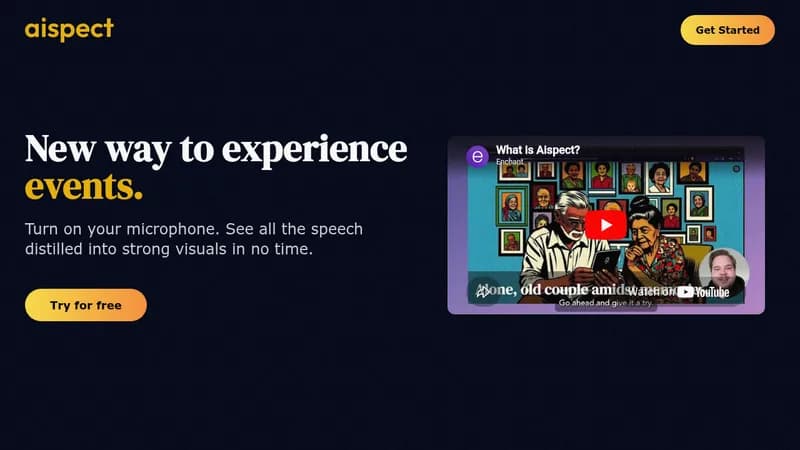
Aispect turns spoken words from events into instant visual summaries. It helps people who can't attend in person or want quick insights from speeches. Supports over 30 languages for global accessibility and easy use.

Key Features of Aispect

  1. 1

    Real-time Conversion

    Instantly turns speech into visuals as you speak

  2. 2

    Multi-language Support

    Works with over 30 languages for wide accessibility

  3. 3

    Flexible Pricing

    Pay only for images used or subscribe for credits

  4. 4

    Event Focused

    Designed specifically to enhance event experiences

Aispect AI Tool Use Cases

  • ๐ŸŽค
    Convert keynote speeches into visuals
  • ๐ŸŒ
    Visualize multilingual event content
  • ๐Ÿ“Š
    Summarize meetings with visual aids
  • ๐Ÿ“ฑ
    Enhance remote work presentations

Pros & Cons of Aispect

Pros (4)

  • Real-time speech to visual conversion
  • Supports 30+ languages for global use
  • Flexible pay-per-use and subscription options
  • Free credits on sign-up for testing

Cons (2)

  • Credits may expire (implied from FAQ)
  • Limited to speech-to-visual functionality without other features

Aispect's Pricing Plans

Credit Pack

one-time
$15.00

Features

  • 30 credits
  • Use when you like

Basic

monthly
$34.90

Features

  • 100 credits every month

Pro

monthly
$149.90

Features

  • 500 credits every month
For the latest pricing info, pleaseย visit the official website

More Info About Aispect

Who is using aispect?

This tool is best for:

  1. Event Organizers
  2. Remote Workers
  3. Multilingual Presenters

Aispect's Tags

Explore more niche AI tool websites by clicking on a tag* (works only if it has enough tools).

#RemoteWork #Aispect#SpeechToVisual#EventVisualization#MultilingualEvents

๐Ÿš€ Aispect Launch Badge

Promote your Toolbit Launch by using the badge on your website. It can be inserted on your home page or footer easily.

How to use: Simply copy and paste the embed code into your homepage or footer HTML to display it instantly and build community support.

ToolBit badge

Reviews for Aispect