GPU OrchestrationML InfrastructureContainer Management

dstack

Unify GPU orchestration for AI development and deployment

Monthly Visits: 4.7K
Freemium
Free Version
Visit Website
dstack

What is dstack?

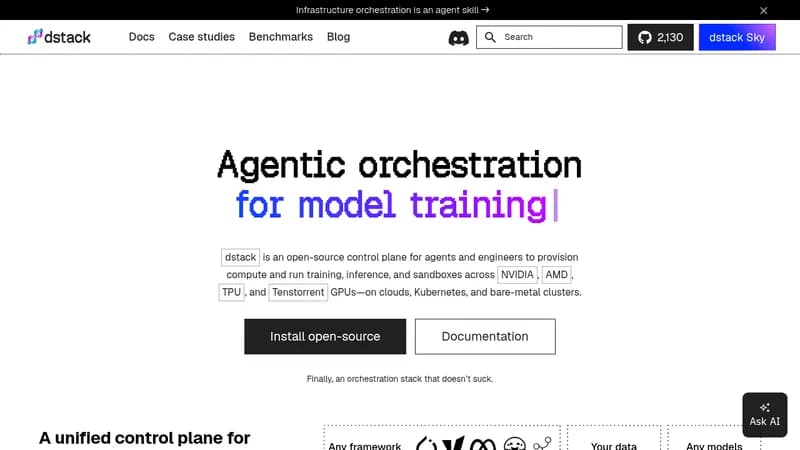
dstack helps AI and machine learning teams manage their GPU resources across cloud, Kubernetes, and on-prem environments. It streamlines everything from coding and debugging to training and deploying models, reducing costs and avoiding vendor lock-in. With easy setup and open-source options, it lets you focus on building AI solutions instead of wrestling with infrastructure.

Key Features of dstack

  1. 1

    Dev Environments

    Connect desktop IDEs to cloud or on-prem GPUs for development.

  2. 2

    Task Orchestration

    Run single-node and distributed ML jobs with simple configuration.

  3. 3

    Service Deployment

    Deploy models as auto-scaling, secure endpoints easily.

  4. 4

    Multi-Cloud Support

    Integrate with various GPU providers and avoid lock-in.

  5. 5

    Cost Optimization

    Reduce GPU costs by 3-7x through efficient orchestration.

dstack AI Tool Use Cases

  • 🔧
    Develop and debug ML code with cloud GPUs
  • 🏋️
    Run single-node or distributed training jobs
  • 🚀
    Deploy AI models as scalable services
  • Prototype experiments quickly across environments

FAQs from dstack

How does dstack differ from Slurm?

dstack fully replaces Slurm by handling job submission, queuing, retries, GPU health checks, and scheduling for single-node and distributed runs, while adding dev environments, services, and fleets for a unified ML platform.

How does dstack compare to Kubernetes?

dstack is purpose-built for ML with a lightweight interface, whereas Kubernetes is general-purpose; dstack simplifies ML workflows with specific configurations for dev environments, tasks, and services, and can run on Kubernetes if needed.

Can I use dstack with Kubernetes?

Yes, you can connect existing Kubernetes clusters using the Kubernetes backend to run dev environments, tasks, and services on them.

When should I use dstack?

Use dstack to accelerate ML development with a simple interface for spinning up dev environments, running tasks, and deploying services without infrastructure overhead, while reducing costs and ensuring interoperability.

Pros & Cons of dstack

Pros (4)

  • Reduces GPU costs by 3-7x through smart orchestration
  • Prevents vendor lock-in with support for multiple clouds and on-prem
  • Easy setup and integration with existing tools and frameworks
  • Unified platform for development, training, and inference workflows

Cons (2)

  • Requires technical knowledge for self-hosting and configuration
  • Primarily focused on GPU-based workloads, may not suit non-ML tasks

More Info About dstack

Who is using dstack?

This tool is best for:

  1. AI Engineers
  2. ML Researchers
  3. MLOps Teams

dstack's Tags

Explore more niche AI tool websites by clicking on a tag* (works only if it has enough tools).

#CostReduction#AIInfrastructure#MLOps#dstack#GPUOrchestration

Integrate dstack With These Apps

dstack can be integrated with these apps and services:

  • Kubernetes
  • SSH

Website Analytics of dstack

dstack Website Traffic & SEO Analysis:

Recent data shows that dstack has 4.7K monthly visits (8.6% increase from the previous month), 46.0% bounce rate, and average 1.57 pages per visit.
Traffic is primarily driven by 6 different sources, with users from 5 countries worldwide, led by United States contributing 39% of total traffic. SEO performance is shown by 5 tracked keywords, with "dstack" being the top-performing keyword with 510 monthly searches. See below for more info.

Monthly Visits

4.7K

(+8.6%)

Pages per Visit

1.57

Bounce Rate

46.0%

Average Time on Site

12s

Traffic Trend(Jul 2025 - Oct 2025)

Loading chart...

Top Keywords

SEO KeywordVolumeCPC
dstack
510-
dstack mount volume
70-
dstack project setup
60-
dstack volume data size
60-
dstack volumes size
60-

Traffic Sources Distribution

Traffic Share by Source

Loading chart...

Source Breakdown Details

SourceTraffic Share
Direct
41%
Search
32%
Social
6%
Referrals
20%
Paid Referrals
1%

Global Traffic Distribution

Traffic Share by Country

Loading chart...

Geographic Breakdown Details of top 5 countries

Country NameTraffic Share
United States39%
India24%
Korea, Republic of15%
Vietnam14%
Germany8%
Analytics data is estimated (from third-party analytics providers) and for reference only.

🚀 dstack Launch Badge

Promote your Toolbit Launch by using the badge on your website. It can be inserted on your home page or footer easily.

How to use: Simply copy and paste the embed code into your homepage or footer HTML to display it instantly and build community support.

ToolBit badge

Reviews for dstack