





Browser ExtensionText SummarizationAI Productivity Tool

FoldSum

Summarize selected web text to save reading time

Free
Free Version
Visit Website
FoldSum

What is FoldSum?

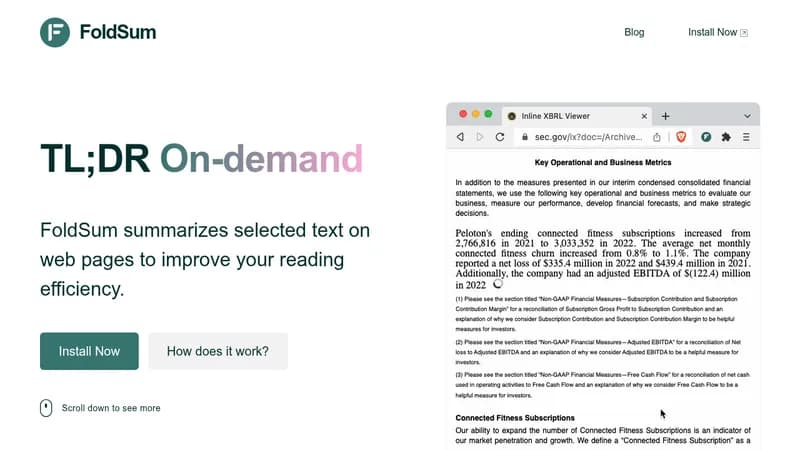
FoldSum is a browser extension that lets you quickly summarize any text you select on web pages using AI like ChatGPT or POE. It works by replacing the original text with a concise summary right on the page, so you can grasp key points faster without extra costs. Plus, it supports translation into multiple languages, making it great for handling content from around the world.

Key Features of FoldSum

  1. 1

    Inline Summaries

    Replace selected text with summaries directly on the page

  2. 2

    Multi-language

    Summarize and translate content in various languages

  3. 3

    No Token Cost

    Uses existing ChatGPT or POE accounts without extra fees

  4. 4

    Unlimited Usage

    Summarize any amount of text without restrictions

  5. 5

    Browser Integration

    Works seamlessly as a Chrome extension

FoldSum AI Tool Use Cases

  • 📚
    Summarize academic articles
  • 📰
    Condense news stories
  • 💼
    Review business reports
  • 🌐
    Translate and summarize foreign content

FAQs from FoldSum

Which browsers does FoldSum support?

FoldSum supports Chrome, Brave, Arc, and other Chrome-based browsers.

How can I disable the floating summary button?

You can turn it off on the plugin settings page, and still use the function via right-click menu.

Does FoldSum support keyboard shortcuts for generating summaries?

Not currently.

Does FoldSum collect any user information?

No, FoldSum does not collect any user information.

Pros & Cons of FoldSum

Pros (4)

  • Saves time with inline text summarization
  • Supports multiple languages for summarization and translation
  • No additional costs for using AI models
  • Does not collect user data for enhanced privacy

Cons (3)

  • Limited to Chrome-based browsers only
  • Lacks keyboard shortcuts and custom prompt options
  • Requires an active ChatGPT or POE session to function

More Info About FoldSum

Who is using foldsum?

This tool is best for:

  1. Students
  2. Researchers
  3. Business Professionals
  4. Online Readers

FoldSum's Tags

Explore more niche AI tool websites by clicking on a tag* (works only if it has enough tools).

Platforms & Device Support

Use FoldSum on your favorite device - available across multiple platforms for flexibility.

Desktop App

Mac
✓ Available
Windows
✓ Available
Linux
✓ Available

🚀 FoldSum Launch Badge

Promote your Toolbit Launch by using the badge on your website. It can be inserted on your home page or footer easily.

How to use: Simply copy and paste the embed code into your homepage or footer HTML to display it instantly and build community support.

ToolBit badge

Reviews for FoldSum


