Organize Chatgpt favicon

Organize Chatgpt

Organize ChatGPT conversations with color-coded folders

Monthly Visits: 3.1K
Freemium
Free Version
Visit Website
Organize Chatgpt screenshot

What is Organize Chatgpt?

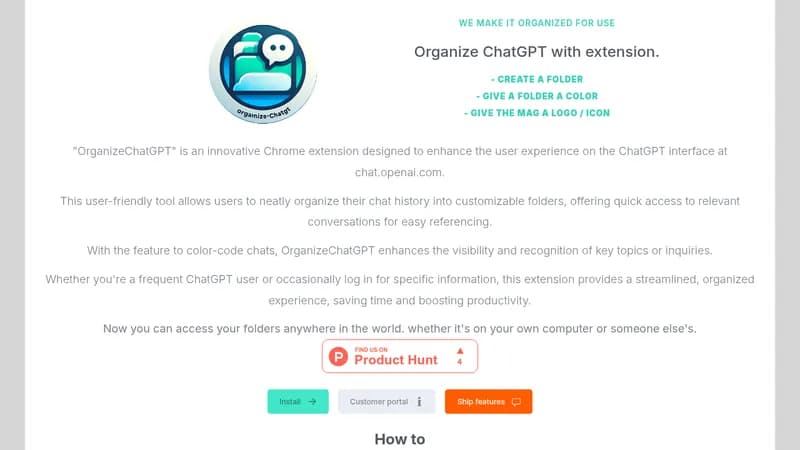
This Chrome extension helps users manage their ChatGPT chat history through customizable folders and color coding. It enables cross-device access to organized conversations, making it easier to find past chats quickly whether you're at home or using someone else's computer.

Key Features of Organize Chatgpt

  1. 1

    Custom Folders

    Categorize chats by topic/project for better organization

  2. 2

    Color Coding

    Assign colors/icons to folders for visual recognition

  3. 3

    Multi-Device Sync

    Access organized folders from any computer

  4. 4

    Bulk Actions

    Add multiple chats to folders simultaneously

  5. 5

    Quick Search

    Filter conversations through search functionality

Organize Chatgpt AI Tool Use Cases

  • 📁
    Organize research threads by topic
  • 📑
    Manage project-specific conversations
  • 👥
    Collaborate across team members' devices

FAQs from Organize Chatgpt

How do I organize my ChatGPT conversations?

Create folders, color-code them, and drag chats into categories. Use right-click menu to edit folders or pin important chats.

Can I access my folders on different computers?

Yes, with the Pro Plan (one-time €29.95 payment) you can sync folders across devices.

What customization options are available?

Assign colors, icons, and logos to folders for visual organization.

Pros & Cons of Organize Chatgpt

Pros (4)

  • No ongoing subscription fees (one-time payment)
  • Works across multiple computers/devices
  • Intuitive right-click folder management
  • Free basic version available

Cons (3)

  • Chrome browser extension only
  • No mobile app version available
  • Limited to ChatGPT interface organization

Organize Chatgpt's Pricing Plans

Free Plan

lifetime
€0

Features

  • Basic folder creation
  • Single-device access
  • Color coding

Pro Plan

one-time
€29.95

Features

  • Multi-device sync
  • Lifetime access
  • Priority support
For the latest pricing info, please visit the official website

More Info About Organize Chatgpt

Who is using organize chatgpt?

This tool is best for:

  1. ChatGPT power users
  2. Research teams
  3. Project managers
  4. Academic researchers

Organize Chatgpt's Tags

Explore more niche AI tool websites by clicking on a tag* (works only if it has enough tools).

#ProductivityTool #ChromeExtension #AIManagement#ChatGPTOrganization

Website Analytics of Organize Chatgpt

Organize Chatgpt Website Traffic & SEO Analysis:

Recent data shows that Organize Chatgpt has 3.1K monthly visits (-34.1% decrease from the previous month), 41.0% bounce rate, and average 1.92 pages per visit.
Traffic is primarily driven by 6 different sources, with users from 5 countries worldwide, led by United States contributing 50% of total traffic. SEO performance is shown by 5 tracked keywords, with "chatgpt organiser chats" being the top-performing keyword with 120 monthly searches. See below for more info.

Monthly Visits

3.1K

(-34.1%)

Pages per Visit

1.92

Bounce Rate

41.0%

Average Time on Site

16s

Traffic Trend(Apr 2025 - Oct 2025)

Loading chart...

Top Keywords

SEO KeywordVolumeCPC
chatgpt organiser chats
120-
organize chatgpt chats
500-
organize chatgpt conversations
30-
how to organize my chatgpt chats
490-
chatgpt folders
430-

Traffic Sources Distribution

Traffic Share by Source

Loading chart...

Source Breakdown Details

SourceTraffic Share
Direct
45%
Search
34%
Social
11%
Referrals
8%
Paid Referrals
1%

Global Traffic Distribution

Traffic Share by Country

Loading chart...

Geographic Breakdown Details of top 5 countries

Country NameTraffic Share
United States50%
Spain26%
Germany10%
Brazil6%
France4%
Analytics data is estimated (from third-party analytics providers) and for reference only.

🚀 Organize Chatgpt Launch Badge

Promote your Toolbit Launch by using the badge on your website. It can be inserted on your home page or footer easily.

How to use: Simply copy and paste the embed code into your homepage or footer HTML to display it instantly and build community support.

ToolBit badge

Reviews for Organize Chatgpt