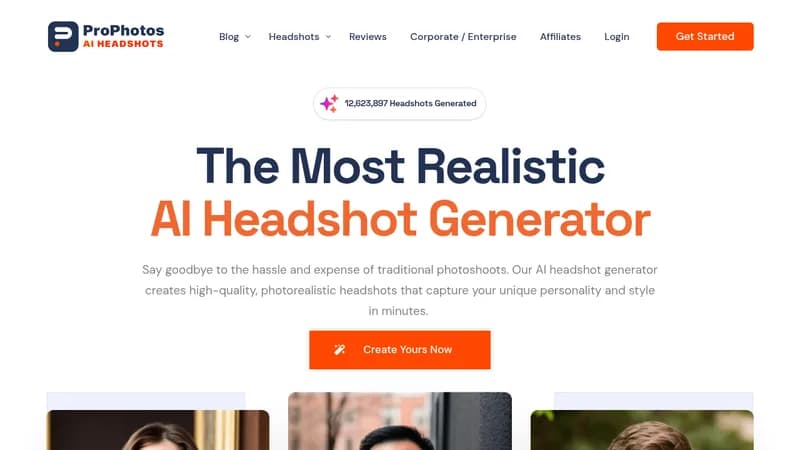
ProPhotos

Generate professional headshots from casual photos in minutes

Monthly Visits: 15.0K
Tiered
Visit Website
ProPhotos

What is ProPhotos?

ProPhotos turns your everyday photos into polished professional headshots using AI. No need for expensive photoshoots or fancy cameras – just upload your photos and get realistic results perfect for LinkedIn, resumes, or company websites. Get 40-200 unique headshots per package with different outfits and backgrounds. Ideal for busy professionals who need quality images fast without the hassle.

Key Features of ProPhotos

  1. 1

    Bulk Generation

    Create 40-200 unique headshots per package

  2. 2

    AI-Generated Outfits

    Automatically dress you in professional attire

  3. 3

    Quick Turnaround

    Get results in 30-90 minutes depending on plan

  4. 4

    Background Variety

    Multiple professional backgrounds per package

ProPhotos AI Tool Use Cases

  • πŸ“Έ
    Create LinkedIn profile photos
  • πŸ‘”
    Generate professional attire headshots
  • 🏒
    Update company team photos
  • πŸŽ“
    Boost resume/CV visuals

FAQs from ProPhotos

What kind of photos do I need to upload?

Casual photos of yourself – no professional equipment needed

Do I have full rights to use my AI images?

Yes, you retain full commercial rights to all generated headshots

Can I manually delete my data?

Yes, users can request data deletion per privacy policy

Pros & Cons of ProPhotos

Pros (4)

  • Saves 90%+ cost vs traditional photoshoots
  • Produces 40-200 variations per session
  • No photography skills required
  • Industry-specific styling options

Cons (2)

  • Limited control over specific outfit details
  • Requires uploading quality source photos

ProPhotos's Pricing Plans

Starter

one-time
$39

Features

  • 40 headshots
  • 8 outfits & backgrounds
  • 90-minute processing

Premium

one-time
$49

Features

  • 100 headshots
  • 20 outfits & backgrounds
  • Background changer
  • 45-minute processing

Professional

one-time
$59

Features

  • 200 headshots
  • 40 outfits & backgrounds
  • Background changer
  • 30-minute processing
For the latest pricing info, pleaseΒ visit the official website

More Info About ProPhotos

Who is using prophotos?

This tool is best for:

  1. Busy professionals
  2. Job seekers
  3. Corporate HR teams
  4. Entrepreneurs

ProPhotos's Tags

Explore more niche AI tool websites by clicking on a tag* (works only if it has enough tools).

#ProfessionalPortraits #AIHeadshotGenerator #LinkedInMakeover#CorporateHeadshots

Website Analytics of ProPhotos

ProPhotos Website Traffic & SEO Analysis:

Recent data shows that ProPhotos has 15.0K monthly visits (-10.4% decrease from the previous month), 38.0% bounce rate, and average 1.89 pages per visit.
Traffic is primarily driven by 6 different sources, with users from 5 countries worldwide, led by United States contributing 26% of total traffic. SEO performance is shown by 5 tracked keywords, with "ai headshot generator" being the top-performing keyword with 32.8K monthly searches. See below for more info.

Monthly Visits

15.0K

(-10.4%)

Pages per Visit

1.89

Bounce Rate

38.0%

Average Time on Site

10s

Traffic Trend(Apr 2025 - Oct 2025)

Loading chart...

Top Keywords

SEO KeywordVolumeCPC
ai headshot generator
32.8K$3.05
prophotos
210$0.94
guestimate salary based on linkedin profile
140-
how could i edit a passport picture to generate a picture for linkedin
120-
headshot generator
8.2K$3.12

Traffic Sources Distribution

Traffic Share by Source

Loading chart...

Source Breakdown Details

SourceTraffic Share
Direct
41%
Search
42%
Social
7%
Referrals
8%
Paid Referrals
1%

Global Traffic Distribution

Traffic Share by Country

Loading chart...

Geographic Breakdown Details of top 5 countries

Country NameTraffic Share
United States26%
Vietnam18%
India11%
United Kingdom9%
Australia8%
Analytics data is estimated (from third-party analytics providers) and for reference only.

πŸš€ ProPhotos Launch Badge

Promote your Toolbit Launch by using the badge on your website. It can be inserted on your home page or footer easily.

How to use: Simply copy and paste the embed code into your homepage or footer HTML to display it instantly and build community support.

ToolBit badge

Reviews for ProPhotos