ProductivityImage AnnotationScreenshot Tool

Shottr

Capture and annotate screenshots with precision on Mac

Monthly Visits: 165.4K
Custom
Free Version
Visit Website
Shottr

What is Shottr?

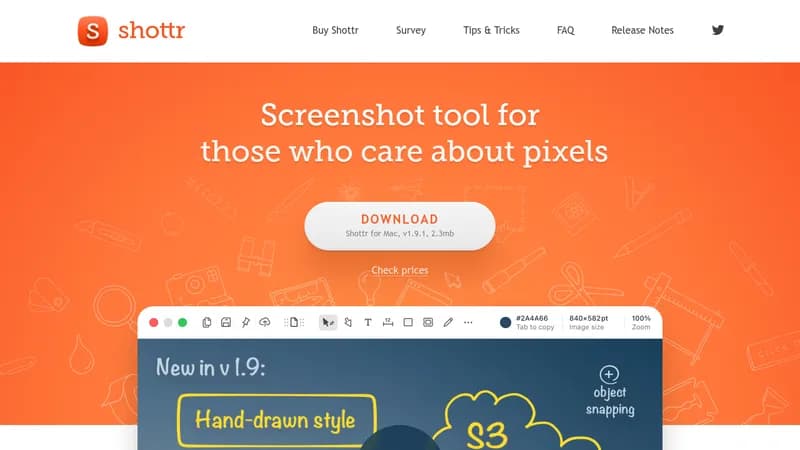
Shottr is a fast and lightweight screenshot app for Mac that lets you take scrolling captures, add annotations, and blur sensitive areas. It's optimized for Apple silicon, making it super quick for professionals who need to share precise images. With features like OCR and pixelation, it saves time and enhances productivity for design and development work.

Key Features of Shottr

  1. 1

    Scrolling Capture

    Capture entire web pages or long conversations with ease

  2. 2

    OCR

    Extract text from images and copy it to clipboard instantly

  3. 3

    Pixelation

    Hide sensitive information by blurring or removing objects

  4. 4

    Annotations

    Add text, drawings, and highlights to your screenshots

  5. 5

    Screen Ruler

    Measure distances and sizes directly on your screenshots

Shottr AI Tool Use Cases

  • 🖼️
    Capture scrolling web pages
  • ✏️
    Annotate design mockups
  • 🔒
    Blur sensitive data
  • 📏
    Measure UI elements

FAQs from Shottr

Is Shottr free?

Yes, Shottr can be used for free indefinitely, but it may prompt you to purchase occasionally, and the activated version offers a better experience.

Can Shottr upload the image online and copy a link?

Yes, Shottr has an upload feature, but it needs to be activated in the app.

Which macOS versions are supported?

Shottr runs on macOS Catalina (10.15) and later versions.

When and why does Shottr contact Shottr.cc?

Shottr contacts the server to check for updates, validate licenses, and send anonymized telemetry for bug fixes and performance tracking, which can be turned off in preferences.

Pros & Cons of Shottr

Pros (4)

  • Lightweight and fast (2.0mb, 17ms capture)
  • Optimized for Apple silicon
  • Wide range of annotation tools
  • Free to use with optional purchase

Cons (3)

  • Mac-only, no support for other OS
  • Free version has occasional purchase prompts
  • Limited cloud upload without activation

More Info About Shottr

Who is using shottr?

This tool is best for:

  1. Designers
  2. Front-end Engineers
  3. Mobile Developers
  4. Pixel-perfect Professionals

Shottr's Tags

Explore more niche AI tool websites by clicking on a tag* (works only if it has enough tools).

#Productivity #DesignTools #ScreenshotTool#Shottr#MacApp

Platforms & Device Support

Use Shottr on your favorite device - available across multiple platforms for flexibility.

Desktop App

Mac
✓ Available

Shottr Social Media

Visit Shottr on social media to stay updated with the latest news and features.

Website Analytics of Shottr

Shottr Website Traffic & SEO Analysis:

Recent data shows that Shottr has 165.4K monthly visits (9.7% increase from the previous month), 46.0% bounce rate, and average 1.48 pages per visit.
Traffic is primarily driven by 6 different sources, with users from 5 countries worldwide, led by United States contributing 14% of total traffic. SEO performance is shown by 5 tracked keywords, with "shottr" being the top-performing keyword with 29.9K monthly searches. See below for more info.

Monthly Visits

165.4K

(+9.7%)

Pages per Visit

1.48

Bounce Rate

46.0%

Average Time on Site

17s

Traffic Trend(Jul 2025 - Oct 2025)

Loading chart...

Top Keywords

SEO KeywordVolumeCPC
shottr
29.9K$2.19
shottr mac
3.0K$2.62
shotter
1.7K-
shotr
1.7K-
shotrr
1.0K-

Traffic Sources Distribution

Traffic Share by Source

Loading chart...

Source Breakdown Details

SourceTraffic Share
Direct
38%
Search
47%
Social
5%
Referrals
9%
Paid Referrals
1%

Global Traffic Distribution

Traffic Share by Country

Loading chart...

Geographic Breakdown Details of top 5 countries

Country NameTraffic Share
United States14%
India12%
Vietnam6%
China4%
Canada3%
Analytics data is estimated (from third-party analytics providers) and for reference only.

🚀 Shottr Launch Badge

Promote your Toolbit Launch by using the badge on your website. It can be inserted on your home page or footer easily.

How to use: Simply copy and paste the embed code into your homepage or footer HTML to display it instantly and build community support.

ToolBit badge

Reviews for Shottr