Language TranslationLive StreamingCaptioning

SyncWords

Automate live captions and translations for any media

Monthly Visits: 20.1K
API Available
Visit Website
SyncWords

What is SyncWords?

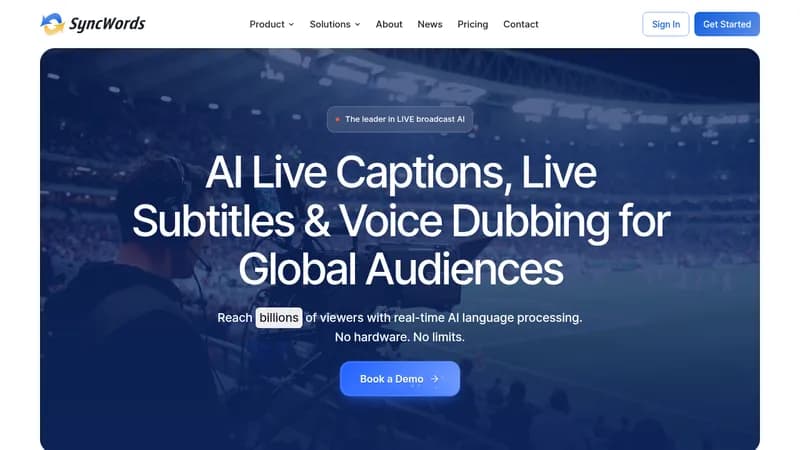
SyncWords provides automated captions, subtitles, and translations for live media and video-on-demand. This tool enhances accessibility and improves audience engagement by ensuring that content is understandable in real-time. It's essential for anyone looking to reach a global audience through live streaming or recorded video.

Key Features of SyncWords

  1. 1

    Automated Captions

    Instantly generate captions for live and recorded media.

  2. 2

    AI Translations

    Translate content into over 100 languages in real-time.

  3. 3

    Integration Support

    Easily integrate with various streaming platforms.

  4. 4

    Robust API

    Automate captioning and translation processes seamlessly.

  5. 5

    Compliance

    Meet legal accessibility standards effortlessly.

SyncWords AI Tool Use Cases

  • 🎀
    Live event captioning
  • πŸ“Ί
    Streaming services subtitles
  • 🏫
    Educational content accessibility
  • πŸ›οΈ
    Government event translations
  • πŸ†
    Sports event live captions

FAQs from SyncWords

What types of media can SyncWords caption?

SyncWords can caption live events, video-on-demand, and streaming services.

How does SyncWords ensure compliance?

It adheres to legal standards such as WCAG 2.1, ADA, and FCC guidelines.

Can I use SyncWords for multiple languages?

Yes, it supports translations in over 100 languages.

Pros & Cons of SyncWords

Pros (4)

  • Supports multiple languages for global reach.
  • Automates captioning and translation processes.
  • Integrates well with popular streaming platforms.
  • Complies with various accessibility standards.

Cons (2)

  • May require technical know-how for API integration.
  • Real-time accuracy can vary depending on audio quality.

SyncWords's Pricing Plans

For the latest pricing info, pleaseΒ visit the official website

More Info About SyncWords

Who is using syncwords?

This tool is best for:

  1. Event producers
  2. Content creators
  3. Educators
  4. Corporate teams

SyncWords's Tags

Explore more niche AI tool websites by clicking on a tag* (works only if it has enough tools).

#AccessibilityTech #LiveCaptioning#EventManagement#StreamingSolutions

Integrate SyncWords With These Apps

SyncWords can be integrated with these apps and services:

  • AWS Elemental
  • Vimeo
  • Zoom
  • Webex
  • LinkedIn Live

SyncWords Social Media

Visit SyncWords on social media to stay updated with the latest news and features.

Website Analytics of SyncWords

SyncWords Website Traffic & SEO Analysis:

Recent data shows that SyncWords has 20.1K monthly visits (42.5% increase from the previous month), 39.0% bounce rate, and average 2.63 pages per visit.
Traffic is primarily driven by 6 different sources, with users from 5 countries worldwide, led by United States contributing 39% of total traffic. SEO performance is shown by 5 tracked keywords, with "syncwords" being the top-performing keyword with 740 monthly searches. See below for more info.

Monthly Visits

20.1K

(+42.5%)

Pages per Visit

2.63

Bounce Rate

39.0%

Average Time on Site

24s

Traffic Trend(Apr 2025 - Oct 2025)

Loading chart...

Top Keywords

SEO KeywordVolumeCPC
syncwords
740-
auto dub twitch stream plugin
110-
castr closed caption
160-
traduccion subtilos en vivo
140-
syncwords:
110-

Traffic Sources Distribution

Traffic Share by Source

Loading chart...

Source Breakdown Details

SourceTraffic Share
Direct
40%
Search
43%
Social
6%
Referrals
9%
Paid Referrals
1%

Global Traffic Distribution

Traffic Share by Country

Loading chart...

Geographic Breakdown Details of top 5 countries

Country NameTraffic Share
United States39%
India9%
Brazil8%
France8%
United Kingdom7%
Analytics data is estimated (from third-party analytics providers) and for reference only.

πŸš€ SyncWords Launch Badge

Promote your Toolbit Launch by using the badge on your website. It can be inserted on your home page or footer easily.

How to use: Simply copy and paste the embed code into your homepage or footer HTML to display it instantly and build community support.

ToolBit badge

Reviews for SyncWords