Business AutomationAppointment ManagementScheduling

Timetics AI

Automate appointment scheduling and business activities with AI

Monthly Visits: 907
Visit Website
Timetics AI

What is Timetics AI?

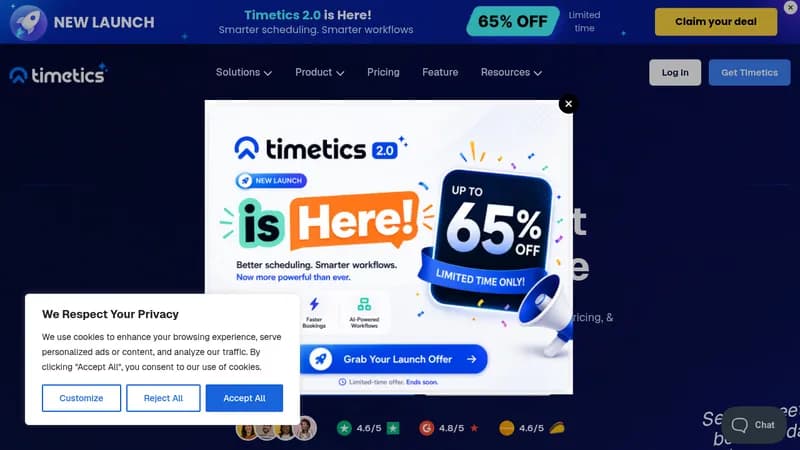
Timetics AI helps you schedule appointments and manage business tasks effortlessly. It uses AI to automate repetitive scheduling, saving time and reducing no-shows. You can integrate it with popular tools and customize it for your specific niche needs.

Key Features of Timetics AI

  1. 1

    AI Automation

    Uses AI to automate scheduling and workflows for efficiency

  2. 2

    Calendar Sync

    Syncs calendars across platforms in real-time

  3. 3

    Seat Planning

    Manages seating arrangements for events with visual tools

  4. 4

    Payment Integration

    Supports secure payments via Stripe, PayPal, and more

  5. 5

    Custom Domain

    Allows branding with personalized web addresses

Timetics AI Tool Use Cases

  • 📅
    Schedule appointments
  • 🎟️
    Book event tickets
  • 🏢
    Manage business meetings
  • 💼
    Automate workflows
  • 🍽️
    Reserve restaurant seats

FAQs from Timetics AI

What is Timetics AI?

Timetics gives you a comprehensive journey from letting your customers book an appointment, arrangements for offline sessions, and converting your clients smoothly.

What are the key features of Timetics?

Timetics has Visual Seat Planner and Event Management features for online schedules, event planning, seat planning, customer tickets, and pricing.

How does AI enhance Timetics?

Timetics uses OpenAI to give personalized recommendations based on booking history, and is working on AI-powered location and AI chatbot features.

Who is Timetics perfect for?

If you run a service business in need of appointments and meetings, Timetics is perfect for you.

Does Timetics support payment integrations?

Yes, Timetics has Stripe, SSLCommerz, and PayPal payment integrations for smooth and flexible payment processing.

Pros & Cons of Timetics AI

Pros (4)

  • AI-driven personalization for recommendations
  • Wide payment integration options
  • Niche-based customization for businesses
  • Automated workflows to reduce manual tasks

Cons (2)

  • Agency accounts not available yet
  • Limited to specific niches like restaurants and salons

More Info About Timetics AI

Who is using timetics ai?

This tool is best for:

  1. Service-based businesses
  2. Event organizers
  3. Corporations with scheduling needs

Timetics AI's Tags

Explore more niche AI tool websites by clicking on a tag* (works only if it has enough tools).

#BusinessAutomation #SmartScheduling #AppointmentManagement#EventPlanning#TimeticsAI

Integrate Timetics AI With These Apps

Timetics AI can be integrated with these apps and services:

  • Stripe
  • SSLCommerz
  • PayPal

Website Analytics of Timetics AI

Timetics AI Website Traffic & SEO Analysis:

Recent data shows that Timetics AI has 907 monthly visits (-49.7% decrease from the previous month), 33.0% bounce rate, and average 2.61 pages per visit.
Traffic is primarily driven by 6 different sources, with users from 2 countries worldwide, led by India contributing 68% of total traffic. SEO performance is shown by 5 tracked keywords, with "timetics" being the top-performing keyword with 120 monthly searches. See below for more info.

Monthly Visits

907

(-49.7%)

Pages per Visit

2.61

Bounce Rate

33.0%

Average Time on Site

1m 10s

Traffic Trend(Aug 2025 - Oct 2025)

Loading chart...

Top Keywords

SEO KeywordVolumeCPC
timetics
120-
appointment saas
60-
timeskip affiliate program
30-
trafft
1.9K$2.77
schedule a meeting
1.6K$0.37

Traffic Sources Distribution

Traffic Share by Source

Loading chart...

Source Breakdown Details

SourceTraffic Share
Direct
28%
Search
55%
Social
4%
Referrals
11%
Paid Referrals
2%

Global Traffic Distribution

Traffic Share by Country

Loading chart...

Geographic Breakdown Details of top 2 countries

Country NameTraffic Share
India68%
Canada32%
Analytics data is estimated (from third-party analytics providers) and for reference only.

🚀 Timetics AI Launch Badge

Promote your Toolbit Launch by using the badge on your website. It can be inserted on your home page or footer easily.

How to use: Simply copy and paste the embed code into your homepage or footer HTML to display it instantly and build community support.

ToolBit badge

Reviews for Timetics AI

Timetics AI: Reviews, Features, Pros & Cons, Alternatives