You open your inbox on a Monday morning and there are 40 new emails. Three actually need a reply today. One is a client asking about a contract you promised to send. The rest are newsletters, notifications, and a cold pitch that misspells your name.
The interesting question in 2026 is no longer whether AI can help with that pile. It's whether you need to pay anyone $25 to $50 a month for the help, or whether the assistant already living inside Gmail, free since January, covers most of it. The honest answer after digging through what Shortwave, Superhuman, Fyxer, and Gemini in Gmail actually do right now: most people don't need a new inbox at all, and the ones who do have a specific, recognizable reason.
So instead of four reviews in a trench coat, this is a tiered recommendation. First what you already have for free, then the signals that mean you've outgrown it, then which paid tool to escalate to, and finally the things no AI in this category should ever send without you.
Start in Gmail: what Gemini already does, free
On January 8, 2026, Google announced Gmail is "entering the Gemini era", powered by Gemini 3, with a stated goal of turning Gmail into a "personal, proactive inbox assistant." The part most people missed in the announcement noise: the core features are free for everyone.
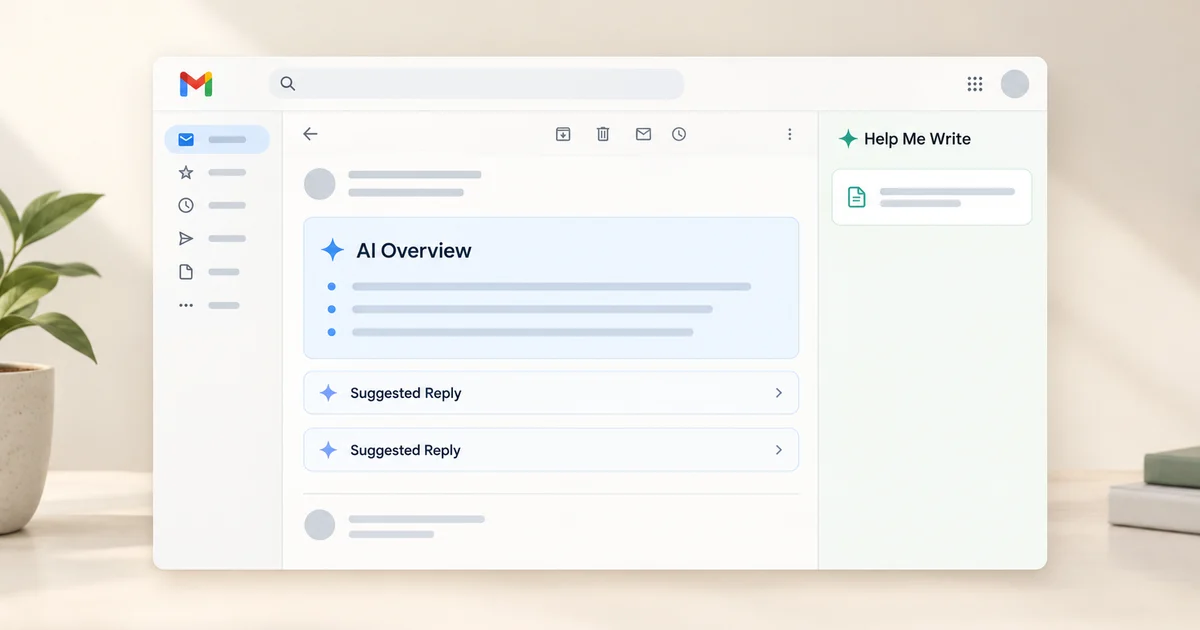
- AI Overviews thread summaries. Open a 30-message thread and Gmail synthesizes the whole conversation into a short digest of key points at the top. This single feature kills most of the "let me reread this thread to remember who decided what" problem, which for a lot of people is half of triage.
- Help Me Write. Give it a one-line prompt and it drafts the email, or paste your rough draft and ask it to polish. This used to sit behind a paid Workspace add-on. It doesn't anymore.
- Suggested Replies with personalization. The upgrade to Smart Replies: one-click responses matched to your tone and the conversation's context, instead of three generic words.
The paid layer exists but is thinner than the marketing implies. Asking your inbox open-ended questions ("who was the plumber who quoted the bathroom renovation last year?") needs a Google AI Pro or Ultra subscription, as does Proofread, the grammar, tone, and style checker. The more radical "AI Inbox" view, the one that turns your whole inbox into a personalized briefing with suggested to-dos, entered beta for Google AI Ultra subscribers around the end of March 2026 and is still not broadly available. Don't buy a subscription assuming you'll get that.
What did land recently: Google made AI Overviews in Gmail search globally available in September 2026, so typing a natural-language question into Gmail search and getting an actual synthesized answer now works well beyond the original US rollout.
Here's the part nobody puts on a landing page: Gemini in Gmail doesn't proactively organize anything. The newsletters still land in your face every morning. Nothing gets labeled or archived for you, and nobody drafts replies before you ask. It assists when summoned. It doesn't run the inbox for you. That distinction is where the paid tools live or die.
If you haven't spent a week with the free features yet, do that before reading further. That week is the control group for everything below. If you want to go deeper on why a single big model doesn't automatically fix this, our article on how to pick the right AI model for the job covers the tradeoffs, and email triage is a good example: it's several small jobs wearing one name. Deciding what matters and writing the reply are different failures, and you'll notice different gaps depending on which one eats your day.
How to know you've outgrown free Gmail
The upgrade signals are practical, not aspirational. You're a candidate for a paid tool when the bottleneck stops being "understanding and writing" and becomes one of these:
- The same 30 low-value emails arrive every morning and you still process them by hand. Newsletters, notifications, marketing. Gmail bundles none of this for you; you're paying for a tool to make the noise invisible before you look.
- You lose threads that needed a follow-up. A redline goes quiet for two weeks, a prospect never answers, and there's no system that surfaces the silence. This is an unanswered-thread tracking problem, not a writing problem.
- You want drafts waiting for you, not the other way around. With free Gemini, you summon the draft. The paid tier of this category pre-drafts replies before you open the inbox.
- Your volume is genuinely executive-scale, hundreds of emails a week across clients, and the cost of a missed one is a real number, not a shrug.
One signal that is NOT a trigger: "the AI drafts feel generic." Every tool in this category drafts about as well as the underlying model allows, and they've converged. Paying more buys proactivity and organization, not intelligence.
Shortwave vs Superhuman vs Fyxer: the escalation options
Once you're past the threshold, the choice is less about quality and more about shape: does the tool replace your email client, or plug into the one you have? Here's the compact picture, then the reasoning.
| Shortwave | Superhuman Mail | Fyxer | |
|---|---|---|---|
| What it is | Full replacement client for Gmail | Speed client, or AI agent inside Gmail/Outlook | Assistant inside Gmail/Outlook |
| Entry price | Free tier; Business $30/seat/mo | Starter $25/user/mo (annual); $33 for full AI | $30/mo Starter ($22.50 annual) |
| Auto-organize | Bundles, splits, AI filters | Six auto labels, auto archive | Three-bucket labeling, priority lift |
| Pre-drafted replies | On request, instant AI replies | Auto Drafts for every reply-needed email | Auto-drafted in your voice |
| Unanswered-thread tracking | Automatic follow-up reminders | Auto Reminders plus follow-up drafts | Priorities list plus follow-up drafts |
| Outlook support | No | Yes | Yes |
| Meeting notes to follow-ups | No | No | Yes |
Shortwave: the full replacement
Shortwave is for a specific kind of person: someone who wants their entire email experience rebuilt around speed and AI, not a helper bolted onto Gmail. You connect your Google account and open Shortwave's app instead. Gmail is still underneath, so nothing migrates, but everything you touch behaves differently.
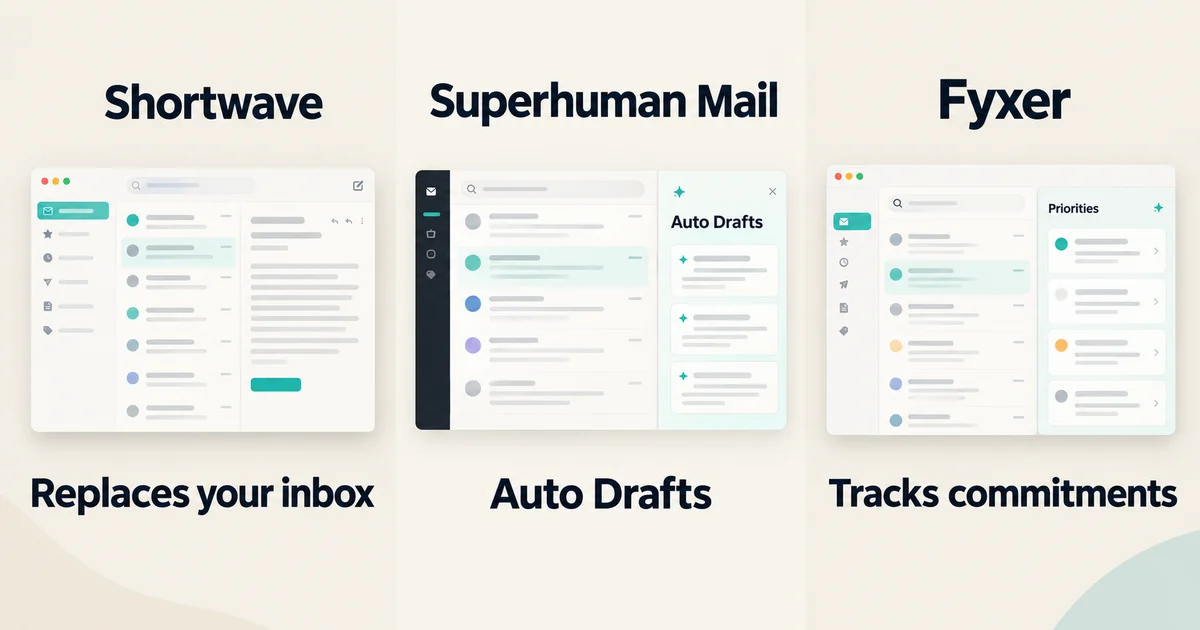
The triage system is the standout. Bundles automatically group newsletters and promotions so they arrive pre-collapsed. Splits divide your inbox into tabs around what matters: important senders, labels, even custom queries. AI filters let you describe an action in plain language ("when an email contains a coupon, label it and archive it") and Shortwave enforces it without you maintaining keyword rules. There's also a one-click "organize my inbox" action that proposes bulk cleanup over your recent threads: archive the noise, turn the actionable stuff into todos.
The AI behind it is serious: Shortwave's plans run on Anthropic models at different intelligence tiers, from Claude Haiku 4.5 at the basic level up to Claude Opus 4.6 with adaptive thinking at the top, and it can search years of your email history, answer questions about it, browse the web, and analyze attachments.
Pricing, from Shortwave's own pricing page: the free tier exists but is deliberately limited, with capped AI usage and a "Sent with Shortwave" signature on your outgoing mail, which reads poorly on anything client-facing. The real tiers are Business at $30 per seat per month, Premier at $45, and Max at $120, scaling AI usage, search history, and AI filter counts. Paid plans start with a 14-day trial.
Pick this if you want a new, faster home for email and you're willing to learn it. Skip it if your team needs to stay on plain Gmail, or if you just want drafts and summaries you already have free.
Superhuman Mail: speed culture, now with an agent inside Gmail
Two things changed around Superhuman that matter more than any feature list. The company changed around it: Superhuman was acquired by Grammarly, which then rebranded the whole parent company as Superhuman, folding in Grammarly and Coda, which became "Superhuman Docs" in July 2026. You're looking at one arm of a bigger productivity suite now, not an independent startup.
The second change is practical: you no longer have to adopt Superhuman's app to get its AI. Superhuman Mail for Gmail is an agent that works inside your existing Gmail inbox, no new app, no browser extension. After a one-time setup it labels incoming email into six categories (Respond, Waiting, FYI, Notifications, Promotions, News), auto-archives the low-priority stuff you choose, drafts replies in your voice, and resurfaces conversations that never got an answer. The same agent exists for Outlook.
The flagship is Auto Drafts, the most aggressive "the AI does the work" implementation in this group. Every email that needs a reply gets a draft prepared: responses, follow-ups on unanswered threads, scheduling replies when someone asks to meet. Drafts refresh daily, and when the AI can't infer a fact like a name or date, it leaves a placeholder and warns you if one is still present when you hit send. Crucially, per Superhuman's own documentation, Auto Drafts appear as standard drafts in your drafts folder and are never sent automatically.
Pricing is $25 per user per month for Starter, or $33 for Business, billed annually. The advanced AI tier, which includes Auto Drafts, Ask AI, and custom auto labels, is the Business plan, so the realistic number for the full experience is $33.
Pick this if email is substantially your job, executives, sales, founders, and you want opinionated automation with minimal setup. Skip it if you'll never learn the shortcuts or you expect Starter pricing to include the headline AI.
Fyxer: the assistant that stays out of your way
Fyxer takes the opposite bet from Shortwave. It's not a client. It connects to your existing Gmail or Outlook and works inside the inbox you already have open, with a one-click setup.
The triage model fits in a sentence: Fyxer labels every incoming email into one of three buckets, needs a reply, FYI, or marketing noise, and lifts the important stuff to the top. No rules to build, no filters to maintain. Then it drafts replies in your voice for the ones that need responses, which you review and send. If you're weighing assistants against classic rule-based automation generally, our guide to AI agents vs. AI automation covers the distinction, and Fyxer sits firmly on the agent side of that line.
Two things differentiate it. It tracks commitments: the priorities view surfaces things like a contract you promised to send this week or a redline thread that's gone quiet for two weeks, which is genuinely different from "important mail to the top." And it joins your Google Meet and Teams calls as a notetaker, then drafts the follow-up emails from what was said on the call. That meeting-notes-to-follow-up pipeline is the one workflow none of the other tools touch.
The company background is worth knowing: Fyxer's team spent a decade running one of the UK's largest executive assistant agencies and built the product around how human assistants actually triage email. It's UK-registered (Fyxer AI Limited) and reports over 100,000 users.
Pricing from Fyxer's pricing page: Starter is $30 per user per month, or $22.50 billed annually, covering one inbox and calendar, reply drafting, and the notetaker. Professional is $50, or $37.50 annually, adding multiple inboxes, Fyxer Chat (ask questions about any client or conversation), HubSpot integration, and file uploads to train it further. Enterprise is custom for 50+ seats. There's a 7-day free trial.
Pick this if you're a consultant, agent, or client-services person juggling multiple clients in Gmail or Outlook who wants the inbox pre-sorted and commitments tracked without switching clients. Skip it if you want a new beautiful interface (Fyxer barely has one, that's the point) or deep custom filtering, where Shortwave's AI filters are stronger.
What never to auto-send, in any of them
A caution that belongs in any honest article about this category, because the marketing of all four tools is quietly drifting toward "set it and forget it."
None of these tools, as shipped, sends email for you. Superhuman's documentation is explicit that Auto Drafts are never sent automatically. Fyxer's whole flow ends with "review and hit send." Shortwave's and Gemini's drafts wait for your click. That's the correct design, and you should resist any configuration that erodes it, including the workflow-automation connectors some of these tools offer, where "automatically draft and send" is a toggle away.
Things that should never leave your outbox without your eyes on them, regardless of how good the draft looks:
- Anything with a commitment in it. Prices, deadlines, promises to deliver. A model can't know your calendar's real state or what you already agreed verbally.
- Anything emotionally loaded. A tense client thread is where a confident-sounding, slightly-off draft does the most damage.
- Anything with a placeholder-shaped hole. The classic failure mode is a draft that invents a date, a number, or a name because the model would rather fill the gap than flag it. Superhuman's placeholder warnings exist precisely because this happens.
- First replies to new clients. Tone-setting emails are where a generic voice costs you the most, and where every tool here is at its most average.
The reliable pattern: let the AI handle volume, let a human handle first impressions, money, and conflict.
The decision rule
If you're in Gmail and haven't used the free Gemini features, that's the move this week, not a purchase. Thread summaries plus Help Me Write plus Suggested Replies is most of the value the paid tools advertise, at zero marginal cost.
If you've done that and the pain is unprocessed volume, unanswered threads, or drafts that arrive too late, escalate by shape: Shortwave if you want a new home for your email, Superhuman Mail if you want an opinionated agent sweeping your existing Gmail or Outlook, Fyxer if you want the quietest option that also turns meeting notes into follow-ups. On Outlook rather than Gmail, the same logic applies with Copilot as your free baseline and Superhuman or Fyxer as the upgrade, and it's worth weighing that pairing separately before paying for any Gmail-only tool.
And if the reason you're drowning is that too much of your actual work happens in email in the first place, our piece on the hidden cost of AI automation is a better next read than any pricing page.
Pricing and plan details are as published by the vendors around September 2026 and can change; confirm on the official sites before deciding.
Quick answers
Is Shortwave or Superhuman better for triage specifically? Shortwave's organization system (bundles, splits, AI filters) is more customizable and transparent; Superhuman's six auto labels plus auto archive is more opinionated and needs less setup. Shortwave replaces your client, Superhuman's agent can run inside Gmail or Outlook as-is.
Is Fyxer worth it if I already pay for Gemini or Workspace? Possibly, because the features barely overlap. Gemini drafts and summarizes when asked. Fyxer organizes before you open the inbox, drafts before you ask, tracks unanswered commitments, and takes meeting notes. If none of those gaps bother you, stay free.
Will any of these send emails without me? Not by default, and the important ones say so explicitly. Superhuman states Auto Drafts are never sent automatically, Fyxer ends at review-and-send, and Shortwave and Gemini drafts wait for your click. Keep it that way, whatever you configure.