Your ad has one job that AI image generators keep fumbling: the words. Not the mood, not the lighting, not the six fingers. The price tag, the URL, the six-word headline across the top. In 2026 most models can finally spell "FRESH COFFEE" on a chalkboard. That was the 2024 problem. The 2026 problem is quieter and nastier: a model that spells nine words right and then quietly flips one digit in your price, drops the dot out of your URL, or invents a logo your company has never used.
So the only useful comparison is a cruel one. Not "can it write text on a poster" but "can it survive a headline, a price, and a URL in the same image, three times in a row". That is the test below, run against the three tools people actually reach for when words matter: Ideogram, Recraft, and Canva. Midjourney is in here too, briefly, as the one to cross off for this job. (If you are still deciding which generator belongs in your workflow at all, our ultimate AI image generator guide covers the wider field; this piece is strictly about the words.)
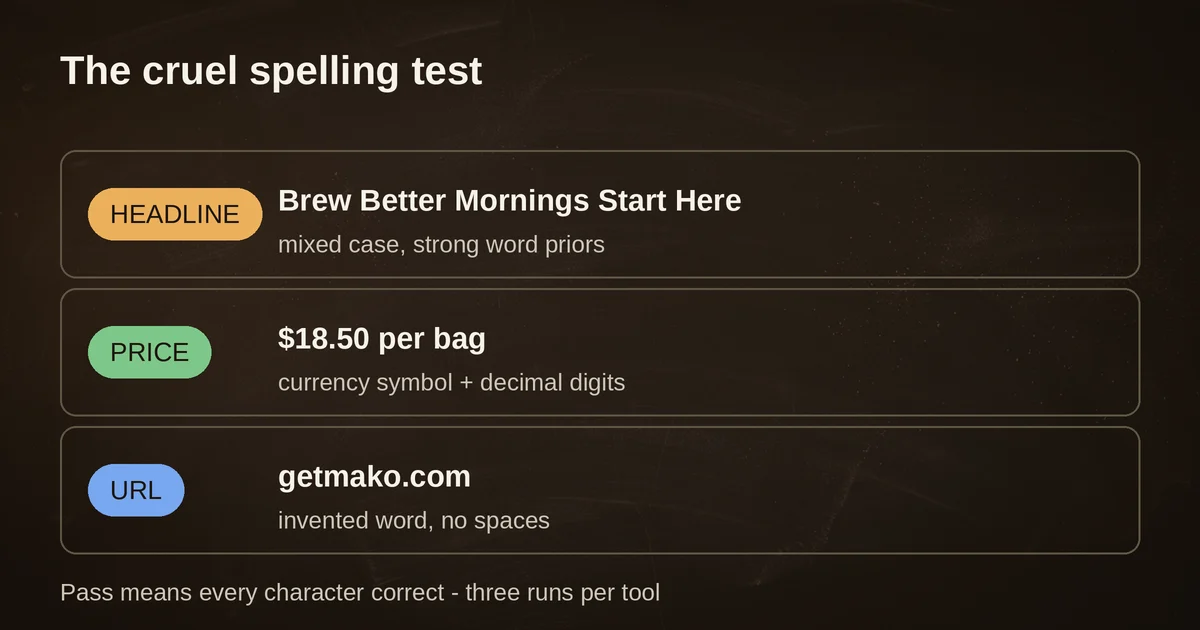
The test: six words, a price, a URL
Here is the prompt suite. It is deliberately mean, and you can run it yourself in about ten minutes on any free tier:
| Element | The copy | Why it is cruel |
|---|---|---|
| Headline | "Brew Better Mornings Start Here" (6 words) | Mixed case, common words the model has strong priors about, mixed lengths |
| Price | "$18.50 per bag" | Currency symbol, two-digit price with a decimal, lowercase words after digits |
| URL | "getmako.com" | Lowercase, a made-up word, no spaces: exactly the kind of string models re-spell into a plausible non-word |
The rule is simple: an image passes only if every character is correct. Not close. Not "readable from across the room". Correct. One run per tool counts as a miss if anything is off, and you generate three times because diffusion models are random: a tool that passes one out of three is a tool that fails three out of three in production, just more slowly.
The three tools take philosophically different approaches to this test, which is why comparing them is interesting at all:
| Tool | Current model | How it handles text | Entry price |
|---|---|---|---|
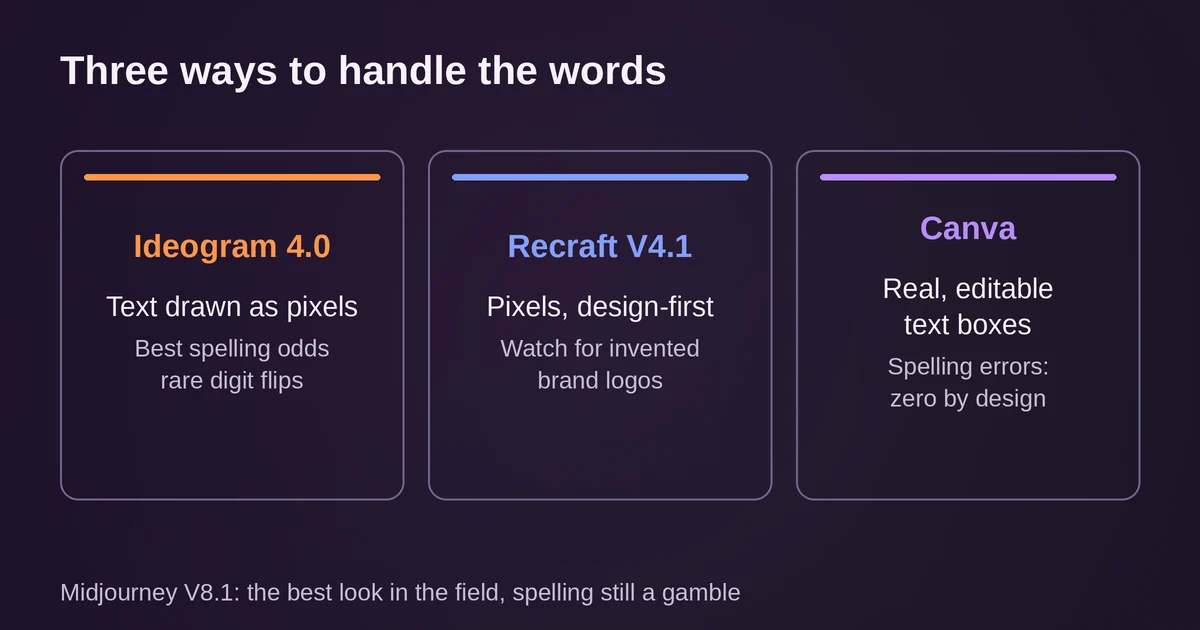
| Ideogram | 4.0 (June 2026) | Renders text as pixels, tuned specifically for typography fidelity | Free tier; Plus $20/mo ($15 annual) |
| Recraft | V4.1 (May 2026) | Renders text as pixels, tuned for design taste and text placement | Free tier; Basic $12/mo ($10 annual) |
| Canva | Canva AI 2.0, Magic Layers | Mostly sidesteps pixel text: text lands as real, editable text boxes | Free tier; Pro $15/mo |
The misses, published honestly
Two things to be transparent about. First, exact per-run results vary with seeds, style settings, and prompt phrasing; any single roll of the dice is anecdote, not data. Second, the documented failures below come from named tests that ran this kind of protocol in 2026, plus what the vendors themselves claim. Here is what actually breaks.
Digit flips. In a seven-region packaging test by the team at Masonry (five models, same product label, every text region checked character by character), Ideogram V4 got through the easy four-line version cleanly and then, on the harder prompt, rendered "ROASTED 08" as "ROASTED 06". One digit. The image looked perfect. The date was wrong. That is the single most dangerous failure mode in this whole category, because a flipped digit in a price or an expiry date does not look like an AI error. It looks like a typo, and it ships.
URLs losing their dots. The same test found a model rendering "arcadia.example" without the dot. A URL is the worst thing you can ask a diffusion model to draw: lowercase, no word boundaries, and the model's job is literally to invent plausible letter sequences. Plausible is the enemy here. "getmako.com" can come back as "getrnako.com" and your eye will gloss over it because both halves look like words.
Invented brands. A Facebook-ads test by Makometrics ran one identical brand brief through five image models and found that Ideogram V3 and Recraft V3 both set the headline beautifully and then designed a logo for the brand that has never existed. Recraft drew a different invented badge on every single run. This is the failure nobody warns you about, because the output does not look broken. It looks like a designer taking liberties. If you are generating anything with a real logo in it, the logo must come from your files, never from the prompt.
Paragraph drift. Every current model, including the text specialists, still degrades on paragraph-length copy. Multi-level chalkboard tests found Ideogram dropping words and repeating lines once the copy went past a title plus a short subtitle. The practical ceiling in 2026 is a headline, maybe a subline, maybe one short label. Anything longer and you are compositing type in a design tool afterward anyway.
And Midjourney? V8.1, the current default since June 2026, improved text rendering dramatically over V7's famous garbling, but reviewers still place it behind Ideogram for lettering specifically. When the words must be right, Midjourney is the tool to avoid. Its aesthetic is unmatched; its spelling is still a gamble.
Ideogram 4.0: the spelling specialist goes open-weights
Ideogram has been the "it spells things" tool since it launched in 2022, and version 4.0, released June 3, 2026, is a bigger deal than a normal model bump: the company released the weights openly under a commercial license, which means enterprises can fine-tune it on their own brand data and run it inside their own infrastructure. For a typography-first model, that combination, production-fidelity text plus self-hosting, is new.
The vendor's own claims for 4.0 are strong, including multilingual text rendering, denser type at smaller scales, bounding-box layout control so you can tell the model where text goes, and native 2K output. Ideogram reports a 0.97 OCR accuracy score on its benchmark suite; treat that as vendor-reported until you run your own test, but directionally it matches what independent testers see: Ideogram is the most reliable speller in the field, and its misses (like that 08-to-06 digit flip) are rarer and more subtle than everyone else's.
Pricing: a free tier with weekly slow credits, Plus at $20/month or $15/month billed annually with 1,000 priority credits, Pro at $60/month or $42 annual, and a Team tier. A 4.0 image costs 1 to 3 credits depending on rendering speed, so 1,000 credits stretches a long way. Full details are on the Ideogram pricing page, and the 4.0 announcement is worth a read if self-hosting a typography-grade model is relevant to you.
The honest limitation: Ideogram renders words as pixels. Even when every glyph is right, what you download is a picture of text, not text. Change "$18.50" to "$21.00" and you are regenerating, not editing. Ideogram has promised editable text layers as a follow-up to 4.0's layer-based stack, but as of September 2026 the finished, shipped version of that workflow is not what you get when you generate a poster today.
Recraft V4.1: the designer's tool, with one caveat
Recraft takes the opposite bet from Ideogram on emphasis. V4.1, released May 14, 2026, was tuned with designers on aesthetics first: the model's claim to fame is taste, composition, and the only native vector output in this comparison. If your deliverable is a logo lockup, an icon set, or anything that needs to survive being scaled to a billboard, Recraft's SVG pipeline is genuinely differentiated.
Its text pedigree is real, too. Recraft V3 spent five consecutive months at number one on the Artificial Analysis benchmark after its October 2024 release, and it was the first Recraft model to nail mid-size text, plus the first anywhere to let you specify where in the image text should sit. V4.1 carries that forward, and its model documentation describes typography as "a structural part of the composition, not just an overlay", which matches how its output behaves. Independent ad-creative testing found Recraft produced the best headline typography of any model in the test.
The caveat is the same test's other finding: give Recraft a brand in words and it will hand you a beautiful, confident, entirely fictional logo. Recraft's strength, its strong design priors, is exactly what makes it dangerous for brand work. It does not fail by misspelling. It fails by improvising.
Pricing: Basic at $12/month ($10 billed annually) for 1,000 credits, Pro tiers scaling from 2,000 credits at $20/month up to 16,000 at $160/month, Teams with a three-seat minimum. The free tier is for exploring only: free-plan images are owned by Recraft, public, and not licensed for commercial use, a detail that matters if you are drafting real campaign assets on the free plan. Paid plans grant full ownership and commercial rights, per Recraft's plans documentation.
Canva: the adult choice
Here is the uncomfortable observation after you run enough of these tests: the reliable way to get perfectly spelled text into an image is not to generate the text at all. Canva's Magic Media generator, its text-to-image feature, is mediocre at pixel text, the same way most models were two years ago. Canva's answer was architectural instead of algorithmic: stop trying to draw the words.
Canva AI 2.0, announced at Canva Create 2026 and built on the Canva Design Model, generates designs as layered, editable objects rather than flat images. The headline is a text box. The price is a text box. You can change "$18.50" to "$21.00" by typing, the way humans have edited type since Gutenberg. Magic Layers, launched in March 2026 and used over nine million times in its first four weeks, extends this to any flat AI image: paste in a poster from Ideogram or an ad from ChatGPT, and Canva decomposes it into text, objects, and background, with the text converted to live, editable type. It even runs inside Gemini and ChatGPT now, per Canva's newsroom announcement, so the image you generate there can arrive as a layered Canva file. (The same "generate, then finish in a real editor" instinct is why we keep a separate guide to ChatGPT Images 2.5, whose Sketch and comments workflow is another take on generation-as-a-starting-point.)
This is the adult choice, and the maturity is worth spelling out:
- The spelling error rate for real text boxes is zero. That is not a benchmark. That is what a text box is.
- The workflow handles the one thing pixel generators cannot: revisions. Legal wants the price changed, the URL gets a campaign parameter, the headline tests badly. In Canva that is 30 seconds. In a generated image that is a re-roll of the dice and a re-check of every character.
- Brand consistency comes from your Brand Kit fonts and colors, not from a model's interpretation of the word "minimal".
The trade-off is honest, too: Canva's layouts are templates. Ten thousand other businesses shipped something structurally similar this month. The generation tools give you original composition; Canva gives you correct, revisable, on-brand output. For a social ad that must be live on Friday with the right price, "correct and revisable" wins every time.
When to set the type yourself
And then there is the option that predates all of this: generate the background, set the type in Figma (or Canva, or Illustrator) as a text layer, and never let a diffusion model near a glyph. In September 2026 that is still the professional answer more often than not.
Set type manually when:
- The asset ships. Packaging, print, anything with legal or pricing copy: the text layer is the deliverable, and a pixel is not.
- Typography is the product. Logos, wordmarks, word-heavy posters. The models are surprisingly good at lettering aesthetics now, but "surprisingly good" is not a brand standard.
- The copy will change. A/B tests, localized variants, seasonal pricing. If you expect two text edits over the asset's life, generation has already lost.
- The brand mark must be exact. We have covered the invented-logo problem. Your logo comes from your files or nowhere.
Use generation for the words when the text is atmospheric rather than load-bearing: a sign in the background of a scene, a mockup for an internal deck, a mood-board poster, a concept for a client who needs to see the idea before anyone commits to the type. Ideogram for the highest spelling odds, Recraft when the lettering itself is part of the aesthetic and vector output matters.
A note for the API builders: this split is exactly what the endpoints reflect. Recraft charges $0.035 per V4.1 image and $0.08 for the vector variant; Ideogram's 4.0 pricing runs 1 to 3 credits per image depending on rendering mode. Both are cheap enough that "generate three, pick the survivor" is a rational strategy, which is also a reminder that a 1-in-3 spelling failure rate is invisible in a pricing table. And if you are wiring these tools into automated pipelines rather than clicking through them, our piece on hidden AI tool features has some overlap with what people miss in exactly these three apps.
Verdict
Run the cruel test yourself before you commit to any of them; ten minutes on the free tiers tells you more than a hundred comparisons. But here is how the decision lands as of September 2026:
- You need a generated image where the words are right, once, fast: Ideogram 4.0. Best spelling odds in the field, open weights if you want to self-host, and a digit flip is its worst crime.
- You need designed, original-looking creative with type, especially for logos or scalable assets: Recraft V4.1, with your real logo supplied separately and the output proofread character by character.
- You need this ad to be correct, on-brand, and editable by the whole team: Canva. Spelling by text box beats spelling by diffusion, every time.
- The text matters and you have a designer: generate the background, set the type in Figma. Still the professional answer.
- The tool to avoid: Midjourney, for anything where the words carry meaning.
The 2026 state of play in one line: spelling is solved at headline scale and unsolved at paragraph scale, and the failure modes that will actually hurt you, flipped digits, dropped dots, invented logos, do not look like failures. That is why the cruel test exists. Your turn.
Two questions people actually ask
Can AI image generators spell correctly now?
At headline scale, mostly yes. Ideogram 4.0, Recraft V4.1, and the other current frontier models render short lines of text correctly the large majority of the time, and Ideogram is the reliability leader. The failures moved down the stack: digits inside prices, punctuation inside URLs, paragraph-length copy, and brand marks. Long body text in a generated image is still not production-safe in any tool.
Is Canva's AI better at text than Ideogram or Recraft?
Its generator, Magic Media, is not; pixel-rendered text from Canva is roughly where the field was a couple of years ago. Canva wins on a different axis: Magic Layers and the Canva Design Model convert text into real, editable text boxes, where the miss rate is zero by construction. If "the words must be right and stay editable" describes your job, that beats better spelling.
Pricing and plan details are as published by the vendor around September 2026 and can change; confirm on the official site.