
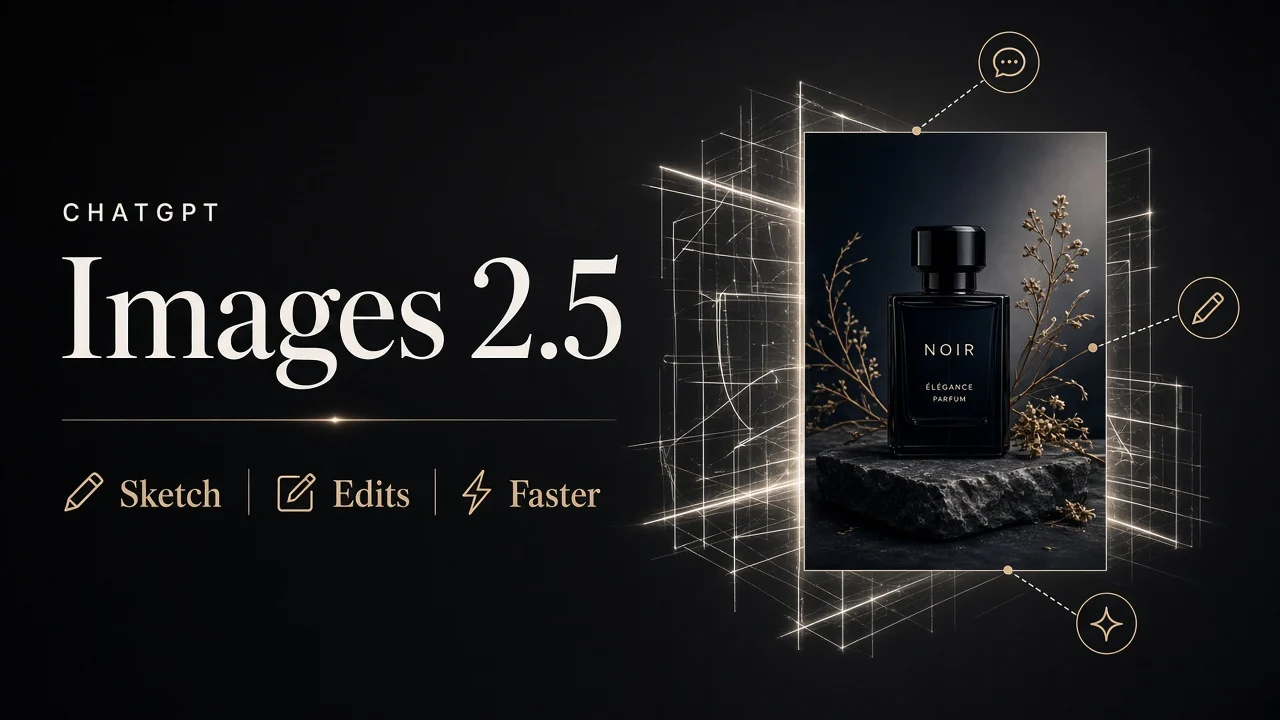
OpenAI shipped ChatGPT Images 2.5 on September 8, 2026, with sharper detail, more reliable multi-turn edits, and product controls that matter in real creative loops: Sketch, templates, image comments, and shared prompts. For builders, the same release adds GPT-Image-2.5 Flare (default quality + speed) and GPT-Image-2.5 Sunburst (extra precision, longer generation). OpenAI reports up to about 50% lower image generation latency versus Images 2.0 - treat that as a vendor claim and measure it on your own prompts, sizes, and quality settings. Start with the OpenAI launch post when you need the source of record.
In short
- Images 2.5 is live in ChatGPT, ChatGPT Work, and Codex across tiers on desktop, mobile, and web.
- Quality focus: natural lighting and textures, better subject preservation from reference photos, steadier multi-turn edits.
- ChatGPT product loop: Sketch for layout, templates for common formats, comments for surgical edits, shared prompts for reuse.
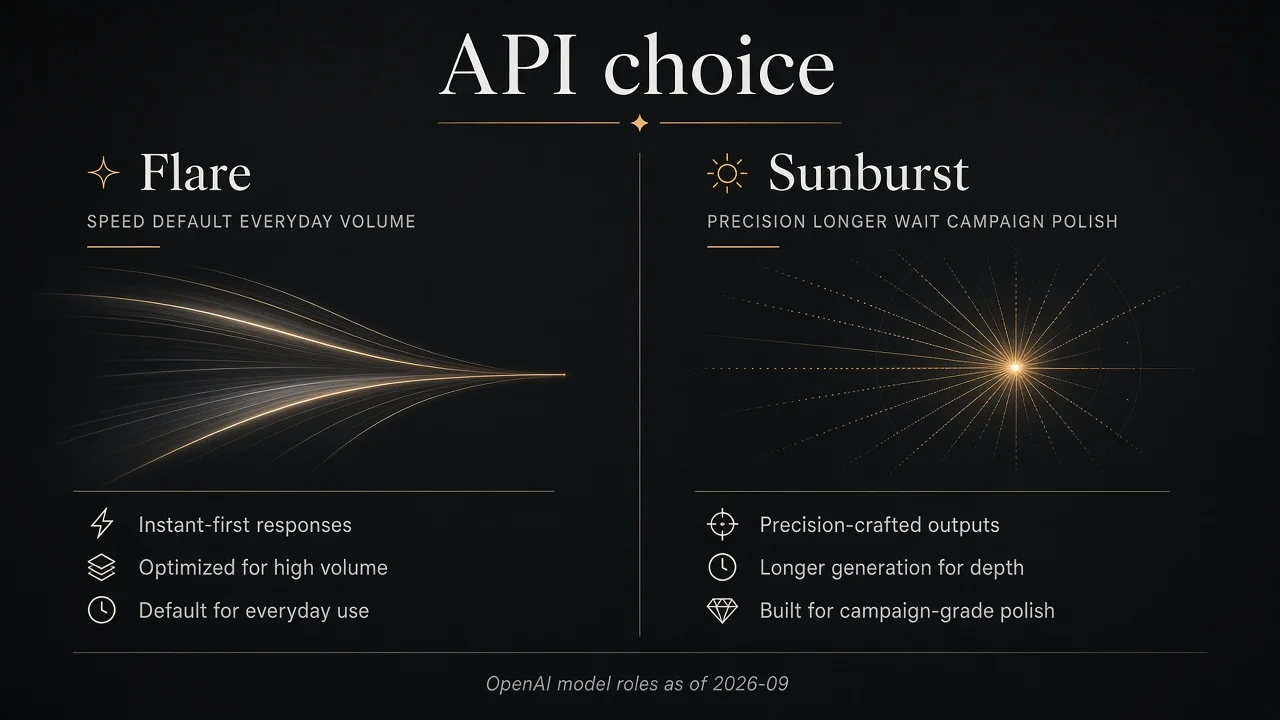
- API choice: Flare for everyday and high-volume work; Sunburst when edit precision outweighs wait time.
- Latency and pricing figures below are OpenAI-reported or OpenAI-published - confirm on official pages before you ship budgets.
What changed in ChatGPT Images 2.5 vs 2.0?
If you already use ChatGPT Images, 2.5 is less a new app and more a tighter generation and edit stack. OpenAI positions the model as producing sharper details, more precise editing, and faster generation. Lighting and textures read more natural. Reference subjects hold up better across edits. Multi-turn instructions are described as more reliable - the practical win when you ask for one change without rewriting the whole scene.
The latency headline is important and easy to over-read. OpenAI reports up to roughly 50% lower image generation latency compared with Images 2.0. That is a ceiling claim from the vendor, not a guarantee for every resolution, quality tier, or edit chain. Keep a small side-by-side set of your production prompts and time them yourself.
For product context on ChatGPT itself, the ChatGPT product directory is a useful orientation layer; this guide stays focused on the Images 2.5 workflow.
Who can use Images 2.5 today?
OpenAI says Images 2.5 is rolling out to ChatGPT, ChatGPT Work, and Codex users across all tiers, on desktop, mobile, and web. You do not need a separate "API-only" account to try the chat experience. API access is a different path: you call documented model IDs rather than the chat UI feature set.
How do Sketch, templates, and image comments change the workflow?
The model upgrade is half the story. The ChatGPT product features change how you steer results.
Sketch
Sketch lets you draw directly in ChatGPT and use that drawing as a visual guide. Layout a room, outline an outfit, or scribble a composition, then describe style and constraints in text. This is especially useful when words alone keep missing the composition you can see in your head.
Templates
Templates remove blank-canvas friction for popular formats. OpenAI calls out examples such as Poster and Merch. Pick a template, add the information, design elements, and style you need, then iterate. Templates are a starting rail, not a locked design system - you still own the prompt constraints.
Image comments and multi-turn edits
You can place comments directly on images for more focused editing. Instead of restating the entire scene, point at the region or issue and ask for one change. Pair comments with explicit preserve language: identity, product geometry, camera angle, lighting, and required text.
Shared prompts
Shared prompts let others try your idea with their own photos and details. That is useful for team templates, creator packs, and repeatable campaign recipes without pasting long prompt blocks into chat every time.
If you have been experimenting with stylized photo trends - for example the creative remix loops covered in the classic 1980s photos ChatGPT trend guide - Images 2.5's subject-preservation and comment-driven edits make those multi-step lookbooks less brittle.
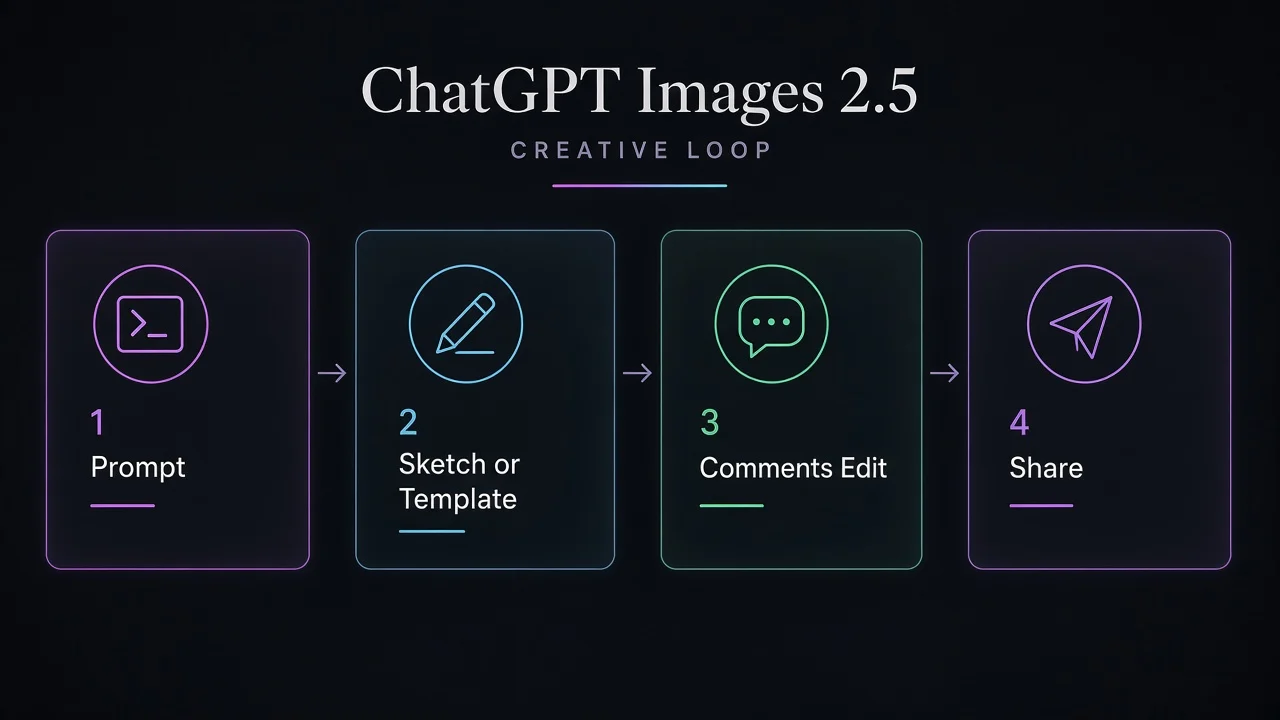
How should you run a strong Images 2.5 creative loop?
Use a stage-gated loop so each turn has one job.
- Define the deliverable. Name the format (product photo, poster, merch mock, social still) and the one job the image must do.
- Choose the control surface. Blank prompt for open exploration; a template for common formats; Sketch when composition is the bottleneck.
- Write change vs preserve. Say what must change and list what must stay: face, logo text, product edges, background, aspect ratio.
- Generate once, inspect honestly. Check text spelling, identity drift, unwanted extras, and whether the edit stayed local.
- Edit with comments - one change per turn. Narrow follow-ups beat kitchen-sink rewrites. Restate critical constraints if drift appears.
- Lock a reusable recipe. When the result is good, save or share the prompt so the next person (or future you) starts closer to done.
Prompt patterns that travel well
- Quote required on-image text exactly and say it should appear once.
- For reference photos: "preserve subject identity and clothing geometry; change only the background."
- For product work: "preserve label legibility and package proportions; do not restyle the product."
- For Sketch-to-render: "preserve exact layout and perspective; add realistic materials and lighting; do not invent new elements."
Flare vs Sunburst - which API model should you pick?
ChatGPT Images 2.5 is the chat product experience. In the API, OpenAI ships two models:
| Model | ID (undated) | Best fit | Tradeoff |
|---|---|---|---|
| GPT-Image-2.5 Flare | gpt-image-2.5-flare | Everyday generation, social/creator content, prototyping, high-volume jobs | Default quality + speed path; OpenAI positions higher quality than GPT-Image-2 at about 50% lower latency (OpenAI-reported) |
| GPT-Image-2.5 Sunburst | gpt-image-2.5-sunburst | Edit-heavy creative work, campaign polish, product imagery needing tighter control | Extra precision with longer generation times |
OpenAI's own prompting docs suggest a practical migration pattern: if your current GPT Image 2 workflow already meets quality, test Flare first for a latency win. If quality is the gap, establish Sunburst, then try Flare again only if it still meets the bar. Measure response time and accepted-image rate on your prompts - a speed gain on one workload does not fix every workload.
Pricing note (OpenAI-published token rates): Flare and Sunburst share the same published per-token rates on OpenAI's API pricing page (around the September 2026 launch window): text input, image input, and image output are billed by tokens, not a flat "one price per picture." Equal rates do not mean equal cost per accepted image, because token consumption can differ by model, size, quality, references, and retries. Confirm current numbers on the official pricing page and log usage from real responses before you set budgets.
For a wider landscape view of generators and when to mix tools, see the ultimate AI image generator guide.
When should you stay in ChatGPT vs call the API?
Stay in ChatGPT when the bottleneck is human taste and spatial control. Sketch, templates, on-image comments, and shared prompts are product features - they do not automatically appear in your backend when you switch an API model ID.
Call the API when you need automation: in-product generation, batch jobs, reproducible model pinning (gpt-image-2.5-flare / gpt-image-2.5-sunburst or dated snapshots such as ...-2026-09-08), transparent backgrounds, or quality/size parameters wired into code. Do not pass a chat marketing name like "ChatGPT Images 2.5" as the model string.
A useful split for teams: explore and approve looks in ChatGPT, then harden the winning prompts and references into Flare or Sunburst jobs with acceptance checks.
Common mistakes to avoid
- Banking on the 50% latency claim without timing your own sizes and quality settings.
- Rewriting the full prompt every turn instead of one targeted comment plus preserve constraints.
- Assuming Sketch/templates exist in the API the moment you change a model ID.
- Keeping old quality labels blindly after migration - compare outputs, then tune
qualityand size one variable at a time. - Budgeting from a single "per image" blog number instead of OpenAI's token rates plus your logged usage.
- Skipping subject-preservation checks on faces, logos, and product geometry after multi-turn edits.
FAQ
Does Images 2.5 replace GPT Image 2 in my existing API code?
No - you must switch to a documented 2.5 model ID such as gpt-image-2.5-flare or gpt-image-2.5-sunburst (or their dated snapshots). Keep a baseline of prompts and references, compare quality and latency, then roll out by workflow with a rollback path while older models remain supported.
Are Sketch and templates available in the API?
No. Sketch, templates, image comments, and shared prompts are ChatGPT product features described in OpenAI's Images 2.5 launch materials. The API gives generation and editing with model IDs, quality, size, and related parameters - you build any canvas UX yourself.
Is the 50% latency cut guaranteed for every prompt size?
No. OpenAI reports up to about 50% lower image generation latency versus Images 2.0 (and positions Flare similarly versus GPT-Image-2). Treat those figures as OpenAI-reported. Your results depend on prompt complexity, references, output dimensions, and quality settings - measure typical and slow responses on your own set.
Do Flare and Sunburst cost different amounts per token?
Not on OpenAI's published rate card around the launch window - both list the same token rates for text input, image input, and image output. Cost per accepted image can still differ because token use, retries, and edit chains vary. Confirm live pricing before you buy or ship.
Can I use Images 2.5 in ChatGPT Work and Codex the same day it shipped?
Yes, according to OpenAI's rollout statement: Images 2.5 became available to ChatGPT, ChatGPT Work, and Codex users across all tiers on desktop, mobile, and web as of the September 8, 2026 release. Client UI details can still vary by surface, so verify Sketch/templates/comments in the client you actually use.
Next step
Pick one production-style prompt you already trust. Run it on Images 2.5 in ChatGPT with a template or Sketch pass, then a single comment-driven edit. If you ship in product, repeat the same assets on Flare and - if quality is the gap - Sunburst, logging latency and usage. Keep the OpenAI launch post and pricing page as your source of truth when figures move.
Pricing and plan details / limits are as published by the vendor around September 8, 2026 and can change - confirm on the official site before you buy or ship.