Every team has that one person who seems to know where everything lives. Which task is blocking the release, what the client agreed to in March, who owns the payment flow redesign. When that person goes on vacation, work slows down, not because anyone is lazy, but because the map of the company lives in one head.
ClickUp Brain is ClickUp's attempt to make that map exist outside anyone's head. It is the umbrella term for every AI feature in the platform: an assistant that can read your tasks, Docs, and chats, answer questions about them, draft updates, run analyses, and in its current generation (Brain²) execute whole workflows from a single prompt. If your team already lives in ClickUp, it is the most context-rich AI you can buy. If your team does not, most of that value stays locked away.
This guide covers what Brain actually answers and from what data, how the standup and automation features hold up in daily use, the knowledge-silo problem it solves, and the honest limits a demo will never show you.
What Brain actually answers, and from what data
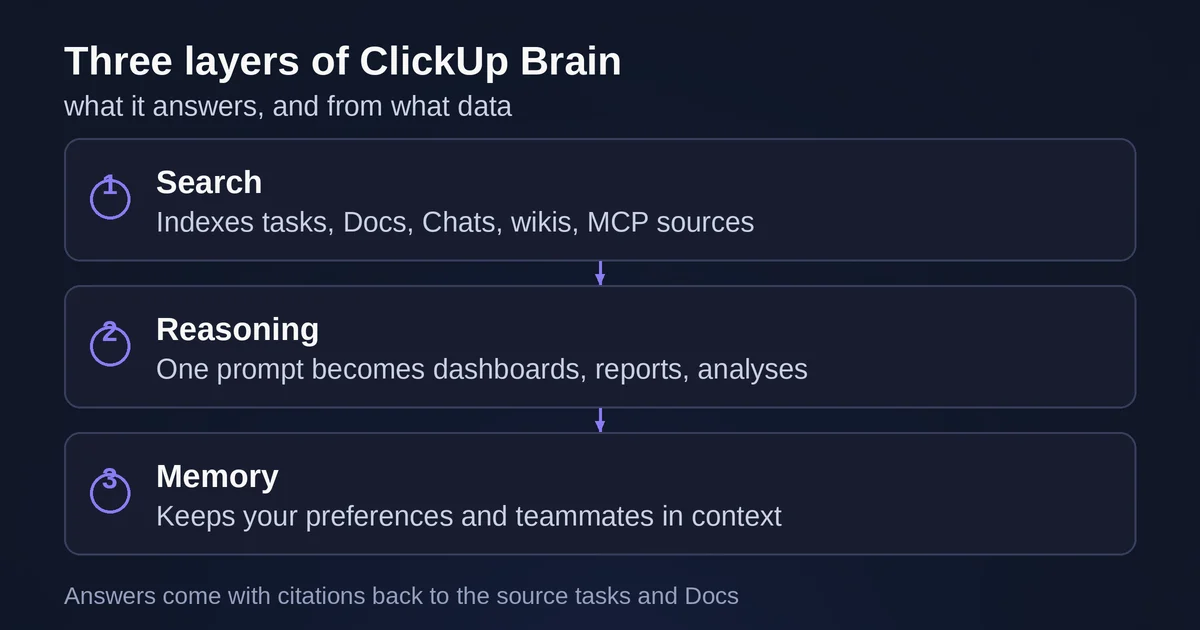
Strip away the marketing and Brain is three layers stacked on each other: a search layer that indexes your workspace, a reasoning layer that can read and write in that workspace, and a memory layer that remembers you across sessions.
The search layer is the part most teams underestimate. According to ClickUp's help center, Brain can access everything you have permission to see: tasks, Docs, Chats, and wikis, plus data from connected apps through Connected Search and external MCP servers, plus the open web when a question goes beyond your company's walls. That last part matters. "Which vendor did we pick for the payment flow, and what are the usual alternatives?" is a question that spans internal decisions and outside context, and Brain can synthesize both in one answer.
The reasoning layer is where Brain², the 2026 generation, differs from the AI features of a couple of years ago. ClickUp describes it as turning "a single prompt into finished work": give it a CSV and it runs real computations in a secure environment rather than estimating, builds dashboards and slides from your live task data, and can switch between its default Max model and ChatGPT, Claude, or Gemini mid-conversation without losing workspace context.
The memory layer is the quiet differentiator. Brain remembers who you are, what you work on, and who you work with, persistently and across conversations. You can set personal preferences, and ClickUp even lets you import preferences from another AI assistant you were using before.
In practice, the questions Brain handles well are the operational ones that normally cost you fifteen minutes and three Slack pings:
- "What's blocking the release, and why?"
- "What did the team actually finish this week?"
- "Show me all open tasks related to the Q4 migration."
- "Which decisions were made about the pricing page, and where are they documented?"
The answers come with citations back to the source tasks and Docs, which is the difference between a research assistant and a confident liar. If the answer points to a task, you can open the task. That auditability is what makes it usable for anything that matters.
There is one structural caveat that shapes everything above: Brain sees only what you have permission to access. That is the correct security posture, but it means a junior engineer asking "what's the state of the partnership negotiations?" gets a very different answer than the partnerships lead does. Brain is a company-wide brain only in the sense that each person gets their own scoped view of it.
Standups, status updates, and sprint reporting
The feature that sells most teams on Brain is the one with the least glamorous name: AI StandUp.
The mechanics, per ClickUp's StandUp docs, are simple. You can generate a standup for yourself or for other people, select up to 20 people (or teams totaling 20), pick a time period, and get a digest of what moved, what is in progress, and what is stuck. You can trigger it from a slash command, from your profile, or by just telling Brain "write my standup." Set it up once in My Tasks and it recurs on a schedule, which is the difference between a feature you demo and a feature you use on a Tuesday.
The same engine powers project updates: "summarize my team's task activity in this Folder for the last two weeks, with changes in priority and due dates" produces a first-draft status report. For engineering teams, the Business plan's sprint points and reporting mean Brain can answer "how did velocity trend across the last three sprints" from real data instead of a manager's recollection.
Where this genuinely helps: the manager of a 12-person team who spends the first 45 minutes of every Monday assembling a status email. Brain drafts it in under a minute, with links, and the manager edits instead of composing. Teams that have adopted it consistently report reclaiming real time per standup, and the more disciplined your task hygiene, the better the output. Which leads to the honest part.
What Brain cannot see
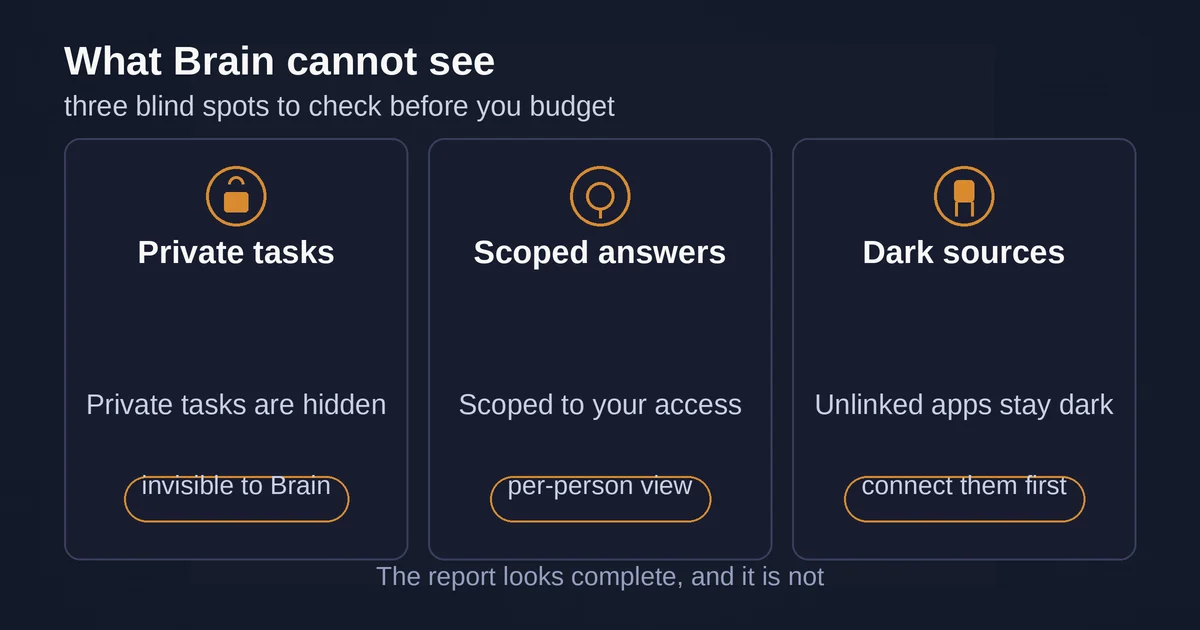
Three limits are worth knowing before you budget for this.
First, private tasks are invisible. ClickUp's docs are explicit: "AI StandUp uses public task data. Private tasks will not be included." If your executives track sensitive work in private tasks, standups and status reports will silently omit it. The report looks complete, and it is not. If your team uses private tasks heavily, either change that habit or accept that Brain's picture has a blind spot.
Second, permission-scoped answers mean Brain is only as "company-wide" as your access. For knowledge workers this is usually fine, but any question that spans departments will be answered differently depending on who asks. That is a feature for security and a limitation for discovery.
Third, Brain only reaches tools you have actually connected. The Enterprise Search feature indexes connected apps like Google Drive, Notion, Slack, and Gmail, and ClickUp supports external MCP servers for broader reach. But an unconnected wiki, a workspace nobody linked, or institutional knowledge living in email threads on a personal account: all of that is dark matter. Brain unifies your knowledge only where you have already unified your tools, though its MCP support does lower the cost of connecting them, if you are curious how that protocol works we have a plain-language guide to MCP.
There is also a subtler failure mode: garbage in, confident summary out. A standup drafted from stale or mislabeled tasks reads beautifully and misleads completely. The teams that get value from Brain are the ones that already had decent task hygiene; Brain rewards discipline more than it creates it.
Pricing: what this actually costs
Brain is not included in ClickUp's core plans; it is a paid add-on. On ClickUp's pricing page, Brain AI runs $9 per user per month billed yearly ($18 monthly) and includes the assistant, unlimited AI writing, access to models like Claude, ChatGPT, and Gemini, Enterprise Search, and 1,500 monthly AI Super Credits. Everything AI, the heavier tier that adds Super Agents, AI Fields, and image generation at scale, runs $28 per user per month billed yearly. Credits that fuel agents and automations cost $10 per 10,000. If the distinction between those agent-driven features and ClickUp's classic trigger-based automations is fuzzy to you, our breakdown of AI agents vs AI automation is worth a read, because Brain²'s "run workflows from one prompt" pitch sits exactly on that line. For a 20-person team, Brain AI is roughly $2,160 a year on annual billing; whether that pays back depends almost entirely on how much of your work actually lives inside ClickUp.
Pricing and plan details are as published by the vendor around September 2026 and can change, confirm on the official site.
The knowledge silo problem, and whether Brain solves it
The real problem Brain attacks is not "we need AI." It is fragmentation: decisions scattered across task comments, docs nobody updates, and chat threads that only one person can find. Most "AI for work" products bolt a chatbot onto one of those silos. Brain's bet is that ClickUp is already where the work happens, so the AI should sit where the context already lives, and extend outward to Gmail, Slack, and anything with an MCP server rather than waiting for a data-migration project that will never be approved.
For a team that runs its projects, docs, and even chat on ClickUp, that bet works, and the silo problem measurably shrinks: questions that used to require a person now require a prompt. For a team split across five tools with ClickUp as a minor player, Brain becomes a $9-per-user search box over a fraction of the company's knowledge, and a purpose-built stack (or a cross-app research assistant) may serve you better.
So the verdict, by team:
- ClickUp-native teams (10+ people, active docs and tasks): strong yes. The standup drafting, sprint summaries, and workspace Q&A deliver weekly time savings on day one.
- Engineering teams on Business or Enterprise: yes, with the private-task caveat checked first.
- Small teams already comfortable with their setup: try the free trial of Brain features before paying; the value tracks with workspace size.
- Teams whose knowledge mostly lives elsewhere: no. Fix where the work lives, or pick a tool that meets your data where it is.
Brain is not magic and it is not a replacement for writing things down. It is a very good memory layer for a workspace that already deserves one.
Two questions people always ask
Does ClickUp train AI models on my data? No. ClickUp states that third-party AI providers never train on your data, with zero third-party retention, and the company holds SOC 2, ISO 27001, ISO 42001, GDPR, and HIPAA compliance for AI features.
Is Brain worth it if I only want the standups? Probably not as a solo justification, but standups plus project updates plus workspace search is the realistic bundle, and that combination is where the $9 per user starts paying for itself for managers and leads.