There is a particular kind of awkwardness that shows up in almost every professional's inbox. Someone important wants a meeting. You want the meeting. And then someone pastes in a scheduling link, and the whole thing deflates. The recipient has to open a new tab, pick a time from a grid of half-hour blocks, and silently notice that Tuesday afternoon is "free" for you. For sales prospecting, nobody minds. For executives, clients, investors, and anyone you're trying to impress, the booking link can feel like a small status tell: my calendar matters, yours is a form to fill in.
Carly AI is built entirely around the opposite idea. You don't send anyone a link. You just CC an assistant on the email thread, the same way you'd CC a human chief of staff, and the assistant takes over: it reads the thread, proposes times in plain conversational language, handles the back-and-forth, and drops the finished invite on both calendars. The other person never leaves their inbox. That's the whole pitch on Carly's site, and after a year on the market it's worth asking whether it actually works, what it costs, and who it genuinely fits.
What Carly actually is (verified as of September 2026)
First, the survival check, because this category has a graveyard. Carly launched publicly in September 2025 under the company behind the earlier CalBot calendar assistant, and it is alive and actively shipping as of this month: the vendor's blog has comparison posts published in mid and late 2026, and the pricing page is current and detailed. The product has also quietly expanded. What started as a scheduling bot is now marketed as a full AI executive assistant that handles email triage, follow-ups, CRM updates, and daily briefings, with scheduling as the flagship job.
The core interaction model has stayed consistent, and it's the part that makes Carly unusual. You can reach your assistant four ways:
- CC it on an email thread. Carly reads the full context of the conversation, figures out who needs to meet and roughly when, proposes specific times in a natural reply, and negotiates until both sides agree. Then it sends the calendar invite itself.
- Forward it an email. Say "set this up next week" and it coordinates directly with the other party from there.
- Text it. This is the differentiator most competitors don't have. You can text "move my 3pm to Thursday" from a taxi and Carly handles the rescheduling loop, including messaging the other attendee.
- Send it screenshots or PDFs. A conference agenda, a photographed schedule, a messy event list: Carly parses it and writes the events into your calendar with titles, locations, time zones, and video links filled in.
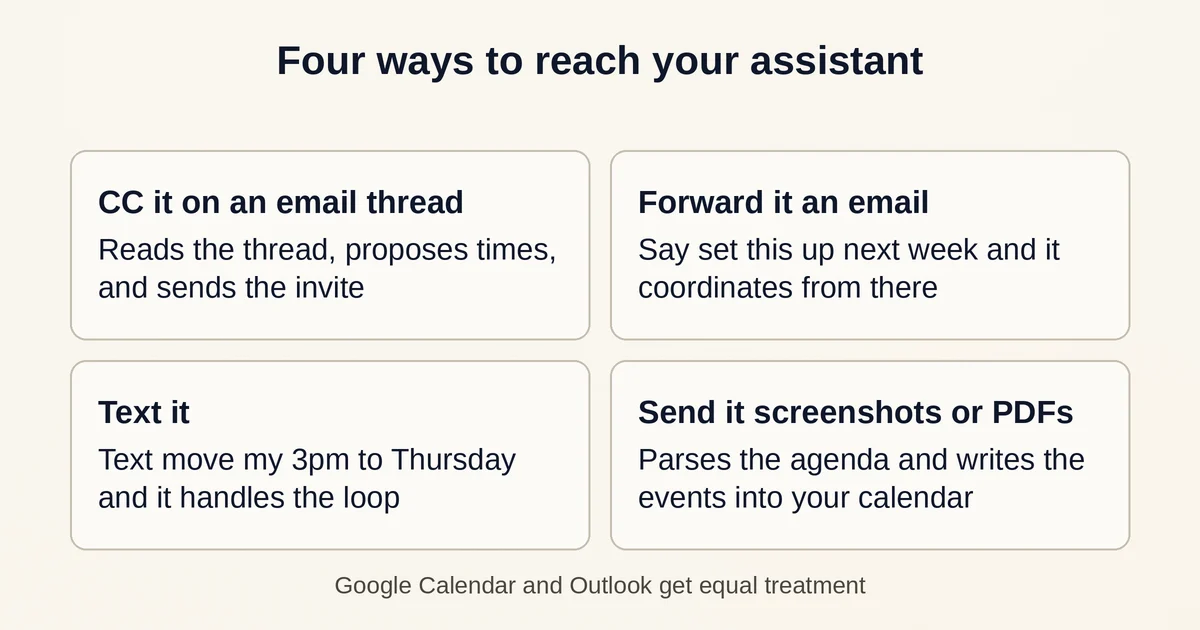
Both Google Calendar and Outlook get equal treatment, which matters more than it sounds: several newer email assistants in this category are Gmail-optimized and treat Microsoft 365 users as an afterthought. Carly's own comparison materials put the integration count at 200+ tools (Slack, HubSpot, Salesforce, and so on) via a bring-your-own-API-key setup, and setup takes a couple of minutes. The vendor claims responses within two minutes around the clock and support for 80+ languages; treat those as vendor-reported.
One nuance worth knowing: Carly is not ideologically anti-booking-link. It can generate click-to-book links and run availability polls for genuinely messy multi-person threads. The point isn't that links never appear; it's that the default is a conversation, and the link is a fallback rather than the front door.
The zero-interface idea, and why it's more than a gimmick
"Zero interface" sounds like marketing until you think about what an interface actually is. A booking page is an interface: it forces the other person to learn your availability model, translate their own constraints into your grid, and commit before any human flexibility enters the picture. A scheduling assistant that lives in email and SMS removes that translation step. The client just replies "Thursday after 2 works" in the same thread they were already reading, and something on your side absorbs the complexity.
Three places where this genuinely wins:
Executive and client-facing scheduling. If you're a founder booking time with investors, a lawyer with clients, or a recruiter coordinating candidates (a recruiter testimonial on Carly's site describes exactly this loop: outreach, slot selection, Zoom link, reminders, reduced no-shows), the conversational mode reads as competence rather than automation.
People who will simply never click your link. Plenty of senior people operate entirely from an email client and a phone. Asking them to visit a scheduling page is friction they won't absorb, and the meeting quietly never happens. A text-based assistant meets them where they already are.
Multi-step coordination. "Find a time that works for my CFO and their head of ops, book a room, send the agenda" is not something a static link can do. A conversational agent can hold that whole thread and chase the people who went quiet.
The deeper reason this model is viable now, when earlier attempts like x.ai stumbled, is that modern models can actually read a messy six-reply thread, infer intent, and write a message that doesn't sound like a form letter. That capability gap is why AI agents generally are moving from rigid trigger-and-action recipes toward open-ended delegation, a shift we've covered in depth in our piece on AI agents vs. AI automation. Carly sits firmly on the agent side of that line.
The honest tradeoffs: conversation-first vs. booking links
This is not a one-sided argument, and pretending otherwise would make this guide useless.
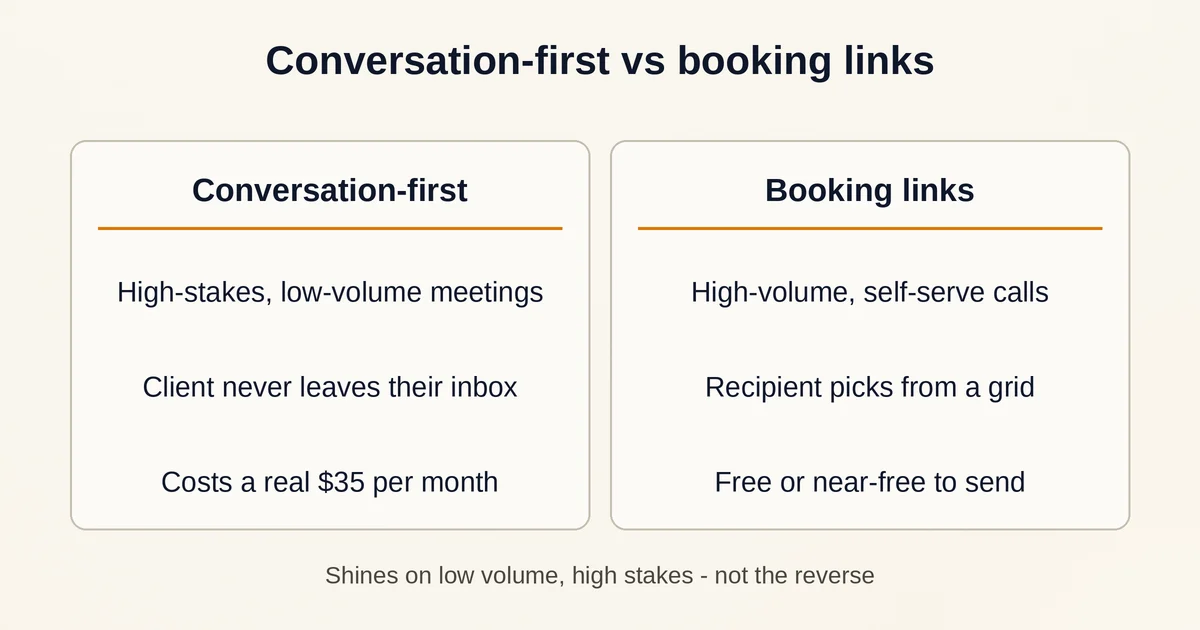
Cost. Calendly-style links are free or near-free for the person sending them. Carly's paid plans start at $35/month (Personal) with 200 credits included; the Organization plan is $35 per seat per month. Booking links cost nothing per meeting. Conversation-first scheduling costs real money, so it only makes sense when the value of the meeting is high.
Speed and scale. If you're a solo consultant booking 40 discovery calls a week with warm inbound leads, a booking link is objectively better: it's self-serve, instant, and the prospect expects it. Conversational scheduling shines on low volume, high stakes, not high volume, low warmth.
Trust and unpredictability. Handing an AI the keys to your calendar means it emails real people under your name. Carly supports guardrails: working hours, buffers, custom meeting rules, and "trusted contacts" who can book you directly, so you're not exposing raw availability. But an LLM reading natural language can still misread a thread, and a badly worded proposed time sent to a board member is more embarrassing than a misfired booking link. If you adopt Carly, watch the first two weeks of outbound messages closely before you let it run unattended.
The credit meter. Carly's pricing isn't a flat rate in practice. Credits measure how much agentic work happens, and the vendor is unusually transparent about the economics: emails the agent sends cost zero credits, deterministic workflow steps cost zero, and each LLM call costs a flat 0.025 credits, so 40 calls per credit. A daily email digest runs under a credit per month. The catch, straight from the vendor's own FAQ: your first month burns the most credits (setup is expensive) and recurring scheduled tasks are the biggest eater. There's no auto-charge when you run out, which is a genuinely user-friendly policy, but budget for the setup month before you judge the steady-state cost.
If you want a broader framework for when agentic tools beat simpler automations, including the failure modes, our writeup on why AI agents are replacing chatbots covers the same calculus in a general context.
Pricing, plainly
- Free ($0): MCP access, meaning you can drive Carly's calendar and task tools from Claude, ChatGPT, or any MCP client, plus 10 workflows and a multi-calendar view. A genuinely usable entry point for testing.
- Personal ($35/month): unlimited Google and Microsoft calendars and email accounts, custom agents, 200+ integrations, 200 credits/month included.
- Organization ($35/seat/month): shared agents, team admin controls, pooled credits. Business SMS, calling, and an AI receptionist are billed as separate add-ons.
- Enterprise: custom, with your own email domain for agents and advanced compliance.
Credit add-ons scale from 400/month (+$30) to 15,200/month (+$1,450) on Personal. Pricing and plan details are as published by the vendor around September 2026 and can change; confirm on the official site before committing.
Two questions people actually ask
Does the other person need to install anything or click a link? No. From their side, it's just email replies or text messages from an assistant address. They can click a booking link if the thread is chaotic, but the default path is plain conversation.
Is it worth it if you already use Calendly or Reclaim? Only if your scheduling is high-stakes and low-volume: executives, client services, recruiting at senior levels. If your calendar is mostly self-serve prospecting calls, keep the link and save the $35.
The verdict
Carly is the most complete expression of scheduling-as-conversation available right now: email, SMS, Outlook parity, screenshot ingestion, and a free tier generous enough to test the MCP angle from your own AI client. It is not a replacement for booking links across the board, and it costs more than most people's calendar pain justifies. But for the specific job in the brief of this article, executive meetings where the relationship matters more than the efficiency, removing the interface from scheduling is a real improvement, not a gimmick. Try the free tier, CC it on one low-stakes thread, and watch how it writes. That single reply will tell you whether the zero-interface model earns its subscription.