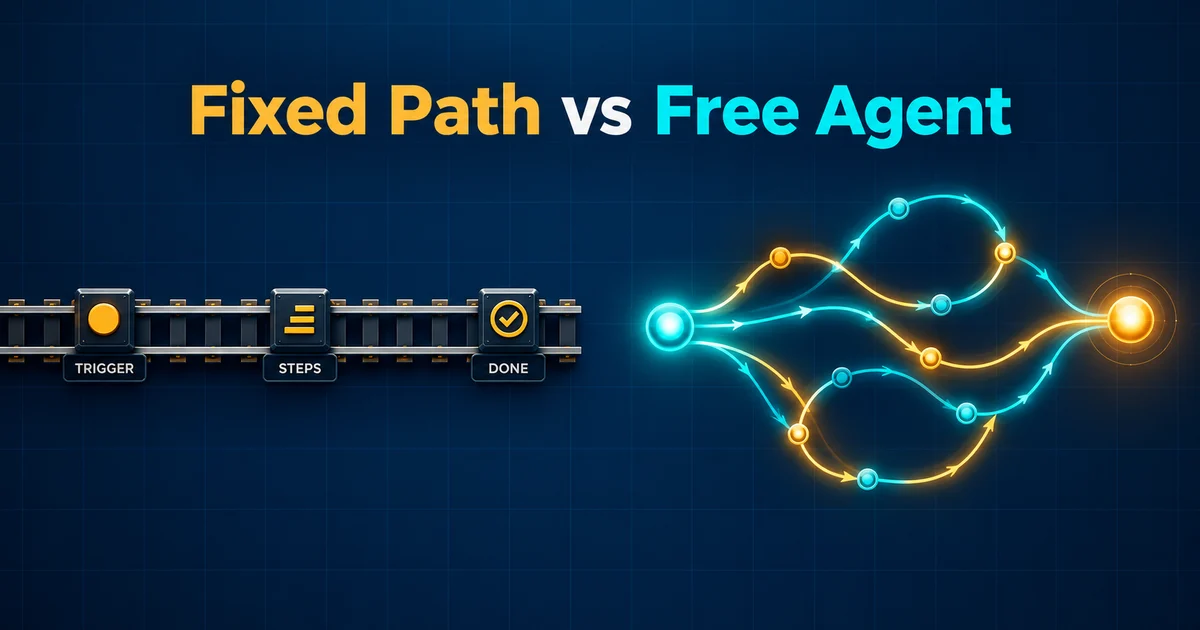
Here's the direct answer: AI automation runs a fixed path that you design up front - "when X happens, do Y" - the same way every single time. An AI agent is handed a goal and decides for itself which steps to take and which tools to use to get there.
That difference sounds subtle. It isn't. The two get conflated constantly, and picking the wrong one costs you money, reliability, or both - automation where you needed judgment produces rigid results, and agents where you needed a fixed rule produce expensive surprises. The rule of thumb for choosing: if you can write down every step and branch in advance, use automation; if the path itself depends on reading information you can't fully predict, use an agent.
In this post you'll get clear definitions, a decision framework you can apply to your own tasks tomorrow, real examples of each approach, and a look at how modern stacks combine the two. One honest note before we start: there is no single industry-standard definition of an "AI agent." We'll lean on the most-cited engineering definitions, from Anthropic and OpenAI, and flag them as theirs - not as universal truths.
What Is AI Automation?
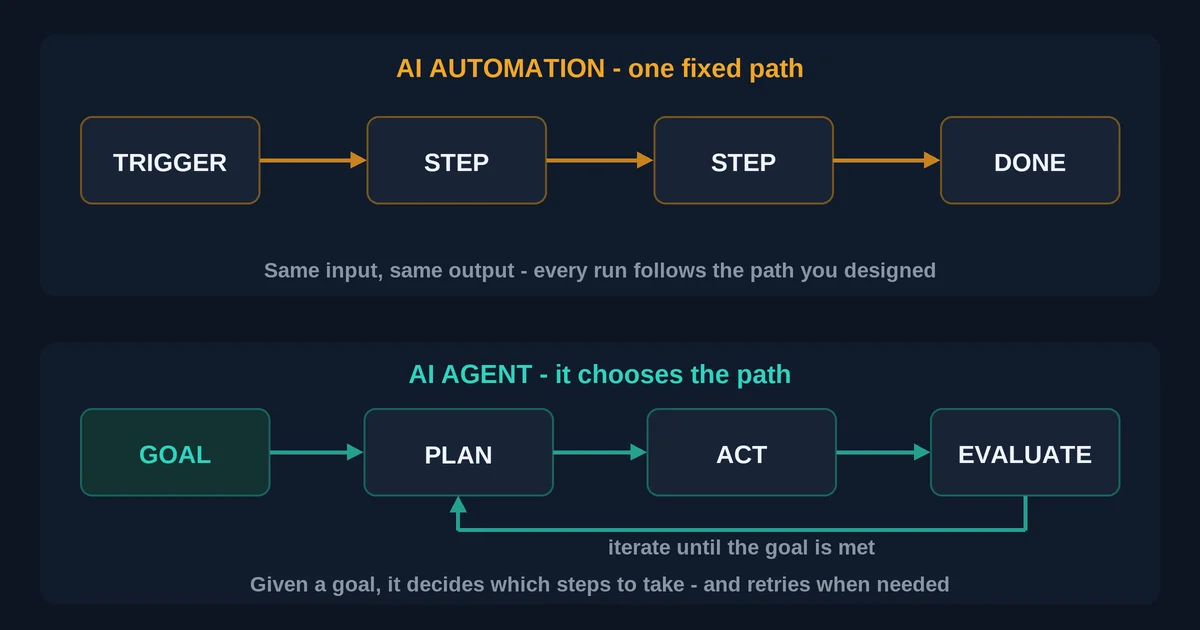
AI automation - most people just say workflow automation - is software that follows a path you define in advance. Zapier, one of the best-known vendors in the space, describes it plainly: automation means "setting something up to run automatically... 'When this happens, do that.'" Every workflow you build on Zapier, called a Zap, has a trigger (the event that starts things off) and one or more actions (what the workflow does next).
The defining property: same input, same output, every time. No interpretation, no judgment. A few quick examples of what that looks like:
- A form submission lands, so the new contact gets added to your email list.
- A deal moves to a new stage, so its record updates in the CRM.
- A meeting gets booked, so a reminder goes out 24 hours before it starts.
Because the path is fixed, the result is predictable - and predictability is exactly what you want for high-volume, well-defined work.
There's also a middle term you've probably heard: "AI automation." This is a fixed, rule-based workflow with one AI step layered in - classify, summarize, extract, or draft - while everything around it stays deterministic. Zapier covers this in its own "What is AI automation?" explainer: AI steps let teams automate work that previously required human judgment, without giving up the familiar trigger-and-action structure. For example: a support email arrives, an AI step classifies it as billing, bug, or sales, and the workflow routes it to the right queue. The AI does the interpreting; the rails stay fixed. This is the most common real-world setup, and it's worth naming precisely because it is neither pure automation nor a full agent.
What Is an AI Agent?
An AI agent is software that pursues a goal by deciding for itself how to get there. Four pillars hold it up:
- Goal - what you want achieved, usually described in plain language.
- Tools - the connections it can call: apps, searches, databases, even other agents.
- Decisions - it plans the steps and picks which tool to use for each one.
- Memory - it keeps enough state to carry multi-step work through to the end.
The most-cited engineering definitions agree on this shape. Anthropic, in its "Building effective agents" guide, draws the line architecturally: workflows are systems where language models and tools are "orchestrated through predefined code paths," while agents are systems where the models "dynamically direct their own processes and tool usage, maintaining control over how they accomplish tasks." OpenAI's Agents SDK docs put it functionally: agents are applications that "plan, call tools, collaborate across specialists, and keep enough state to complete multi-step work."
Vendors land in the same place from their own angles. Zapier defines an AI agent as "software that can act autonomously to pursue a goal," and describes a working loop on the same page: goal → plan the tasks → gather information → pick a tool and act → evaluate the feedback → iterate until the goal is met.
Put that loop next to automation's straight line (trigger → step → step → done) and the difference jumps out. An automation walks a path you drew. An agent re-decides at every pass: it checks what it just learned, changes the plan if needed, and reaches for a different tool if the first one didn't help.
One honesty note, because this field moves fast: definitions vary across the industry. The formulations above are the most-cited engineering definitions, from Anthropic and OpenAI, echoed by major vendors - not a universal standard. Treat them as the reference points the market currently uses, not as settled law.
How Are They Actually Different?
Strip away the product names and the differences come down to one question: who controls the flow? If you're weighing AI agents vs AI automation for your workflows, that single question is the whole comparison. With automation, you do - you drew the path. With an agent, the model does - it redraws the path as it goes. Everything else follows from that.
| Dimension | AI Automation (workflow) | AI Agent |
|---|---|---|
| Control flow | You define the path up front (trigger → action) | The model directs its own steps and tool use |
| Setup | Enumerate every step and branch in advance | Give it a goal, instructions, and tools; it plans the steps |
| Predictability | Same input, same path, same output | Output varies with reasoning and context |
| Cost | Low and predictable per run | Scales with reasoning depth, context size, and repeated tool calls |
| Maintenance | Breaks loudly; you fix the specific step or rule | Needs instruction tuning, reasoning logs, and guardrails |
| Error handling | Rule and integration failures, with visible exceptions | Can also misread, over-infer, or claim success falsely |
A short gloss per row, because a table can hide a few traps:
- Control flow is the root difference, and it's why you can't test the two the same way. One has a path to test; the other has a tendency to test.
- Setup is a trade in who does the thinking. Automation front-loads your thinking into the design; agents front-load your trust into the instructions.
- Predictability is the double-edged sword. Anthropic notes that workflows "offer predictability and consistency for well-defined tasks," while agents suit work that needs flexibility and model-driven decision-making. Make's documentation is blunt about the flip side: AI output is unpredictable by nature.
- Cost is easier to budget on the automation side, where a run costs roughly the same every time. Agent runs consume tokens per reasoning step and per tool call, so costs drift with the difficulty of the task - one of the hidden costs of AI automation teams usually notice on the invoice.
- Maintenance looks different in kind. Automation fails loudly and visibly: a step breaks, you fix it. Agents can fail quietly, which is why Make ships a dedicated "Reasoning" view for inspecting what an agent was thinking.
- Error handling is where agents add genuinely new failure modes: misreading a page, inferring something unsupported, or reporting a task complete when it isn't. OpenAI's Agents SDK documents guardrails and human review for exactly this class of problem.
If the oversight theme worries you more than the efficiency theme excites you, you're in good company - how much to trust an autonomous step is a real question, and the automation trust gap deserves its own reckoning.
When Should You Use Each? A Decision Framework
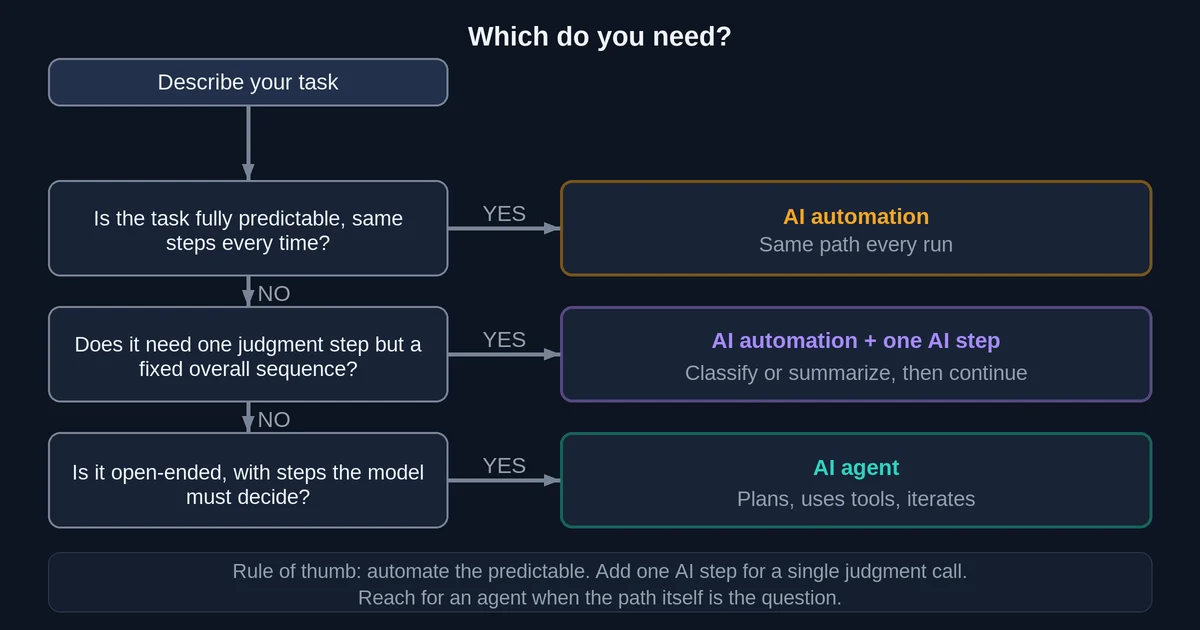
You only need one axis to decide between the two: how predictable is the task, and how much variability does it hold?
- Deterministic and high-volume - the same steps every time? Use plain automation.
- Mostly fixed, with one interpretive step - classify, summarize, extract, translate? Use automation with a single AI step inside it.
- Open-ended, multi-step judgment - where the path itself depends on reading information you can't fully predict? That is agent territory.
Make states a version of this as a three-tier rule in its own docs: a standard scenario for predefined logic (syncing data between services, processing orders, updating CRM records); a scenario with an AI app when inputs and outputs stay within specific parameters (translating, transcribing, summarizing documents); and a scenario with an agent when the work needs flexible reasoning and judgment calls (categorizing support tickets, screening candidates, analyzing market data).
Two guardrails keep the framework honest.
First, Make's intern heuristic, quoted directly: "choose tasks for your agent that you trust an intern to handle. Avoid tasks involving sensitive data, high-stakes financial or strategic decisions, or strict legal requirements." That is a wonderfully concrete test. Would you hand this task to a smart, eager new hire with no context? If the answer makes you wince, keep it on rails.
Second, Anthropic's complexity warning: find the simplest solution possible, and only increase complexity when it's needed - which "might mean not building agentic systems at all." Agents trade latency and cost for task performance, so if a fixed workflow already solves it, an agent is a downgrade, not an upgrade.
Here's the whole framework as a three-question checklist you can apply to any task tomorrow:
- Can you write down every step and every branch in advance? Then use automation.
- Is there exactly one step that needs interpretation? Keep the fixed workflow and drop one AI step into it.
- Does the path itself change depending on what the information says? Use an agent - and add human oversight.
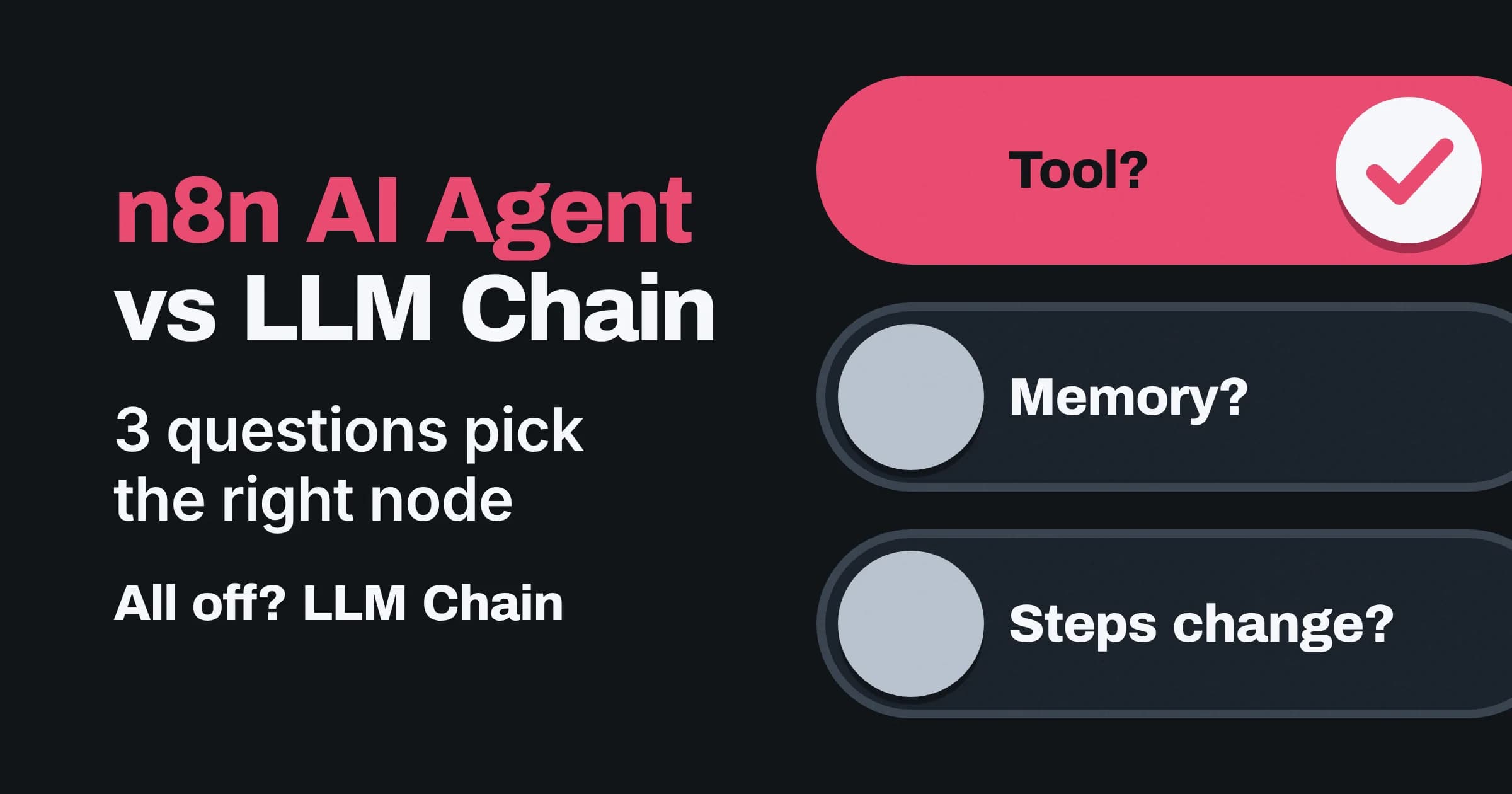
Which platform you run the pattern on matters far less than picking the right pattern first. Once you know which of the three tiers your task lives in, a Zapier vs Make vs n8n comparison can settle the tooling question.
What Does Each Look Like in Practice?
Definitions and frameworks click faster with concrete examples, so here is each paradigm in the wild.
Pure automation. The classics, all straight-line and rule-driven: syncing records between two apps, processing orders from payment to fulfillment, updating a CRM when a deal moves stages, sending meeting reminders. Every step is named in advance; nothing interprets anything.
AI automation. A fixed workflow with one AI step inside: classify an inbound support email, then route it to the right queue. Summarize a long document, then post it to a channel. Extract fields from a form or PDF, then file them where they belong. Translate, transcribe, or summarize documents as they arrive. The rails are deterministic; one car on the train thinks.
Agents. These come straight from vendor-documented use cases: a support triage agent that categorizes a ticket, prioritizes it, and assigns it to the right person; a lead enrichment agent that researches a company on the web, updates the CRM, and drafts outreach; a candidate screening agent; a market research agent that pulls sources together and synthesizes a briefing.
The clearest way to see the boundary is to run one task both ways. Take a single inbound email:
- As AI automation: the workflow fires on arrival, an AI step classifies the email as "billing," and a rule routes it to the billing queue. Fixed path, one thinking step, done.
- As an agent: the agent reads the email, decides it needs the customer's order history first, pulls it from the database, notices the ticket is urgent and touches a refund policy exception, drafts a reply, and assigns it - choosing each action itself, based on what it found.
Same trigger, wildly different machinery. If you can say which of those two you need for a given task, you have understood this entire post.
How Do Agents and Automation Work Together?
Here is the reframe that changes the question from "which one" to "how much of each": modern stacks don't choose between agents and automation. They combine them. The pattern that keeps showing up is agents as the brain, workflows as the hands.
Four combination patterns, all documented in vendor materials:
- Agents calling workflows as tools. In Make, an agent's tools can include modules, entire scenarios, MCP server tools, and even other agents - meaning an agent can invoke your deterministic workflow the same way it calls any other tool.
- Agentic steps inside automations. Zapier's agents guide describes "agentic Zap steps": pull an agent into the middle of an otherwise fixed workflow to do research-heavy work, like searching the web or pulling information from databases.
- Event-triggered agents. Agents can fire from the same triggers automations use - a new lead, a new form entry, a new ticket - so the agent only wakes up when something happens.
- Agent-to-agent delegation. One agent can hand work to another, each specializing in its own domain.
That hybrid machinery needs a steering wheel, and that is the human oversight dial. Zapier says its agents can work "with as little or as much human oversight as you want." OpenAI's Agents SDK ships guardrails and human review that can block or pause work before risky actions. A design that keeps showing up in practitioners' writeups: let the agent handle understanding and planning, let deterministic workflows execute the sensitive actions, and let a human approve high-impact steps. Treat that as a framing to reason from, not a cited standard.
This layered stack is also where the field is visibly heading - the move toward multi-agent workflows under the hyperautomation banner is essentially this pattern at scale.
Which one should you pick for your next task?
Automate the predictable, agent the variable, and combine them when a task is mostly predictable with one judgment step in the middle. Automation buys you reliability and predictable cost; agents buy you flexibility and judgment; the hybrid stack buys you both, with a human hand on the dial. Your practical next step: pick one recurring workflow this week, write down its steps, and place it on the predictability-to-variability scale before you shop for tooling. The pattern will tell you what to buy.
Frequently asked questions
Is Zapier (or Make, or n8n) an AI agent or automation?
Both, by product. Zaps, scenarios, and n8n workflows are automation - fixed trigger-and-action paths you design. Zapier Agents, Make AI Agent, and n8n's AI Agent node are the agent layers that sit on top. The two paradigms live inside the same products, which is exactly why they get conflated.
Is an AI chatbot an AI agent?
No. A chatbot answers; an agent acts. A chatbot takes your question and returns text, while an agent works toward a goal by calling tools, making decisions, and keeping enough state to finish multi-step work. If it can't take actions in other systems, it's a chatbot, not an agent.
Can AI agents run my existing automations?
Yes - that is the core of the hybrid pattern. You can expose a deterministic workflow to an agent as a tool, so the agent decides when to call it and the workflow handles the execution. Make supports scenarios-as-tools directly, and Zapier lets agents run inside Zap steps.