

Picture an AI agent sent to find your refund policy. Today it opens your pages one by one and digs the words out of menus, ads and scripts. Cloudflare's new Search for Agents gives it a front desk to ask instead.
Search for Agents is a beta toggle on all Cloudflare plans that indexes your site and opens a /.well-known/search endpoint where AI agents get passages back in Markdown. The searches run in your own account, so they count toward your AI Search billing, which begins on December 1, 2026.
Before: agents read your site one page at a time
A normal website is built for people, so an AI agent has to dig through it page by page. The llms.txt proposal puts the problem plainly: an HTML page wraps its information in navigation, ads and JavaScript. The agent has to fetch each page and peel that wrapping off before it can read anything.
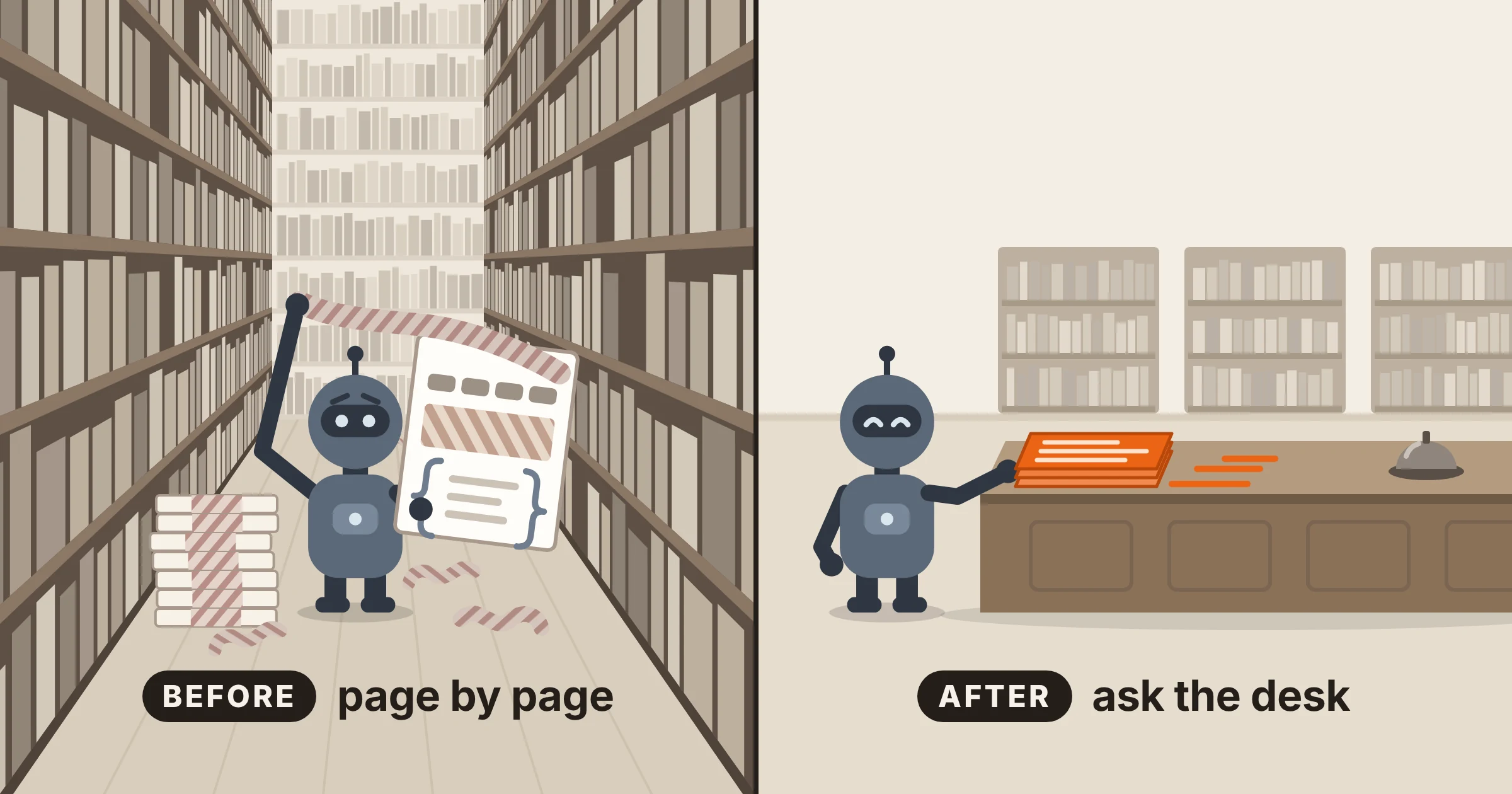
Nor can it swallow the whole site in one go. Context windows (what a model can hold in mind at once) are still too small for most websites, the proposal adds. So the agent fetches a page, cleans it, picks the next link, and repeats.
Think of a library with no front desk. You walk every aisle and flip past covers and ads to reach the one paragraph you came for. The clutter is real enough that Cloudflare already offers a fix for single pages: Markdown for Agents strips headers, footers, navigation, scripts and styles.
What agents want, in the proposal's words, is "concise, expert-level information gathered in a single, accessible location." That is the gap Search for Agents is built to fill. Our guide to Gemini Spark's Chrome auto-browse shows the other path: an agent working through pages in your browser.
After: what Cloudflare Search for Agents does
Search for Agents gives your site a front desk, where an agent asks a question and gets back the right passages. Cloudflare's announcement sums it up as "Flip one toggle to make your site searchable by AI agents." You do not build a search integration by hand.
Here is what the toggle sets up behind the scenes:
- An index of your site. Cloudflare creates an AI Search instance in your account and starts indexing your content. It is a standard AI Search instance, so you manage it like any other.
- A search endpoint. The address
/.well-known/searchappears on your own domain. - Signposts. Cloudflare adds discovery metadata to your HTML pages, so agents can find the desk.
- Hybrid search. Results come from vector search (matching by meaning) and keyword search (matching exact words) working together.
Hybrid matters more than it sounds. An agent asking about money back should still land on your refund policy, which is meaning at work. An agent pasting an exact error message wants that exact string, which is keywords at work.
The desk hands over photocopies, not essays. The endpoint retrieves content without generating an answer. It returns the matching passages in Markdown, and the agent's own model writes the reply, so the reply starts from your own words.
The feature is in beta and open on all plans. If retrieval is new to you, our guide to RAG vs fine-tuning explains the idea behind it.
One agent question, start to finish
One agent question shows the whole feature at work, from the first page load to the final answer. Picture a developer typing How do I verify webhook signatures? into their coding agent. The agent decides your API docs at example.com hold the answer.

Step 1: find the desk. The agent loads any HTML page on your site. In the page's <head>, it spots the search metadata Cloudflare added. With Markdown for Agents on, Markdown responses carry the same pointer in their YAML front matter (a settings block at the top).
Either way, the agent can now query your site instead of crawling page after page.
Step 2: ask. The agent sends its question in the q query parameter. Plain keywords work, and so do full questions. The endpoint accepts both GET and HTTP QUERY requests, so the simplest version looks like this:
curl --get "https://example.com/.well-known/search" \
  --data-urlencode "q=How do I verify webhook signatures?"
Step 3: get passages back. By default, the endpoint returns up to 10 chunks of content per search. The response is Markdown, with source references (the pages the content came from) and relevance scores (how well it matches). Picture the top chunk being the section of your docs on signature checks.
Step 4: the agent writes the answer. Your endpoint never writes a reply. The agent's own model reads the chunks and writes the answer. The source references let it point the developer back to your pages.
One request replaced a crawl of your docs. Here the front-desk picture needs one fix, though. A real librarian might warn you that a book is out of date, but this desk only ranks passages. If a page is wrong, the agent gets the wrong page quickly and neatly formatted.
How to turn on Search for Agents
You turn Search for Agents on from your domain's Overview page in the Cloudflare dashboard, then wait for the first crawl. Cloudflare's Search for Agents guide lists the steps:
- Make sure your domain is onboarded to your Cloudflare account.
- Open the domain's Overview page and find Search for Agents under Quick Actions.
- Switch it on, review the default settings and the pricing notice, then confirm. Confirming means you accept the suggested configuration.
- Wait for AI Search to crawl and index your content before you run a search.
The defaults you accept look like this:
- Crawling: Discover mode, which finds pages through your sitemaps and links. You do not need a sitemap.
- Search mode: hybrid, so vector plus keyword.
- Sync: the index refreshes every 24 hours, so a page you publish today may wait for the next sync.
- Results: up to 10 chunks per search.
- Crawl page limit: 100,000 pages, subject to instance limits.
- Name: an instance called
search-for-agents-<ZONE_ID>in the default namespace. You can open it from the domain's Overview page or from AI Search in your account.
You can change the configurable settings at any time in the instance's Settings tab. A few are fixed at creation, including the data source and the embedding model (which turns text into numbers that capture meaning). Those stay as the defaults you confirmed.
The guide's advice is worth taping to your monitor: "Only index content that you intend to make publicly searchable." Pages the crawler indexes become passages agents can ask for.
What it costs, and who pays
The bill for agent searches lands with you, the site owner, not with the agent. Cloudflare's pages do not say it in one line, but two facts add up. The instance lives in your account, and its ingestion, storage and queries count against AI Search pricing and plan limits.

Nor do those pages describe a way to charge agents for these searches. Here is what every account gets each month, and what usage beyond that costs, per Cloudflare's AI Search limits and pricing page:
| What you use | Included each month | Price beyond that |
|---|---|---|
| Semantic, vector and hybrid queries | 1,000 semantic queries | $0.75 per 1,000 queries |
| Full-text queries | 1,000 queries | $0.10 per 1,000 queries |
| Base ingestion (indexing your pages) | 5 million tokens | $0.75 per million tokens |
Each account also gets 10 GB-month of index storage included.
Search for Agents uses hybrid search, so its queries fall in the first row. At $0.75 per 1,000, a single agent search costs less than a tenth of a cent. A month with 10,000 agent searches comes to about $7.50 in query fees, and a month with 100,000 comes to about $75.
The docs do not spell out whether hybrid searches use up the 1,000 included semantic queries. If they do, that trims at most $0.75 off the monthly bill.
Ingestion is counted in tokens (small pieces of text) on the final chunks AI Search indexes. Embedding and reranking (sorting the best matches to the top) count as AI Search usage, so they do not appear on your Workers AI bill.
Sites on Cloudflare's Workers Free plan hit a different wall first: the binding crawl limit there is 500 pages a day. A discover crawl accepts up to 100,000 pages, but the daily cap still applies. At that pace, a 5,000-page help center needs about 10 days for one full pass.
Billing for all of this begins on December 1, 2026.
Search for Agents vs llms.txt vs blocking crawlers
Search for Agents is one of several ways to handle AI agents on your site, and each does a different job. In library terms, llms.txt is a printed guide at the entrance and Markdown for Agents is a clean photocopy of one page. Search for Agents is the front desk, and AI Crawl Control is the guard at the door.
| Option | What it does | Best for | Plans and cost |
|---|---|---|---|
| llms.txt | A curated Markdown overview at /llms.txt, read on demand | Handing agents a curated map | Open proposal, not a Cloudflare product |
| Markdown for Agents | Converts single pages to clean Markdown on request | Agents that know which page they want | Pro, Business and Enterprise, at no cost |
| Search for Agents | Returns the passages that best match a question, site-wide | Docs, help and product sites | All plans, in beta; billed as AI Search usage |
| AI Crawl Control | Allows or blocks each AI crawler; pay per crawl (closed beta) charges crawler owners per successful crawl | Owners who want control more than reach | Free plan too, spotting crawlers by user agent (the name a bot sends) |
The llms.txt proposal describes its own job in one line: "While sitemaps list all pages for search engines, llms.txt offers a curated overview for LLMs." It is still a proposal, open for community input, so treat it as a helpful extra rather than a guarantee.
So does llms.txt work? It does a different job. A curated map helps an agent that wants the big picture. A search endpoint helps an agent with one specific question, and you can run both.
Control sits on top of all of them. Blocking a crawler in AI Crawl Control creates or updates a custom rule in your WAF (Web Application Firewall), the filter traffic passes before it reaches your site. Search endpoint requests still go through those AI Crawl Control and WAF settings, so your existing blocks keep applying.
Turn it on if, leave it off if
Switch Search for Agents on when you want agents quoting your pages. Skip it when control or privacy matters more than reach.
Turn it on if:
- You have docs, help or product pages you want agents to quote accurately.
- Your domain is already onboarded to Cloudflare.
- You can afford about $0.75 per 1,000 agent searches beyond any included queries.
Leave it off if:
- Your site holds content you do not intend to make publicly searchable.
- You are on Workers Free with a large site, where the 500-page daily crawl limit bites.
- You mostly want control over AI bots rather than reach. AI Crawl Control is the tool for that, and it covers the search endpoint either way.
Two gaps remain. Cloudflare's guide does not say how to switch Search for Agents off again. It also does not say whether agents face rate limits or per-agent caps.
Search for Agents trades a slice of your AI Search budget for agents that quote your own pages. If your site runs on Cloudflare and has docs or help pages people ask agents about, switch it on. Then check your AI Search usage in the first week of December, once billing has started.
Prices and limits were checked on Cloudflare's pages in November 2026 and change often.