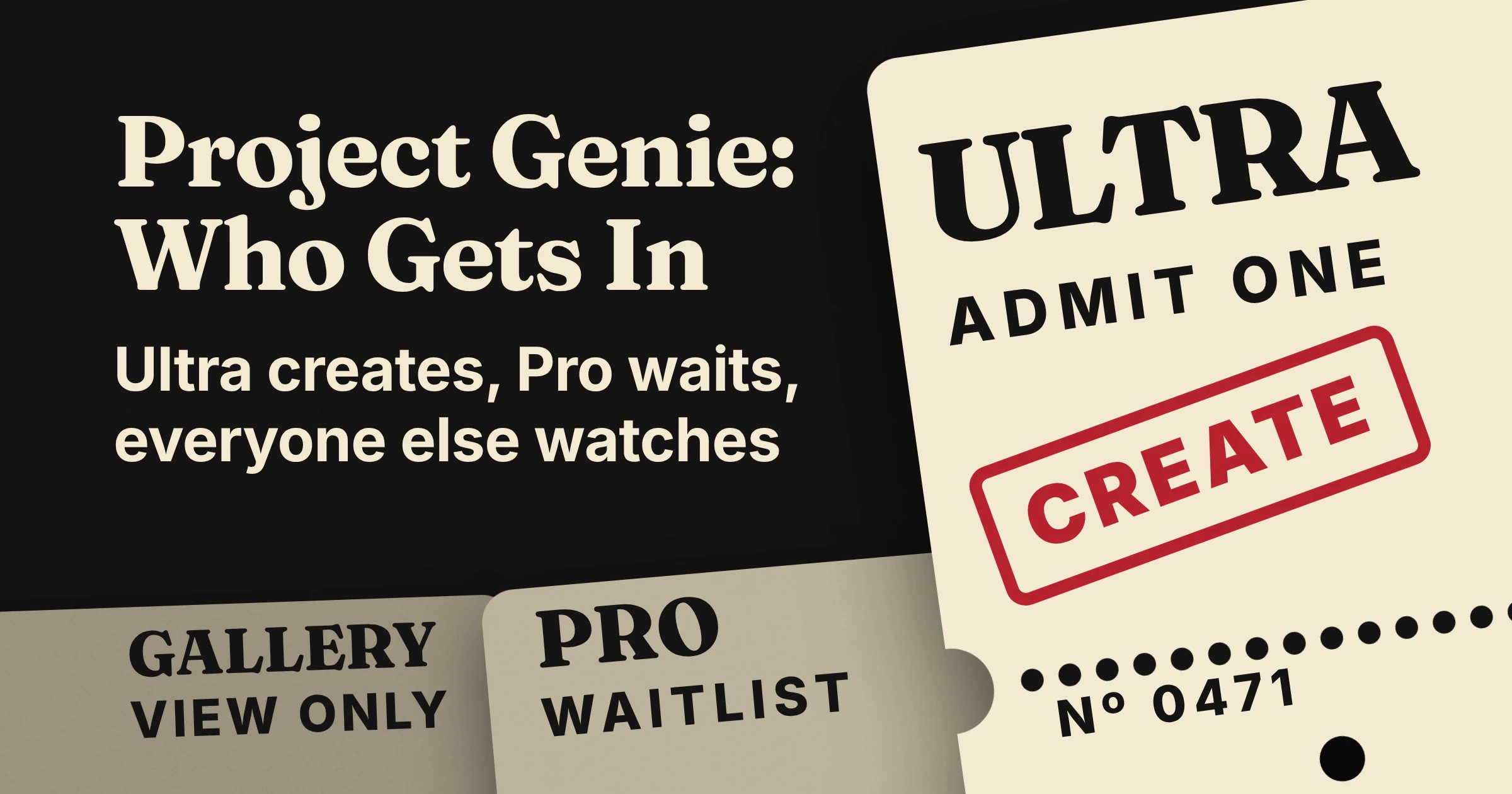
As of November 2026 you can access Project Genie only with a Google AI Ultra subscription: sign in at labs.google/fx/projectgenie with a personal Google Account, aged 18 or over, pick a model and click Create. Google AI Pro members can join a waitlist, and everyone else gets short gallery previews. Developers have a second door: Genie 4 on the Gemini API and in Google AI Studio with a paid-tier key, at about $0.10 per second of generated video.
How do you access Project Genie right now?
As of November 2026 there are two working routes to Google's Genie 4 world model: the Project Genie experiment at Google Labs, for eligible Google AI Ultra subscribers, and the genie-4 model on the Gemini API, for developers with paid billing. The table below pulls what Google's own pages say about each route into one place, so you can see at a glance which route is open to you.
| Route | Who can open it | Where it works | Age and account | Session length and caps | What it costs | Best for |
|---|---|---|---|---|---|---|
| Project Genie with Google AI Ultra | Ultra subscribers; the Labs help page names no tier, a plans-page footnote says Ultra 20x only | More than 140 countries, per Google's plans page | 18 or older, personal Google Account | Genie 3: up to 3 minutes per generation; Genie 4: no figure published, DeepMind says around a minute; daily limits vary by plan and demand | Included in Ultra, from $99.99 a month, billed monthly only; worlds do not use AI credits | Ultra members who want to build and walk a world tonight |
| Project Genie waitlist with Google AI Pro | Pro subscribers can join; access is granted gradually | Same as above | Same as above | Same as above once you are let in | No separate price published; Google emails you when access opens | Pro members who can wait |
| Project Genie gallery previews | Anyone without access | Not stated | No plan needed | Short previews only | Nothing | Seeing what the worlds look like before you pay |
| Genie 4 on the Gemini API and Google AI Studio | Developers with a paid-tier Gemini API key | Served from the US, Western Europe and Japan; under 150 ms latency in North America, Western and Central Europe and East Asia | Billing set up in AI Studio | Hard cap 120 seconds a session, best in the first 45-90 seconds; how many sessions you can run at once is not published | About $0.10 per second of 720p video, stereo audio included (5,760 tokens a second) | Builders who want a Genie world inside their own app |
Google DeepMind dated the Genie 4 model card 18 November 2026, the same day it announced the Project Genie update, and the Gemini API post followed a day later, on 19 November 2026. Everything below comes from Google's own pages, not from launch write-ups.
Can anyone use Project Genie, or only Google AI Ultra subscribers?
No. As of November 2026 only Google AI Ultra subscribers can create in Project Genie: Google's Labs help page says Project Genie is "currently only available to Google AI Ultra subscribers", and Google AI Pro members can only join a waitlist. You must also be 18 or older, and Google's sign-in instructions say to use a personal Google Account.
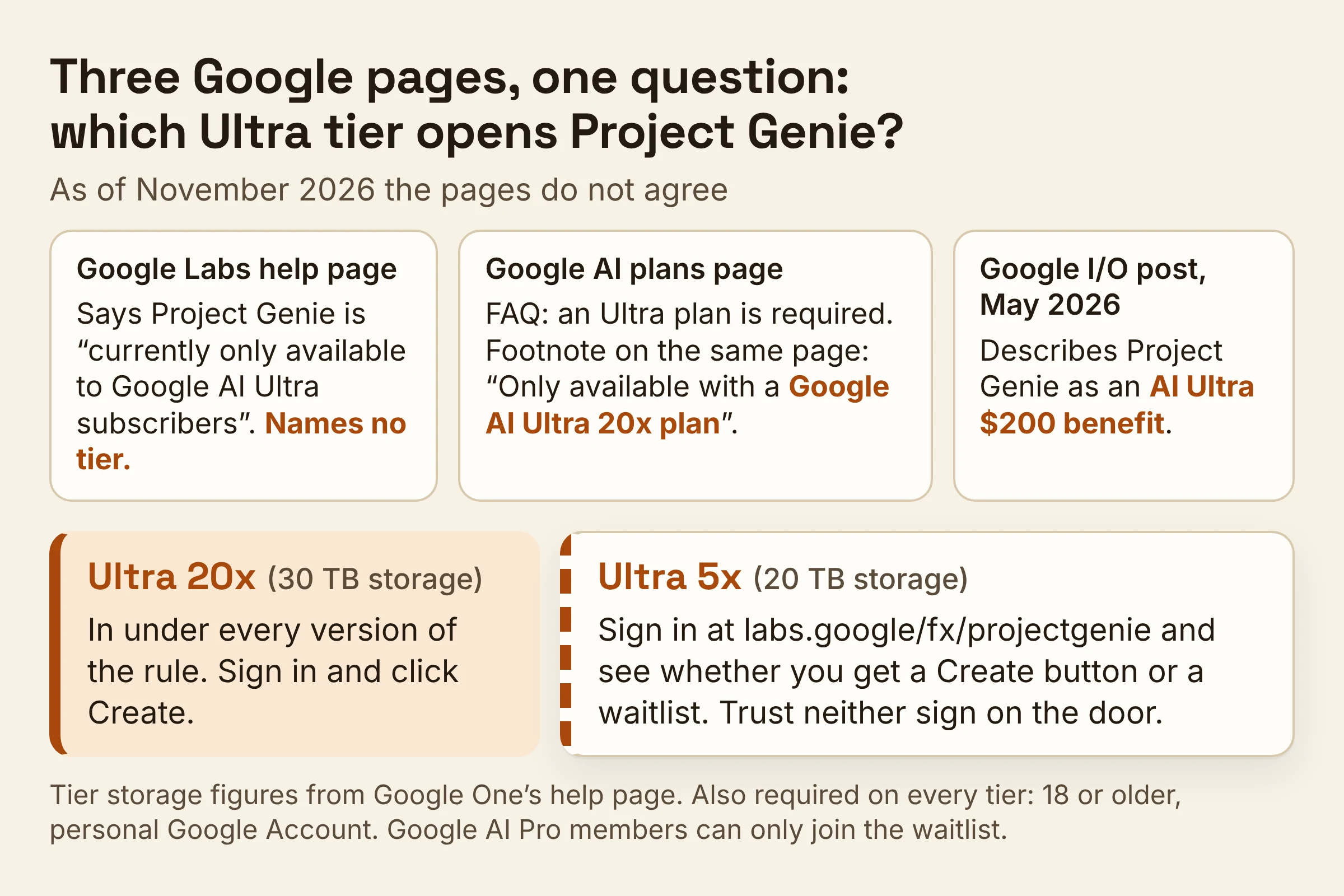
The awkward part is which Ultra tier counts, because Google's pages disagree. Google AI Ultra comes in two tiers, Ultra 5x with 20 TB of storage and Ultra 20x with 30 TB, according to Google One's help page.
The Labs help page names no tier. The FAQ on the Google AI plans page says only that an Ultra plan is required, yet a footnote on that same page says "Only available with a Google AI Ultra 20x plan". Google's May 2026 post from its I/O developer conference went further and described Project Genie as an AI Ultra $200 benefit.
Treat it like a club with two signs on the door: on Ultra 20x you are in under every version of the rule. On Ultra 5x, sign in at the Project Genie page and see whether you get a Create button or a waitlist, rather than trusting either sign. Google gates other features by plan in the same way; our guide to who qualifies for Gemini computer use on Mac walks through one of those checks.
If you are on Google AI Pro, click Join waitlist on the Project Genie page. Google says access will be granted gradually based on availability and that it will email you when you have it. It gives no date.
In which countries is Project Genie available?
Project Genie is available in more than 140 countries as of November 2026, according to a footnote on Google's AI plans page, while Google AI Ultra itself is sold in more than 150 countries and territories. The gap matters, because Google One's help page warns that some AI Ultra features are only available in select regions. Ultra in your country does not guarantee Project Genie there.
Google publishes the Ultra country list on its Google One help page. India, Canada, the United Kingdom, Germany, France, Australia, Brazil, Japan, Nigeria, Indonesia, Mexico and South Africa are on it; China and Russia are not.
The Project Genie footnote points to its own, shorter list, which we could not confirm line by line. So if you are searching for Project Genie in India, the honest answer is that Ultra is sold there, and the fastest check is to sign in and look. Google's pages say nothing about using a VPN from an unsupported country, so there is nothing to recommend on that front.
The developer route draws its map differently: Genie 4 is served from data centers in the United States, Western Europe and Japan. Google expects under 150 ms round-trip latency (the delay between your keypress and the picture responding) in North America, Western and Central Europe and East Asia. Outside those regions, higher latency delays the real-time keyboard steering and can lower the frame rate, so the camera turns a beat after you press the key, like a video call with lag.
How much does Project Genie cost?
Project Genie has no price tag of its own as of November 2026: it comes with Google AI Ultra, which Google's plans page shows from $99.99 a month, billed monthly only. Generating worlds does not spend your AI credits while Project Genie stays an early access research prototype. For developers, Genie 4 on the Gemini API costs about $0.10 per second of generated video with stereo audio included, according to Google AI Studio's Genie documentation.
What the Ultra subscription costs
Google's plans page lists Ultra from $99.99 a month and says Ultra plans are billed monthly only, so there is no annual discount to hunt for. The page did not show the Ultra 20x monthly price in readable text. The most recent figure on the Google pages we read is from Google's May 2026 I/O post, which cut the top-tier Ultra plan from $250 to $200 a month.
That same post introduced a $100-a-month Ultra plan for developers, technical leads, knowledge workers and advanced creators. Google says this cheaper tier gives a 5x higher usage limit in the Gemini app and Google Antigravity than Pro.
Google's pages do not state the Ultra 20x price in plain text, so the May post's AI Ultra $200 label and the plans footnote's Ultra 20x label cannot be confirmed to mean the same tier. If Project Genie is your only reason to upgrade, budget for the top tier until Google says otherwise.
One more wrinkle: the plans page is currently advertising member early access to savings of up to 50% on select Google AI plans for Black Friday. That may change what you actually pay this week. If you are weighing Ultra against Pro for other reasons too, our breakdown of which Google AI plans include Gemini 4 Hydrogen covers the text-model side of the same decision.
What the Gemini API charges for Genie 4
Genie 4 bills 240 video output tokens (the units Google charges by) per frame at 24 fps, or frames per second, which works out to 5,760 tokens per second. Google's AI Studio Genie docs translate that to about $0.10 per second with stereo audio included. The 48 kHz stereo audio is bundled into the video tokens rather than billed separately.
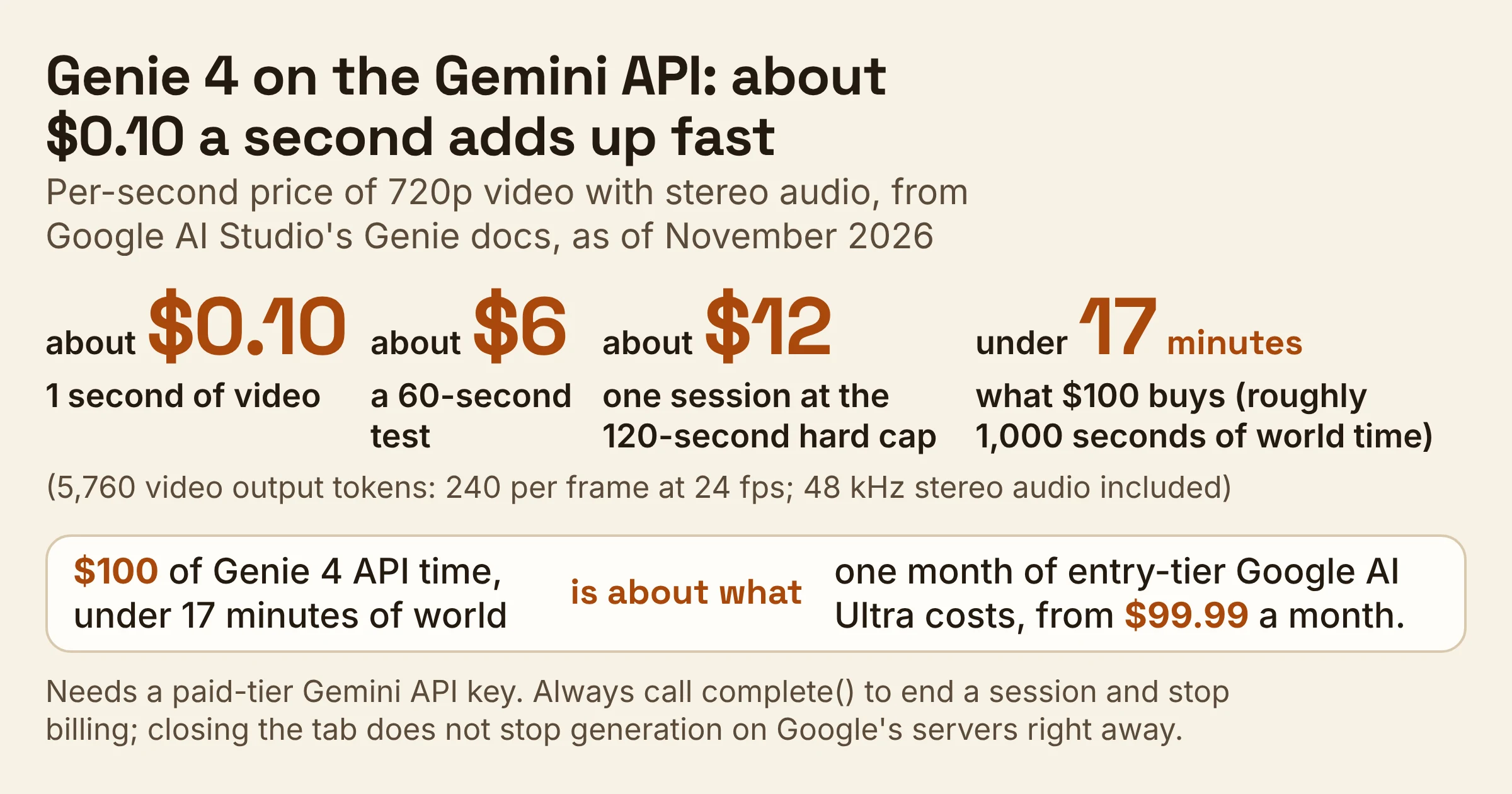
You need a paid-tier Gemini API key, so a Free-tier project has to set up billing in AI Studio first. Here is what the per-second figure means in practice, using Google's own numbers and simple multiplication:
- A quick 60-second test costs about $6.
- One full session at the 120-second hard cap costs about $12.
- $100 buys roughly 1,000 seconds, under 17 minutes of world time, which is about what a month of entry-tier Ultra costs at $99.99.
One billing gotcha from the docs matters more than the arithmetic. Always call complete() to end a session and stop billing, because closing a browser tab or exiting a local block drops your connection without immediately stopping generation on Google's servers. It is the taxi meter that keeps running after you have stepped out.
Two things Google has not published as of November 2026:
- A per-million-token price for Genie 4. The AI Studio pricing page has none, and the docs link to a Genie 4 section that is not there.
- A Genie 4 row on the rate-limits page, so per-tier concurrent-session caps (how many worlds you can run at once) are unknown.
Can you use Project Genie for free?
No. As of November 2026 you cannot create worlds in Project Genie for free, and the Gemini API route needs a paid-tier key, so the API Free tier does not cover Genie 4 either. What is free is looking: anyone without access can open the Gallery and view short previews of experiences Project Genie users have created.
Three partial routes come close to free:
- Gallery previews. No plan, no waitlist, just the Project Genie page. You see short clips, not a world you can steer.
- Shared links. Google's help page says anyone with the link to a shared experience can view, explore and remix it. The page does not spell out whether remixing then requires your own Ultra access, so treat this as a window, not a door, until you have tried it.
- Inside Ultra, no credits. If you already pay for Ultra, Google says you will not need your AI credits to generate worlds while this remains an early access research prototype.
Will Project Genie be free one day? Google's pages give no plan or date for a free tier, so the only honest answer is that nothing has been announced.
What is Genie 4?
Genie 4 is Google DeepMind's real-time interactive world model, released on 18 November 2026. It turns a text prompt, an image or both into a 720p video world at up to 24 frames per second with synchronized audio, and you can walk through and edit it while it runs. A world model is an AI that generates an environment frame by frame and reacts to what you do in it, rather than playing back a fixed clip.
DeepMind calls Genie 4 its "most realistic and interactive world model yet", which is the vendor's description rather than a benchmark. Under the hood, the model card says Genie 4 is built on top of Gemini Omni Flash and uses Gemini for reasoning and real-time steering. Its inputs are text, images and real-time user actions such as keyboard and mouse movement.
The headline change is audio: Google says leaves crunch underfoot, crowds cheer and characters can speak directly with you. You can describe scenes and events, move the camera, add new characters or change the weather by typing while you move. Picture typing make it snow halfway across a market square and watching the stalls frost over without a reload.
DeepMind lists the limits plainly. The model currently supports "around a minute of continuous interaction" rather than extended sessions, and visual details and object permanence (whether the bench is still there when you turn back round) can shift or drift over time. It cannot simulate real-world locations with perfect accuracy, and clear, legible text is often only generated when it is in your world description.
How Genie 4 differs from Genie 3 inside Project Genie
Genie 3 did not retire. Google says it stays in Project Genie's model picker for longer runs or for worlds seeded from a 360-degree panorama image. The November 2026 update also stretched Genie 3 sessions to 3 minutes per generation, up from 60 seconds, and lets you link several worlds into a longer journey.
| Model in Project Genie | Length per generation | Audio | Seed from a 360-degree panorama | Best for |
|---|---|---|---|---|
| Genie 4 | No figure published for Project Genie; DeepMind says around a minute | Real-time native audio that adapts to the scene | Not stated | Short, lively scenes you edit as you walk |
| Genie 3 | Up to 3 minutes, and worlds can be linked together | Not stated | Yes | Longer runs and spaces built from a panorama image |
What can you do inside a Project Genie session?
Inside Project Genie you pick a model, type a prompt or upload an image, and click Create. Then you move through the world with the WASD keys (W, A, S and D, the usual game-movement keys) and, with Genie 4, type new prompts to change it live. The new Project Genie agent takes creation beyond a single text or image prompt, helping you build out what you have in mind.
A session might look like this. You type a flooded library at dusk, candles drifting between the shelves, a cat asleep on the top shelf, click Create, and walk in with W and D. A little later you type the water drains and morning light comes in, and the room changes around you.
When you are done, you can download a video of your playthrough, publish the world to the community gallery for others to explore and remix, or share a link. Some experiences may ask to use your camera or microphone, so expect a browser permission prompt now and then. Every frame and every second of audio carries SynthID, Google's watermark for identifying AI-generated content, which you cannot see or hear.
Two things will interrupt you. Google says daily usage limits apply and "may vary by plan and demand", without publishing a count; if you hit one, the guidance is to try again the next day. And Google warns you may have to wait when demand is high, which in launch week is a polite way of saying bring a cup of tea.
How do you try Project Genie step by step?
To try Project Genie as of November 2026, Google AI Ultra members sign in and create, Google AI Pro members join the waitlist, developers go through Google AI Studio, and everyone else watches the gallery previews. Pick your line below and follow its steps.
Pick this if you already have Google AI Ultra.
- Go to labs.google/fx/projectgenie and sign in with your personal Google Account; you must be 18 or older. Google's Get started with Project Genie page has the same steps.
- Select a model: Genie 4 for live audio and mid-walk edits, Genie 3 for 3-minute runs or a 360-degree panorama seed. Add a prompt or an image and click Create.
- Steer with WASD, type changes as you go, then download the video. If the daily limit stops you, come back tomorrow.
Pick this if you have Google AI Pro. Open the same page, click Join waitlist, and watch your inbox; Google emails you when access opens. Browse the gallery previews in the meantime so your first prompt is ready.
Pick this if you build software. Open Google AI Studio, set up billing so your key is paid-tier, and try the interactive canvas and starter apps before writing code. Budget about $0.10 per second, keep sessions under the 120-second cap, and always call complete().
Pick this if you have neither plan. Watch the gallery previews, decide whether the worlds are worth $99.99 a month to you, and remember the Ultra 5x question above before you pay.
Every price, plan name and session cap here was read on Google's own pages in November 2026, mid Black Friday promotion. Confirm the numbers on the plans page before you subscribe.