
Here is the quiet truth about studying with AI in 2026: one tool can invent facts, and the other can feel like a polite textbook that never jokes with you. Pick only ChatGPT and you may get a dazzling explanation that is not what your teacher assigned. Pick only NotebookLM (now also labeled Gemini Notebook in Google's product UI) and you get rock-solid answers from your uploads, but the chat can feel stiff when you need a patient tutor.
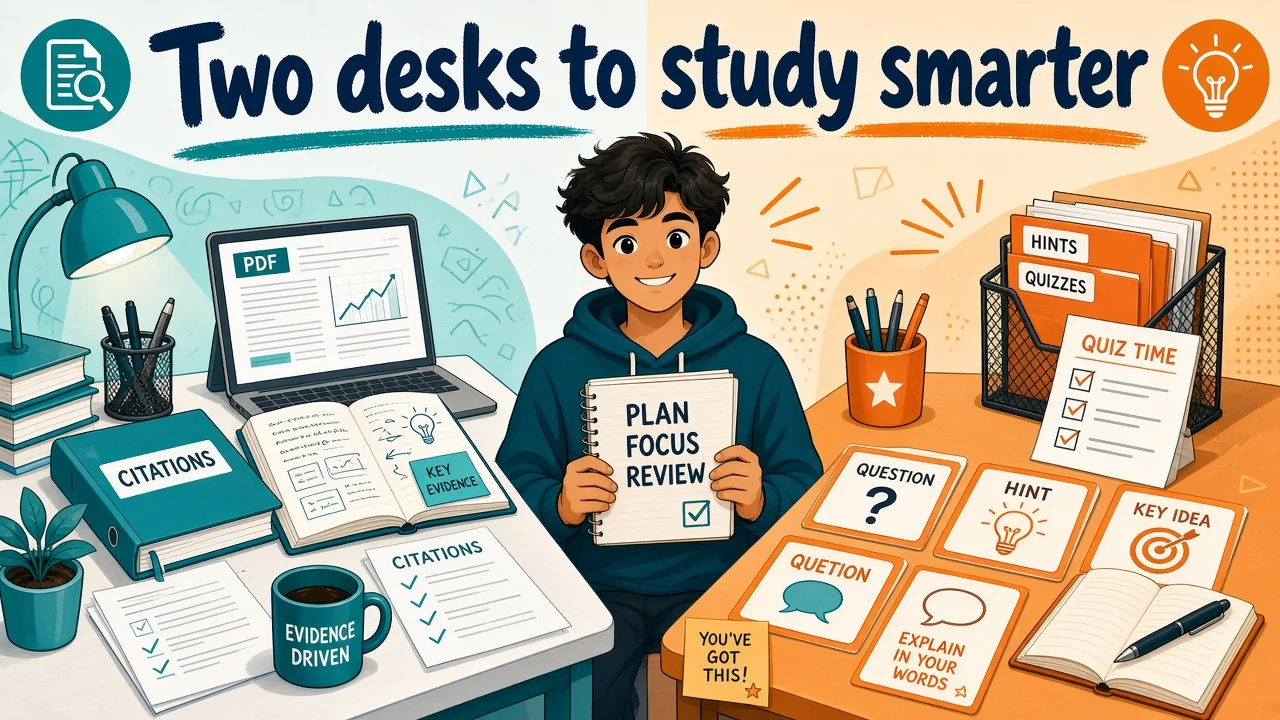
You do not need a third brain. You need two desks.
- NotebookLM = the evidence desk. It stays glued to the PDFs, slides, and notes you upload, with citations you can check.
- ChatGPT = the tutor desk. It explains, quizzes, role-plays, and helps you practice until the idea clicks.
That pairing shows up again and again in real workflows: MakeUseOf treats them as two connected labs (think with your sources, then think beyond them). XDA writers add a finder like Perplexity when you still need sources, then hand off to NotebookLM and ChatGPT. Comparisons from Lynote and Vertech Academy land in the same place: NotebookLM for source control, ChatGPT for adaptive teaching.
This Toolbit guide turns that idea into a friendly week-of-school plan, copy-paste handoff prompts, and clear rules for when to use only one tool so you avoid double-summary drift.
Quick answer: how do you use NotebookLM + ChatGPT together?
- Dump class materials into a NotebookLM notebook (one class = one notebook).
- Ask NotebookLM for facts, quotes, and study guides tied to those sources.
- Copy a short, verified pack of notes (not a fluffy mega-summary).
- Paste into ChatGPT and ask it to tutor, quiz, or re-explain like a coach.
- When a claim matters for a grade, walk it back to the original PDF or slide.
Soft start: skim Toolbit's NotebookLM and ChatGPT pages if you want a feature snapshot before you open both tabs.
The study pain: inventor AI vs boring AI
Picture two classmates.
Inventor AI (classic ChatGPT risk when you ask open questions): loves to help. Invents a date, a definition, or a "famous study" that never appeared in your packet. Sounds confident. Your quiz grade does not care about confidence.
Boring AI (NotebookLM when you force it to be your only friend): will not invent much outside your uploads. Great. But if the chapter is dense, it may summarize in the same stiff voice five times. You need metaphors, wrong-answer coaching, and "explain it like I am stuck" energy.
One desk invents. One desk can feel dry. Together they cancel each other's bad habits.
What each tool is good (and bad) at, in kid-friendly terms
NotebookLM: your evidence desk
Think of NotebookLM as a smart library cart that only shelves books you put on it.
Good at
- Answers grounded in your uploads (slides, PDFs, Docs, many web and media types)
- Inline citations so you can open the exact passage
- Studio-style study helpers: study guides, flashcards, quizzes, mind maps, Audio Overviews (podcast-style chats about your sources)
Not great at
- Explaining ideas that never appear in your sources
- Being the most playful, adaptive tutor
- Replacing your judgment if you uploaded weak or outdated material
Google positions it as a source-grounded research assistant: upload sources, chat with citations, turn them into study formats. There is a free Standard plan with a Google account; higher limits come through Google AI / qualifying plans. Limits change over time, so check the live plan page before you assume a daily cap.
ChatGPT: your tutor desk
Think of ChatGPT as a patient coach with a huge whiteboard.
Good at
- Many ways to explain the same idea (analogy, story, step-by-step)
- Study-style tutoring: hints, follow-ups, "quiz me then correct me"
- Writing help, outlines, and practice that goes beyond the packet
- Filling gaps when a slide is thin but the concept still matters for understanding
Not great at
- Staying 100% inside your class packet unless you force a tight handoff
- Perfect citations from uploads the way NotebookLM does
- Being trusted as the final authority on "what will be on the exam"
Vertech's student-facing take is blunt: NotebookLM shines when the exam is "from the slides only"; ChatGPT shines when you need the concept explained differently. Lynote's comparison says the same in grown-up words: evidence room vs practice room.
Optional third friend (when you still need sources)
XDA's "triple combo" adds Perplexity (or careful web search) only when you must find credible extras. Then you upload chosen links into NotebookLM. You do not need three tools every night. Two desks are enough for most homework weeks.
The two-desks duo workflow (copy this)
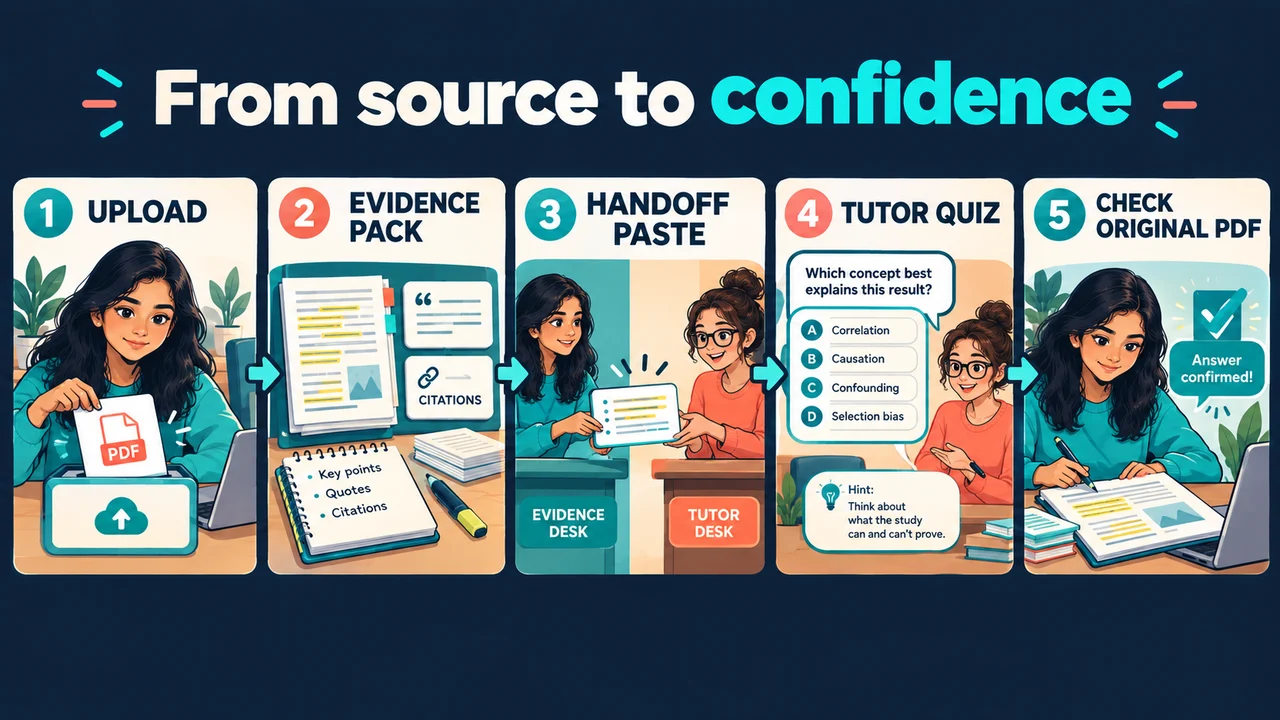
Step 1: Set up the evidence desk
- Create one NotebookLM notebook per class.
- Upload this week's slides, readings, and your notes.
- Name sources clearly ("Week 3 slides", "Chapter 4 PDF").
Step 2: Pull a thin evidence pack (not a novel)
Ask NotebookLM for short, checkable bullets:
- key terms with one-line definitions
- 5 must-know ideas
- open questions the sources raise
- which source each point came from
Why thin? Thick summaries are how double-summary drift starts. If NotebookLM summarizes, then ChatGPT summarizes the summary, tiny errors stack like wobbly Jenga.
Step 3: Walk to the tutor desk
Paste the evidence pack into ChatGPT. Tell it:
- your grade level and class
- that it must treat the pack as the fact base
- to mark anything it adds as Extra context (not in my notes)
Step 4: Practice out loud (or in chat)
Use ChatGPT to quiz you, coach wrong answers, and force you to explain concepts in your own words. Then, if needed, drop your corrected notes back into NotebookLM as a note or source for next time.
Step 5: Close the loop on the original page
Before a test or a written claim, open the real PDF. AI is the coach. The source is the scoreboard.
Prompt pack: copy-paste handoffs
A) NotebookLM: build the evidence pack
Using only my uploaded sources, make a short evidence pack for [TOPIC].
Format:
1) 8 key terms with one-sentence definitions
2) 5 must-know ideas (bullets)
3) 3 likely quiz questions
4) For every bullet, name the source title
Keep it under 250 words. No fluff.
B) Handoff wrapper (paste into ChatGPT)
You are my study tutor for [CLASS / LEVEL].
Below is an EVIDENCE PACK from my class sources. Treat it as the fact base.

Rules:
- Prefer the evidence pack for definitions and claims.
- If you add outside help, label it: Extra context (not in my notes).
- Do not invent citations, studies, dates, or quotes.
- End with 3 check questions I must answer in my own words.

EVIDENCE PACK:
[PASTE NOTEBOOKLM OUTPUT HERE]
C) ChatGPT: tutor mode
Teach me [CONCEPT] using the evidence pack.
Start with a simple analogy, then a precise version.
Ask me one question at a time. Wait for my answer.
If I am wrong, hint first, then explain.
D) ChatGPT: exam drill
Quiz me with 8 questions mixed easy/medium/hard from the evidence pack.
Do not show answers until I reply.
After each answer, score me and explain briefly.
At the end, list my weak spots and a 20-minute repair plan.
E) Send a clarification home to NotebookLM
Here is a clarification I wrote after tutoring:
[PASTE YOUR OWN WORDS]
Check it against my sources. Quote any mismatch. List what is supported vs unsupported.
Exam week plan (simple and calm)
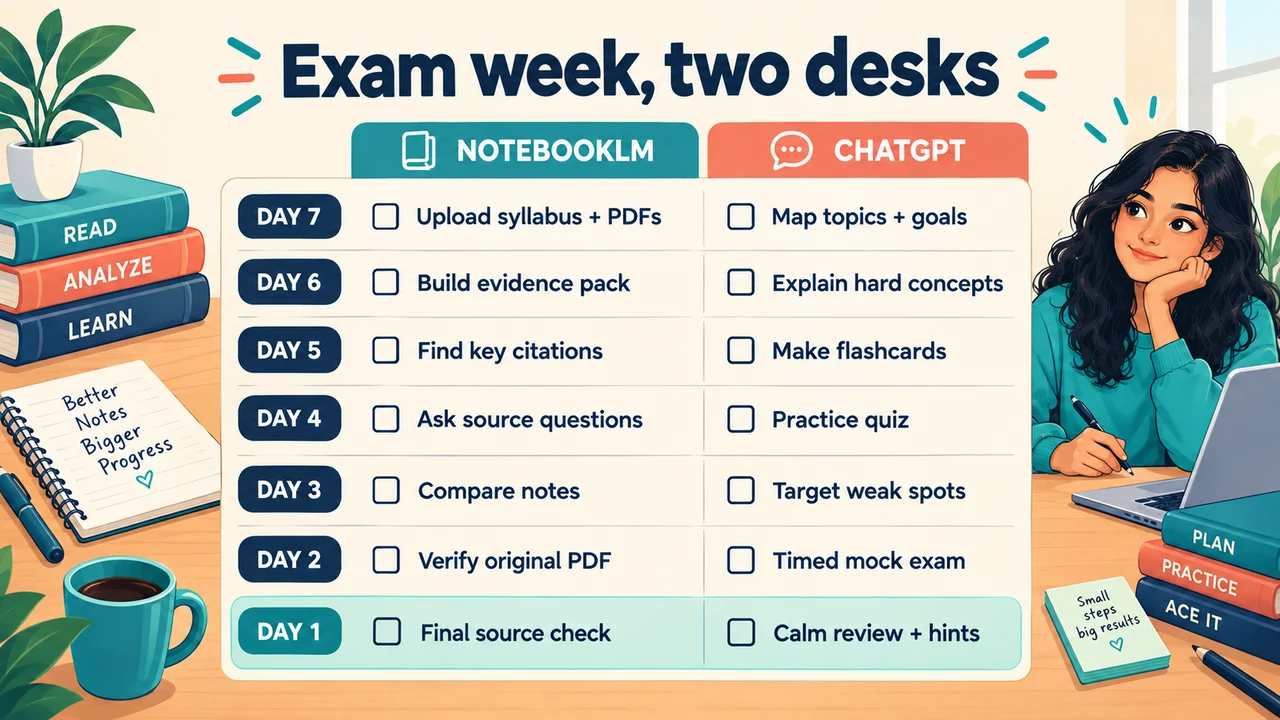
| Window | Evidence desk (NotebookLM) | Tutor desk (ChatGPT) |
|---|---|---|
| Day 7-5 | Upload all testable sources; generate study guide + cold quiz | Explain your biggest misses with analogies |
| Day 5-3 | Chat with citations on weak chapters; rebuild a thin evidence pack | Daily quiz drills; fix wrong answers out loud |
| Day 3-1 | Flashcards / Audio Overview while walking | Timed practice; "ask me until I get it" |
| Day 1 | Light skim of weakest cards only | No new topics; confidence check, then sleep |
MakeUseOf's tip fits day 5-3 perfectly: export NotebookLM's suggested questions, then paste into ChatGPT with "Ask me challenging questions, then correct and explain my answers." One tool retrieves. The other coaches.
When to use only one tool
NotebookLM alone when:
- the teacher said "exam is from these slides / this packet"
- you need citations and cross-source compare
- you want Audio Overview, flashcards, or a source-tied quiz fast
ChatGPT alone when:
- you already know the facts and need practice, writing polish, or math/coding walkthroughs
- you are stuck on how something works, not what the PDF says
- you have no uploads yet and just need a first explanation (then verify later)
Both when grades matter and the material is dense. That is the duo.
Mistakes that break the duo (and how to dodge them)
- Double-summary drift. Do not paste a long NotebookLM summary into ChatGPT and ask for "another summary." Paste a short evidence pack, then ask for teaching, not more mush.
- Letting ChatGPT rewrite the facts. Always require the Extra context label for anything outside the pack.
- Uploading junk sources. Grounded on bad notes is still bad. Curate first.
- Skipping the original page. Citations are invitations to check, not trophies.
- Expecting one login to do every job. MakeUseOf's lesson: stop forcing one tool to be everything. Give each desk a job.
- Never practicing retrieval. Summaries feel good. Quizzes build memory.
FAQ
Is NotebookLM better than ChatGPT for studying?
For "what do my assigned materials say?" NotebookLM usually wins. For "help me understand and practice," ChatGPT usually wins. Serious students use both.
Can ChatGPT replace NotebookLM?
Not for source-locked exam prep with easy citation checks. ChatGPT can read files, but NotebookLM's notebook + Studio study outputs are built for that job.
Is this free?
Both offer useful free starting points. NotebookLM's Standard plan works with a Google account (limits apply). ChatGPT is free to start, with paid plans for higher limits and advanced features. Check each product's current pricing page; numbers move.
What about Lynote or other note tools?
Lynote-style tools help when you need mixed media turned into editable notes first. They can feed the evidence desk. They do not replace the two-desks split: verify, then practice.
How do I stop AI from inventing facts?
Start on the evidence desk. Hand off a short pack. Label extras. Verify high-stakes claims in the original source.
Soft next step on Toolbit
Comparing study and research AI? Open NotebookLM on Toolbit, ChatGPT on Toolbit, then browse the AI tools directory and categories for adjacent helpers (search, notes, tutoring). Educate first. Pick the stack that matches tonight's homework.
Two desks. Thin handoffs. Real practice. That is the study duo that actually works.
Toolbit AI - Team · Last updated: September 13, 2026