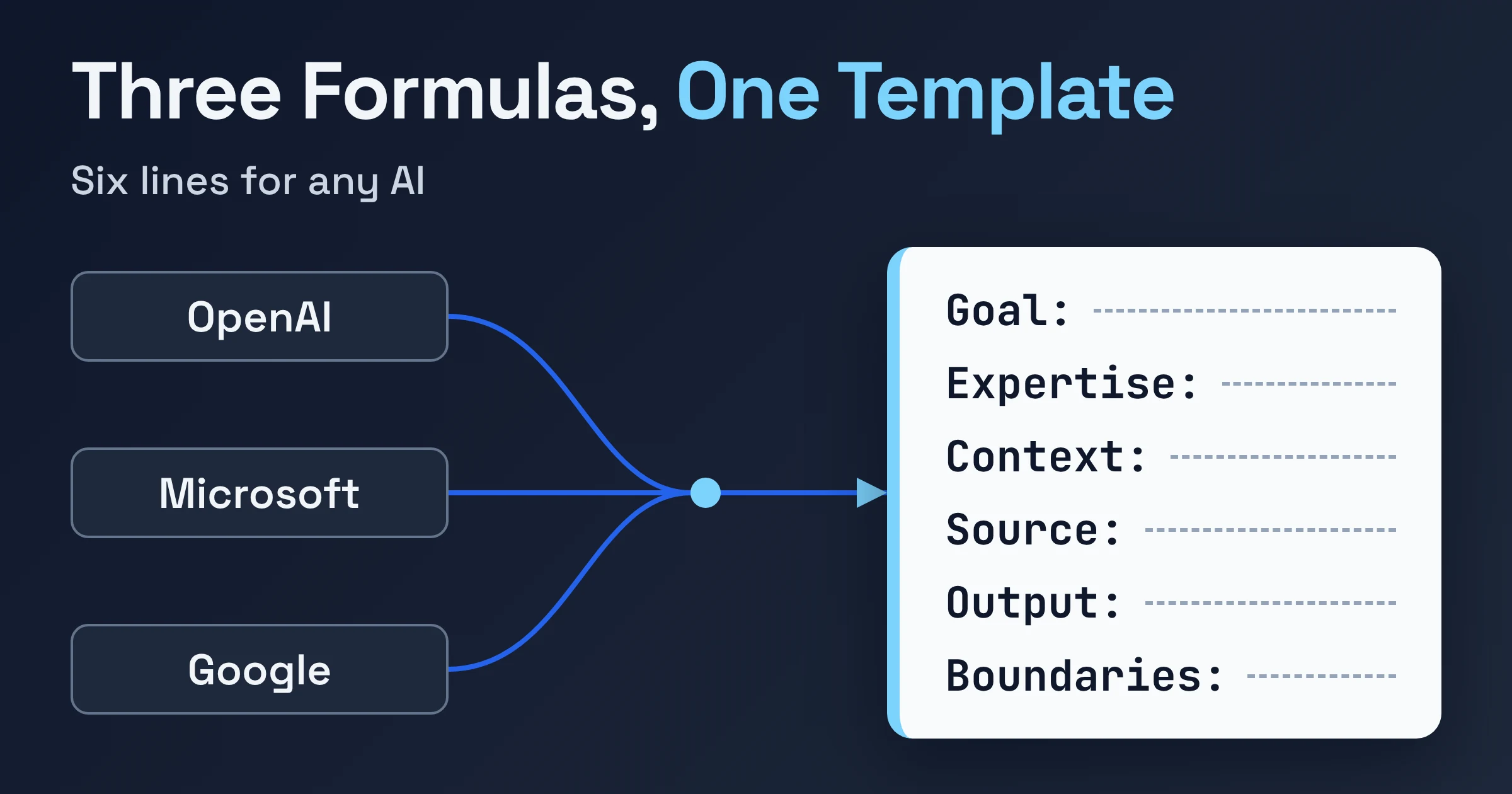
A practical prompt template for work in ChatGPT, Microsoft Copilot or Google Gemini is a short plain-language checklist: goal, optional expertise, context, source material, output, and one or two boundaries. It merges the formulas OpenAI, Microsoft and Google each teach. It keeps the shared core plus the one useful slot each vendor has that the others skip.
Below you get the side-by-side comparison, a copy-ready template, and a customer email rewritten before and after. OpenAI and Microsoft both say you don't need to fill in every part, so treat the template as a menu, not a form.
What prompt formulas do OpenAI, Microsoft and Google teach?
As of November 2026, OpenAI teaches Goal, Context, Output and Boundaries; Microsoft teaches goal, context, source and expectations; and Google teaches persona, task, format and context. All three are four-part formulas, and they overlap more than their labels suggest.
Here's how the parts line up, taken from OpenAI's ChatGPT Learn prompting guide, Microsoft's business guide to prompt engineering and Google's prompting best practices:
| What the slot does | OpenAI | Microsoft | |
|---|---|---|---|
| Says what you want done | Goal: "What should ChatGPT do?" | Goal | Task |
| Gives background | Context: "What information or sources will help?" | Context: "Why do you need it, and who is involved?" | Context: "Any background information AI needs" |
| Points to material to work from | Folded into Context ("sources") | Source: "What information should the AI use?" | No separate slot |
| Shapes the answer | Output: format, length, level of detail | Expectations: "How should the AI respond?" | Format: "How you want the results to appear" |
| Sets limits | Boundaries: what stays unchanged, what to avoid or check first | No separate slot | No separate slot |
| Sets the expertise | No separate slot | No separate slot | Persona: "The expertise you want AI to draw from" |
| How strict is it? | "Use only the parts that help" | "a clear goal is the only requirement" | Lists all four as parts of a good prompt |
The short version: every formula asks for a goal, some background, and a description of the answer you want. The interesting part is what's left over.
What does each formula have that the others don't?
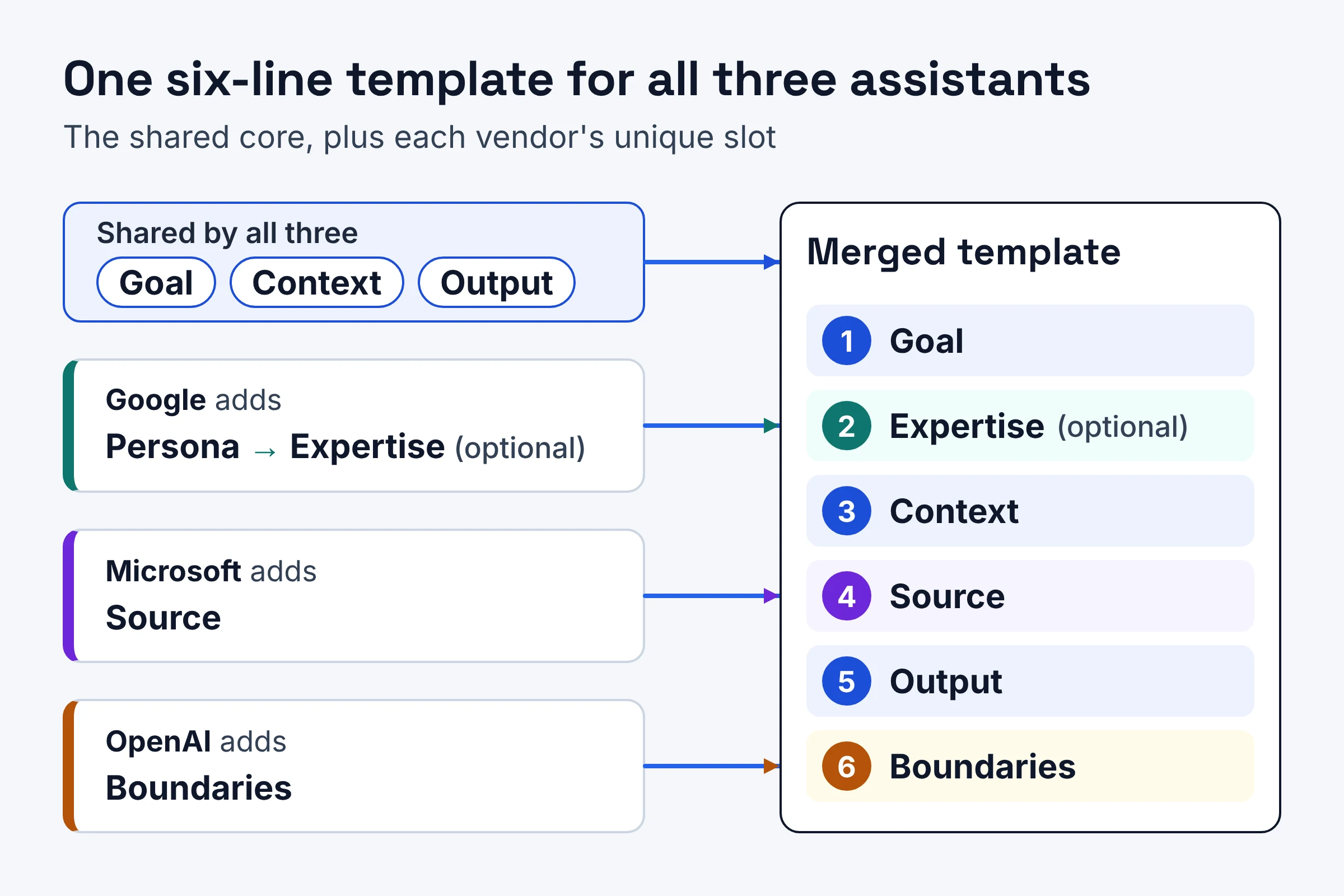
Each vendor's formula carries one slot the other two leave out: OpenAI has Boundaries, Microsoft has a separate Source slot, and Google has Persona. Those three extras are the reason to merge the formulas instead of picking one.
OpenAI's extra: Boundaries
OpenAI defines boundaries as "the few instructions ChatGPT needs to avoid creating extra work or taking an action you didn't intend." Its examples are refreshingly practical: "Use only the supplied sources. Flag missing information instead of guessing." and "Prepare the message as a draft. Don't send it."
OpenAI also says to "focus on the one or two boundaries that matter most." Think sticky note on the fridge, not the house rules binder.
Microsoft's extra: Source, and a way out
Microsoft gives your reference material its own slot and explains why: "The closer your source material is to the final answer, the less the AI has to fill in." Its own example uses a catering menu as the source.
Microsoft also recommends giving the AI a way out, meaning an option other than inventing an answer. In Microsoft's words, "This helps the AI avoid making something up."
Google's extra: Persona
Google opens its framework with persona, "the expertise you want AI to draw from," and its example is "You are a seasoned advertising writer." Google also offers a fill-in sentence you can reuse:
Help me with a [task]. Use the expertise of [persona] when completing this task. The output should be [format]. Before you help me with this task, you should know that [context].
If you only want to borrow one formula, this table shows which fits your task:
| Formula | Slot the others lack | Best for |
|---|---|---|
| OpenAI: Goal, Context, Output, Boundaries | Boundaries | Tasks where a wrong move costs you time, like a draft that must not be sent or text that must stay unchanged |
| Microsoft: goal, context, source, expectations | Source | Answers that must be built from your own notes, emails, menus or reports |
| Google: persona, task, format, context | Persona | Jobs that need a particular voice or expertise, like ad copy |
Do I need a role or persona in my prompt?
No, a persona is optional. Of these three formulas, only Google's includes one as of November 2026, and both OpenAI and Microsoft say you don't need every part of theirs. Add a persona when the job calls for a specific kind of expertise or voice.
For ad copy, Google's "You are a seasoned advertising writer" points the AI at a style. For a routine meeting summary, a persona adds little. You'll usually get more from saying who will read the result.
OpenAI recommends something similar: "Tell ChatGPT how you plan to use the result. This helps it choose the right length, level of detail, and organization." Microsoft makes a similar point: "Name the audience, tone, length, and format."
How do I stop AI from making things up in my report?
You can't fully prevent it, but you can shrink the room for guessing: paste your source material, tell the AI to use only that material, and ask it to flag gaps instead of filling them. Microsoft states that "even a strong prompt doesn't guarantee a correct answer," so a human check stays part of the job.
Here's the anti-guessing checklist, combined from all three guides:
- Give it the source. Paste the notes, data or email. Microsoft's point holds: the closer the source is to the final answer, the less the AI has to fill in.
- Fence it in. Borrow OpenAI's boundary word for word: "Use only the supplied sources. Flag missing information instead of guessing."
- Ask for sources on current facts. OpenAI suggests asking ChatGPT to use web search when the answer depends on current information, and to ask for sources when you need to check the result.
- Check before it leaves. Microsoft says to "review names, numbers, dates, and claims before anything leaves your business." Google's accuracy test asks: "Is the information correct and factually sound?"
- Treat it as a draft. Microsoft calls AI output "a first draft to review," and Google calls it "a starting point, not a final product."
Here's how that looks on a real task. OpenAI's own example is "Turn these meeting notes into a short update for the project team," with decisions and next steps first. Add one boundary, "Use only these notes. If an owner or deadline isn't mentioned, flag it instead of guessing," and the AI has an honest exit instead of a reason to invent one.
What's the best prompt template for work in ChatGPT, Copilot and Gemini?
A practical all-round template is a six-line merge: Goal, Expertise (optional), Context, Source, Output and Boundaries. It's plain text, so you can paste the same version into ChatGPT, Microsoft Copilot or Google Gemini; OpenAI notes you "don't need technical syntax or a rigid formula."
Copy this:
Goal: [The result you want, not a list of steps]
Expertise: [Optional. The kind of expert to write like]
Context: [Why you need it, who it's for, how you'll use the result]
Source: [Paste the notes, email or data to work from]
Output: [Audience, tone, length and format]
Boundaries: [One or two must-dos, e.g. "Use only the source above. If something is missing, say so instead of guessing. Don't change the figures."]
Where each line comes from:
- Goal is in all three formulas (Google calls it task). OpenAI adds a useful tip: "Start with the result, not a detailed list of steps."
- Expertise is Google's persona. Delete the line when it doesn't help.
- Context combines Microsoft's "why and who" with OpenAI's advice to say how you'll use the result.
- Source is Microsoft's slot, made explicit so you never forget to paste the material.
- Output is OpenAI's Output, Microsoft's Expectations and Google's Format, all doing the same job.
- Boundaries is OpenAI's slot, with Microsoft's way out built into the example.
One honest caveat: this is a merge of three vendor guides, not a tested recipe. None of the three guides claims one formula beats another, and Microsoft notes "the same prompt can return different responses each time."
When you move between tools or tasks, Google's advice applies: "always start a new chat when changing topics," because earlier context can leak into the new answer. If you want to know how the assistants themselves behave differently, see our guide on how to prompt ChatGPT, Claude and Gemini differently.
What should I put in a prompt for a customer email?
Put in what happened, what you're offering, the tone, the length, and a boundary that keeps it a draft. Microsoft's own before and after shows the jump: "Reply to this complaint." becomes a prompt covering a late delivery, one apology, a 10% credit, a warm tone and three short paragraphs.

Before
Reply to this complaint.
Google explains why this falls flat: vague prompts "give AI too many possible paths and require it to make assumptions."
After: Microsoft's version
Draft a reply to the customer email below about a late delivery. Apologize once, explain that we're offering a 10% credit on their next order, and keep the tone warm and direct. Limit it to three short paragraphs.
Microsoft's summary of why it works: "the improved prompt answers the questions the AI would otherwise guess at."
After: the merged template
Goal: Draft a reply to the customer email below about a late delivery.
Expertise: Write like an experienced customer service lead.
Context: The customer is upset about the delay. We're offering a 10% credit on their next order. I'll review and send it myself.
Source: [Paste the customer's email here]
Output: Warm and direct tone. Apologize once. Three short paragraphs.
Boundaries: Prepare this as a draft; don't send it. If the customer raises something I haven't covered, flag it instead of guessing.
The extra lines each close a gap. Expertise sets the voice. Source anchors the reply to what the customer actually wrote. Boundaries give the AI a way out, which helps it avoid inventing an answer to a question you never addressed.
Want it to sound like you? Microsoft suggests pasting "a past email you liked" and asking the AI to match its style. Then read it before it goes out, since Microsoft flags anything "a customer will see" as needing review.
How long should a prompt be?
As long as it takes to remove the guessing, and no longer. The guides give principles. OpenAI says "use only the parts that help," Microsoft calls a clear goal the only requirement, and Google says to "avoid overly long or complex requests in a single prompt."
If your prompt is turning into a wall of text, you're probably asking for too much at once. Microsoft's fix: "Ask for an outline first, then a draft of each section." Google's version: "Ask for smaller pieces of your task, one at a time."
For a long report, that means one prompt for the outline, then one prompt per section. Keep your words consistent along the way, as Google advises: if you call it "the launch plan" in your first message, don't switch to "the rollout doc" later. And don't aim for perfect on the first try; OpenAI and Google both recommend reviewing the response and following up.
How do I save prompts so my team can reuse them?
Save any prompt that gave a great result, give it a clear name, and keep it where your team can find it. Microsoft recommends keeping prompts that work so your team can reuse them, and Google suggests naming and saving them. Microsoft adds one guardrail: "Use AI tools your business has approved for work data, and follow company policy on what can be shared."
A simple shared doc works fine. For each saved prompt, keep:
- A plain name, such as "Late delivery reply" or "Meeting notes to team update"
- The template with blanks, using the six lines above
- One filled example, with customer names and private details removed
- What to check, such as "confirm the credit amount" or "check owners and dates"
When the doc grows, our prompt library articles cover ways to organise it.
What should you try first?
Start with one repetitive task you do every week, run it through the template, and save the version that works. Here's a short plan:
- Today: Copy the template into a note. Pick one task, like a customer reply or a meeting update. Fill in Goal, Source and one Boundary, and run it.
- Tomorrow: Run the same task with Context and Output added. Use follow-up messages to fix what's off rather than starting over, and keep the better version.
- This week: Save the winner under a clear name in a shared doc your team can reach, using an AI tool your business has approved.
Once the template feels natural, our evidence-ranked list of prompts that improve answers gives you more lines worth adding.