Educational AINote-TakingVideo Learning

Video Notebook

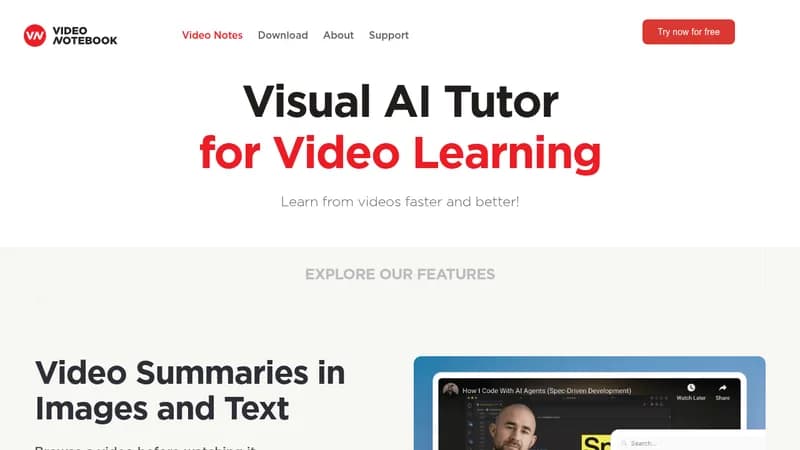
Browse videos visually and ask AI-powered questions for efficient learning

Monthly Visits: 34.2K
Visit Website
Video Notebook

What is Video Notebook?

Video Notebook lets you take screenshots and notes on any web video, turning them into interactive bookmarks. You can ask questions directly to the video content and get instant answers, plus take quizzes and use flashcards to test your knowledge. This makes learning from videos faster and more engaging, especially for visual learners who want to retain information better.

Key Features of Video Notebook

  1. 1

    Visual Browsing

    Browse videos with a visual list of notes and screenshots

  2. 2

    AI Q&A

    Ask questions and get answers from video content instantly

  3. 3

    Quizzes

    Take multiple choice and short answer quizzes with immediate feedback

  4. 4

    Flashcards

    Use flashcards to test and reinforce your knowledge easily

  5. 5

    Search

    Search across all notes and video transcripts for quick reference

Video Notebook AI Tool Use Cases

  • 🎓
    Study online courses
  • 📝
    Take notes on educational videos
  • 🧠
    Practice with AI quizzes
  • 💼
    Learn professional skills

FAQs from Video Notebook

Can I integrate with Canvas?

Yes, we already integrate with Canvas and can customize for your implementation.

Do you support password-protected courses?

Yes, we ensure students get the right level of access for password-protected content.

What video platforms do you support besides YouTube?

We support integration with Panopto, Wistia, Vimeo, Kaltura, and other platforms.

Can you customize the look and feel of the course page?

Yes, we can tailor colors and styles to match your branding needs.

Pros & Cons of Video Notebook

Pros (4)

  • AI-powered question answering for interactive learning
  • Efficient visual browsing and note-taking
  • Instant feedback on quizzes and assessments
  • Organized notebooks for easy video management

Cons (3)

  • Primarily focused on educational and web videos, may not suit entertainment use
  • Requires integration for some video platforms beyond YouTube
  • Limited to users comfortable with web-based tools

More Info About Video Notebook

Who is using video notebook?

This tool is best for:

  1. Students
  2. Educators
  3. Online learners
  4. Professionals

Video Notebook's Tags

Explore more niche AI tool websites by clicking on a tag* (works only if it has enough tools).

#EdTech #VisualLearning#OnlineEducation#AIAssistedLearning#VideoNotebook

Integrate Video Notebook With These Apps

Video Notebook can be integrated with these apps and services:

  • Canvas
  • Panopto
  • Wistia
  • Vimeo
  • Kaltura

Video Notebook Social Media

Visit Video Notebook on social media to stay updated with the latest news and features.

Website Analytics of Video Notebook

Video Notebook Website Traffic & SEO Analysis:

Recent data shows that Video Notebook has 34.2K monthly visits (-9.7% decrease from the previous month), 43.0% bounce rate, and average 2.29 pages per visit.
Traffic is primarily driven by 6 different sources, with users from 5 countries worldwide, led by India contributing 35% of total traffic. SEO performance is shown by 5 tracked keywords, with "video notebook" being the top-performing keyword with 790 monthly searches. See below for more info.

Monthly Visits

34.2K

(-9.7%)

Pages per Visit

2.29

Bounce Rate

43.0%

Average Time on Site

1m 14s

Traffic Trend(Aug 2025 - Oct 2025)

Loading chart...

Top Keywords

SEO KeywordVolumeCPC
video notebook
790$1.46
ai note from video
230-
youtube video notes extension
220-
how to remove video notebook
140-
videonotebook.com pricing
130-

Traffic Sources Distribution

Traffic Share by Source

Loading chart...

Source Breakdown Details

SourceTraffic Share
Direct
47%
Search
42%
Social
3%
Referrals
6%
Paid Referrals
1%

Global Traffic Distribution

Traffic Share by Country

Loading chart...

Geographic Breakdown Details of top 5 countries

Country NameTraffic Share
India35%
United States13%
Nigeria10%
Philippines8%
Turkey5%
Analytics data is estimated (from third-party analytics providers) and for reference only.

🚀 Video Notebook Launch Badge

Promote your Toolbit Launch by using the badge on your website. It can be inserted on your home page or footer easily.

How to use: Simply copy and paste the embed code into your homepage or footer HTML to display it instantly and build community support.

ToolBit badge

Reviews for Video Notebook