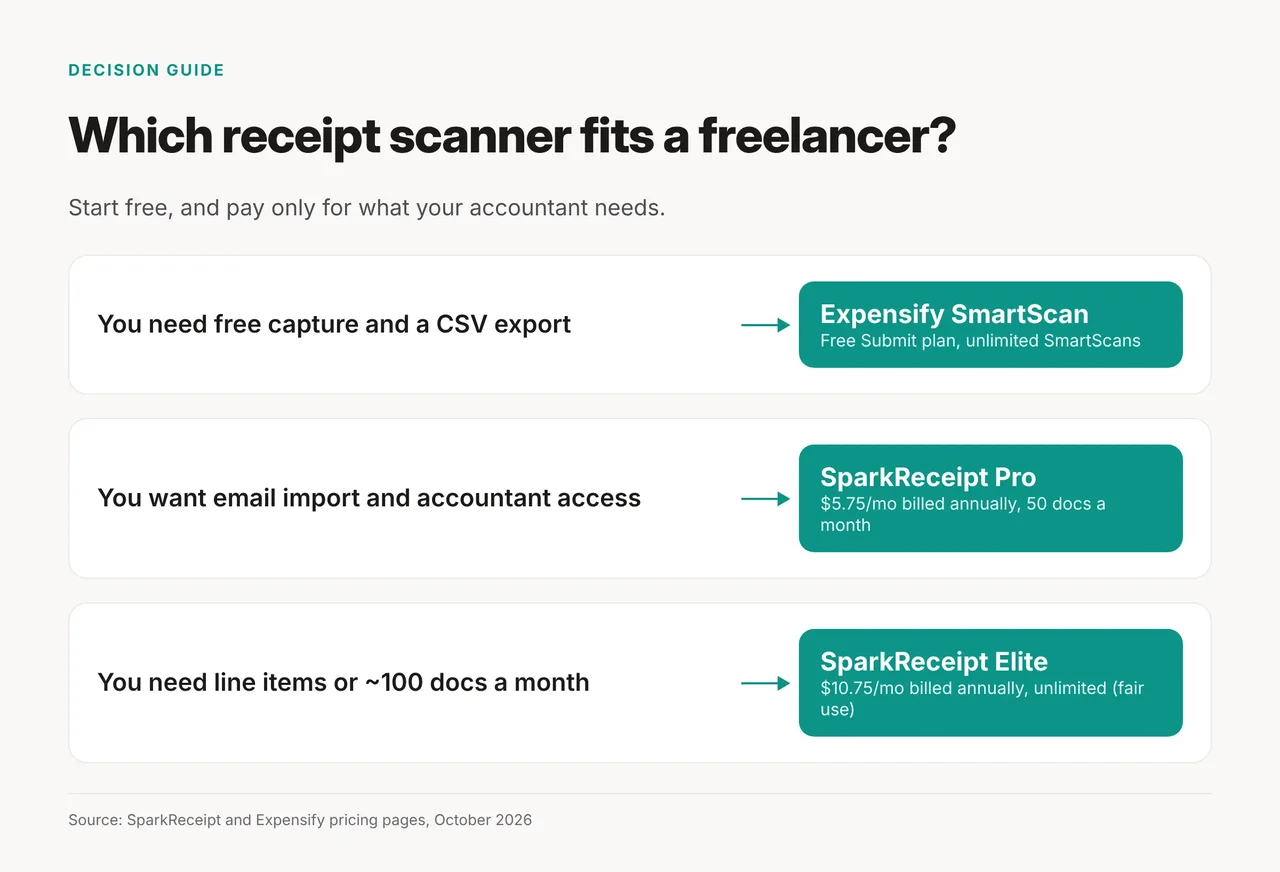
Quick picks: Most freelancers should start with Expensify's free SmartScan. Move to SparkReceipt Pro ($5.75 a month billed annually) once you want email import, bank matching and a cleaner accountant handoff. Pick SparkReceipt Elite ($10.75 a month billed annually) only if your accountant wants line items or you scan about 100 documents a month.
- Best free option: Expensify SmartScan
- Best paid default: SparkReceipt Pro
- Best for line items: SparkReceipt Elite
- Best for a rare one-off invoice: a vision chatbot you already use
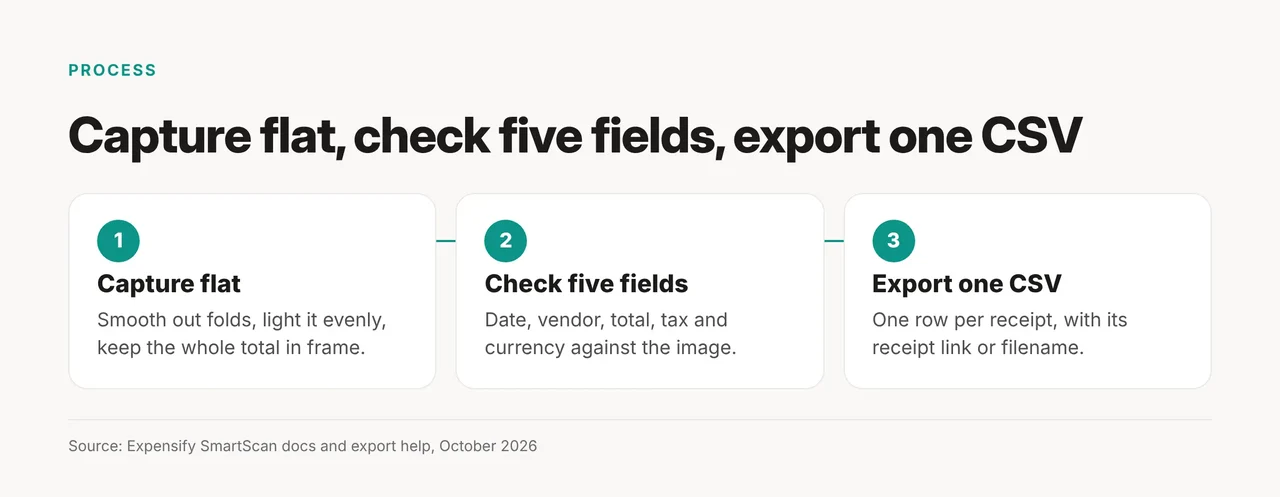
Whichever you choose, proofread five fields on every scan: date, vendor, total, tax and currency.
This is bookkeeping help, not tax advice. Nothing here covers what you can deduct or how to classify an expense; that call belongs to your accountant.
Which AI receipt scanner should a freelancer use?
The right scanner depends on your monthly volume and on what your accountant asks for. Price, document limits and export shape are the differences you can verify before you sign up. Prices below were checked on the vendors' pages on October 21, 2026, for one user.
| Option | Price (1 user) | Documents | Strongest on | Watch out for |
|---|---|---|---|---|
| Expensify SmartScan (Submit plan) | Free | Unlimited SmartScans | Free capture plus CSV export | No line items listed in what it extracts |
| SparkReceipt Pro | $5.75/mo billed annually ($69.00/yr), or $6.90 monthly | 50 a month, shared across the account | Email import, bank matching, accountant access | Bank statements count toward the 50 |
| SparkReceipt Elite | $10.75/mo billed annually ($129.00/yr), or $12.90 monthly | Unlimited under fair use | Line-item extraction on every receipt | Costs $60 a year more than Pro |
| A vision chatbot you already pay for | No extra cost | One upload at a time | A rare one-off invoice | No storage, no batching, can invent faint digits |
Expensify SmartScan: the free baseline
Expensify's pricing page says "It's always free to SmartScan receipts" in New Expensify, and the Submit plan is free. A docs mirror of Expensify's open-source app lists what SmartScan pulls. That covers merchant, amount (including tax), date and currency, plus tax amount, payment method, time and receipt number when present.
Line items are not on that list. The pricing page also contradicts itself on one point. It lists "Categories and tags" under the free Submit plan, while its FAQ says "expense categorization requires a paid plan." Check that in the app before you rely on categories.
SparkReceipt Pro: the paid default
SparkReceipt Pro covers 50 receipts and invoices a month, shared across the account. It adds one connected Gmail, Outlook or IMAP inbox, one live bank feed, and bank statement extraction and matching. QuickBooks Online and Xero integrations are included, and your accountant joins free.
The pricing page lists no free plan; its current prices took effect on September 24, 2026. Both paid plans start with a 7-day free trial, and prices exclude VAT or GST where it applies.
SparkReceipt Elite: for line items or volume
Elite adds line-item extraction on every receipt, several inboxes and bank feeds, and custom AI Fields. On annual billing it costs $60.00 a year more than Pro, which is $5.00 a month. The full plan list is on SparkReceipt's pricing page.
Volume alone rarely justifies Elite. Pro includes 100 credits a month, and each document over the 50-document limit uses 10 of them, so the credits cover about 10 extra documents. That assumes you spend no credits on bank statements or email imports. Extra credits cost $12.00 per 1,000 on SparkReceipt's site, about $0.12 per extra document. On that arithmetic, Pro stays cheaper until roughly 100 documents a month.
The chatbot fallback
For two invoices a month, upload the image to a vision-capable chatbot. Ask for a table with date, vendor, subtotal, tax, total and currency. Tell it to mark any field it can't read as "illegible" rather than guess. A chatbot fails by completing a smudged digit with a plausible one, which is how AI hallucination works. Treat its table as a draft and check every total against the paper.
What does an accountant need in the CSV?
An accountant needs one row per document with the same columns every month, and a way to trace each number back to its image. Start with these columns, then ask your accountant what to add or drop:
- Date: decides which period the expense lands in.
- Vendor: drives categorization and duplicate checks.
- Total: the figure everything else reconciles against.
- Tax: easy to get wrong because it sits inside the total.
- Currency: easy to lose on work paid in several currencies.
- Category and subtotal: if your accountant uses them.
- Receipt link or filename: so every row points to its source image.
Expensify exports expenses to CSV with templates. Its help center says the Basic export covers "date, amount, merchant, category, and receipt URL," so it has no tax column. Use the "All Data" template, or "Current view" with a tax column shown, to get tax into the file. Expensify can also bundle the selected receipts into one ZIP file.
SparkReceipt exports reports to CSV, Excel or PDF. It can also give your accountant live, read-only access. That access can replace the monthly email of files entirely.
Before you build the habit, ask your accountant three questions:
- Which columns do you want, in what order?
- How should I handle rows in a foreign currency?
- Do you want line items, or is one total per receipt enough?
The third answer decides between SparkReceipt Pro and Elite. Keep the original images either way. A number without its source image is an assertion, not evidence.
What goes wrong on crumpled or multi-page receipts?
A flat, evenly lit photo of the whole receipt avoids three causes of bad scans that the SmartScan docs, generated from Expensify's open-source app, list: crumpled paper, dark images and partial receipts. Those docs also warn that thermal receipts fade over time. They list poor image quality, fading, unusual formats and foreign languages as reasons extracted details come back wrong.
Follow one capture rule for every receipt:
- Flatten it. Smooth out folds before you shoot.
- Light it evenly. Avoid shadows and glare across the total.
- Get the whole total in frame. A cropped receipt loses the field that matters most.
- Scan the same day. Thermal receipts fade over time, those docs note, so don't let them sit in a drawer.
Multi-page invoices don't need to be photographed page by page. Those docs list "PDF (single or multi-page)" as a supported format, with a 10MB limit per file. Upload the invoice as one PDF instead of photographing each page, then check that the total came from the last page, not a subtotal on page one.
How do you check a scanner yourself in an afternoon?
Run five of your own documents through the scanner during its free tier or trial, and score each field. Expensify is free, and SparkReceipt's 7-day trial gives full access to the plan you pick. Choose documents that resemble your real month:
- A crisp printed receipt from a large chain, as the baseline.
- A crumpled thermal receipt with a fold through the total.
- A multi-page invoice with a subtotal on page one and the total on the last page.
- A receipt with a handwritten tip or a split note.
- A foreign-currency receipt, ideally one with no clear currency symbol.
For each document, mark date, vendor, total, tax and currency as correct, partial, wrong or missing. Weigh a wrong total and a wrong tax figure above everything else. A wrong date is a quick fix; a wrong total breaks reconciliation.
Then export the five rows to CSV and send them to your accountant before you commit. If the file works for them, the scanner works for you.
What a receipt scanner won't do for you
A receipt scanner types for you; it doesn't do accounting. It doesn't know your jurisdiction's rules or what is deductible, and its category suggestions are bookkeeping hints, not positions to defend. SparkReceipt keeps receipts for at least 10 years, so original images stay next to the extracted data. That makes your records easier to check, but it doesn't replace someone who reads your numbers with judgment.
If you later want receipts flowing into your books without manual uploads, see how Kick AI handles autonomous bookkeeping or how a scanner fits a wider small-business AI stack. More options sit in Toolbit's AI accounting tools category.
Decision rule: start free on Expensify. Move to SparkReceipt Pro when you want email import and accountant access. Choose Elite only if your accountant asks for line items or you pass about 100 documents a month. Run the five-document check before you switch.