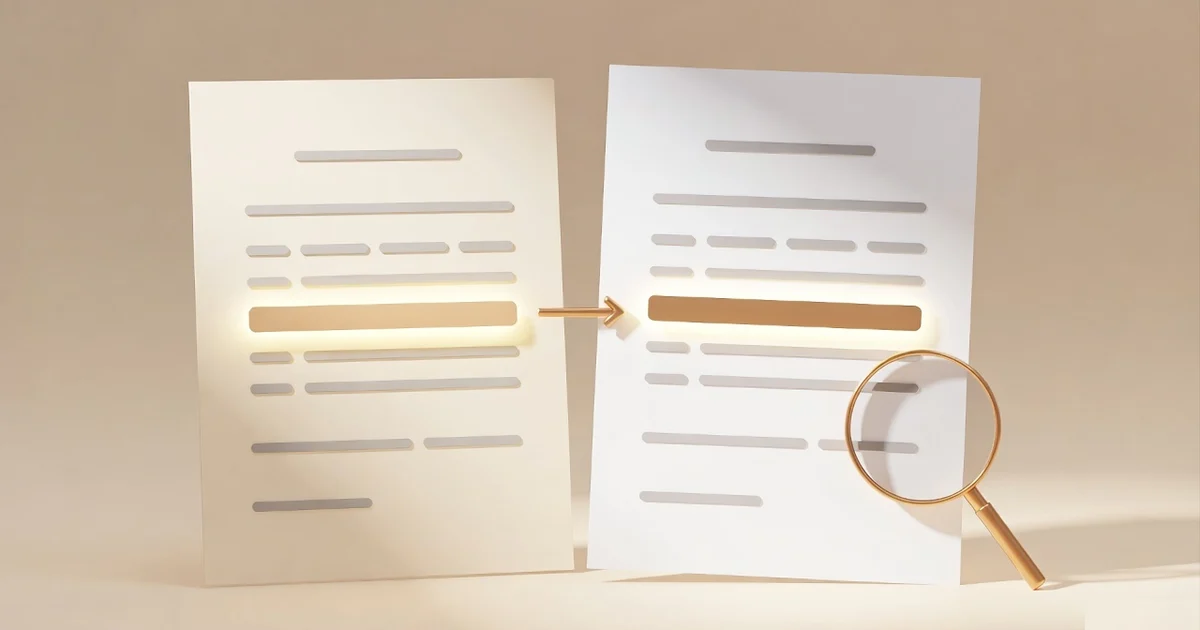
Someone just sent you "the same contract, updated." Sixty-two pages. A one-line cover email saying they made "a few minor edits." You have two options: read all sixty-two pages again, or trust that the edits really were minor.
There is a third option now. Upload both versions to an AI tool and ask what changed. Claude, Gemini, and ChatGPT can all do it, and dedicated comparison tools from Draftable, Litera, and Adobe have been doing it for years. Some of them are genuinely good. But the failure mode nobody puts on the landing page is the one that matters most with contracts: an AI that confidently points at a clause that never changed, or worse, tells you nothing changed in a clause that did.
So this is a verification-first guide. What these tools actually catch, where they break, and a manual protocol for checking every highlighted change before you rely on it.
What AI document comparison actually does
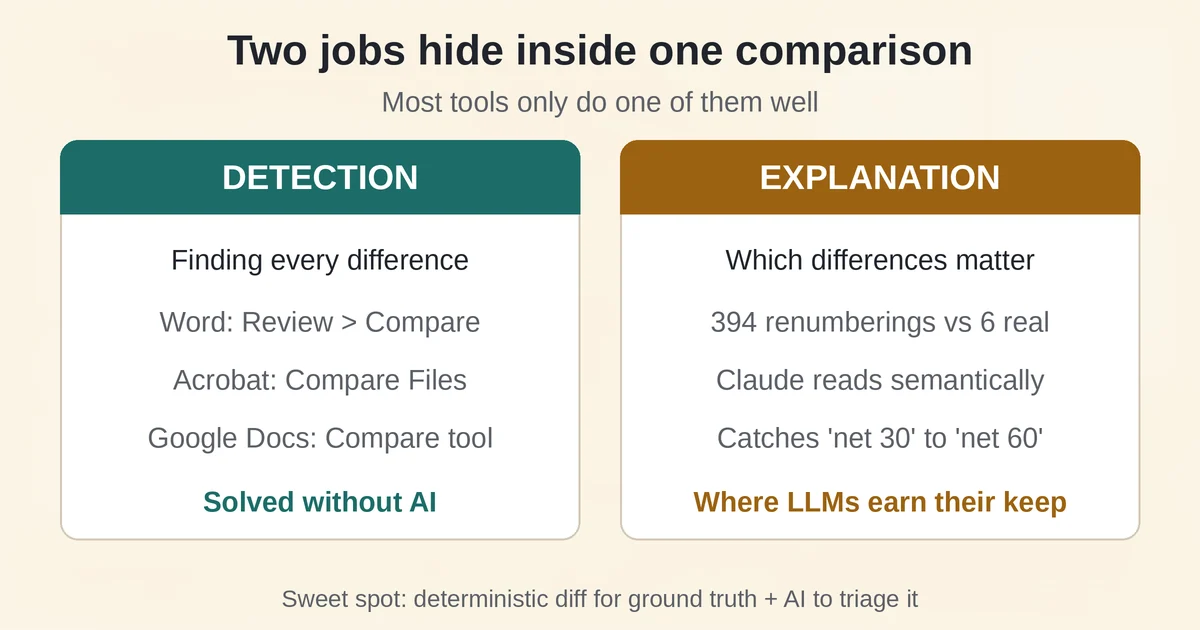
Two different jobs hide inside the phrase "compare two documents," and most tools only do one of them.
The first job is detection: finding every difference between two files. This is a solved problem, and it does not need AI at all. Microsoft Word has had a legal blackline since the nineties: open Review > Compare, pick the original and the revised version, and Word produces a third document showing every insertion and deletion as tracked changes, with your source files untouched. Google Docs has Tools > Compare Documents, which renders differences as suggested edits in a new file. Adobe Acrobat Pro's Compare Files tool generates a full differences report between two PDFs, with modes tuned to document type: continuous text for reports, slide-by-slide matching for decks, and a pixel-by-pixel image comparison for scanned pages. These are deterministic engines. They find what is textually there, every time, without inspiration or imagination.
The second job is explanation: understanding which differences matter. A redline that flags 400 changes is useless if you cannot tell that 394 of them are renumbered sections and formatting shifts, and six are edits to liability language. This is where large language models genuinely help. Upload both versions of a contract to Claude and ask it to focus on payment terms, indemnification, and termination, and it will read semantically rather than textually. It can spot that "net 30" became "net 60" even if the sentence around it was restructured, and it can flag a change in an unrelated clause because the effect is the same even though the words differ. A diff engine cannot do that. A diff engine would tell you that Section 8.2 contains three word-level edits, and leave you to figure out that those three words moved the renewal date by eleven months.
The practical sweet spot is combining them: a deterministic diff to establish ground truth, and an LLM to triage and explain it. Used the other way around, an LLM alone with no diff underneath, you are relying on a system that summarizes for a living to also be a notetaker, and those are different skills.
Where AI comparison breaks: the hallucinated change
Here is the failure that makes contract comparison different from summarizing a PDF.
When an AI reads two documents and reports the differences, it does not diff them. It reads, interprets, and generates a plausible answer. Plausible is doing heavy lifting in that sentence. If the model half-remembers a clause from page 40, or confuses which version contained the $250,000 cap, it will produce a clean, confident paragraph explaining that "the indemnification cap was reduced from $1,000,000 to $250,000 in Section 12.3." If Section 12.3 never changed, that paragraph looks exactly like a correct one.
A false alarm wastes an hour. A false all-clear can cost a quarter's revenue, and the second failure is the sneaky one, because nobody re-reads the liability clause that the AI said was untouched. A hallucinated change is annoying. A hallucinated non-change is a business risk with a friendly tone.
This is not a hypothetical concern about the technology in general. Google's own support documentation for Gemini file uploads warns that when your content exceeds the model's context window, responses "may miss connections or details throughout the content." A 62-page contract is well within what people routinely upload. Whether a specific model at a specific moment catches every clause is exactly the kind of thing you verify rather than assume, and the same discipline applies to any AI summarizing your documents. For the deeper mechanics of why models invent plausible details, see our breakdown of real hallucination examples.
There is a second, quieter failure: silent incompleteness. Long contracts, scanned signatures, tables that OCR mangles, exhibits that arrive as separate files. The AI does not announce that it skipped pages 48 to 52, it just produces a summary of what it read. The output has no visible seam. Anthropic documents the page-count behavior on its support page for file uploads and limits, and Google's Gemini file upload documentation states the context-window warning in plain terms. The limits are published. The failure is that nothing surfaces them to you at the moment they apply.
The two limits that quietly shape every result
Two constraints from vendor documentation explain most disappointing comparisons, and neither is marketing copy.
Page-count thresholds change how the model reads. Anthropic's support pages specify that Claude analyzes both text and visual elements only for PDFs of 100 pages or fewer. Between 101 and 1,000 pages, it processes text only. A 150-page master services agreement will still be read, but every chart, signature block image, and complex table that lives only visually is gone from the analysis. The page count is not on a warning label, it just silently changes the fidelity.
Context windows decide how much the model holds at once. Google documents Gemini's paid tiers with a one-million-token context, which it estimates covers roughly 1,500 pages of text. That sounds infinite until you upload two 700-page files and the model is juggling both plus its own reasoning. The same support page carries the explicit warning about missed details when the window is exceeded. Long document pairs do not fail loudly, they fail partially.
The practical consequence is simple: for anything over roughly a hundred pages, split the comparison into sections, or run a deterministic diff first and use the AI to explain only the flagged regions.
The tool landscape in September 2026
| Tool | Type | What it is good at | Watch out for |
|---|---|---|---|
| Claude (Anthropic) | General AI | Semantic reading of both versions, contract-aware prompts | Visual analysis stops at 100 pages; verify quotes |
| Gemini (Google) | General AI | Up to 10 files per prompt, 100 MB each | Context-window misses on very long pairs |
| ChatGPT (OpenAI) | General AI | Flexible diff-style prompting on uploaded files | Same class of risks as any LLM |
| Adobe Acrobat Pro | Deterministic + AI | PDF compare reports, pixel-level scanned-page diff | Compare Files is Pro-only, not in Standard |
| Word / Google Docs | Deterministic | Track-changes redline, free with the suite you own | Text only, no PDF input |
| Draftable | Dedicated | Cross-format compare (Word vs PDF), local desktop mode, API | Paid, per-user pricing |
| Litera Compare | Legal-grade | The legal industry's redline standard, AI layer on top | Enterprise pricing and workflow |
A few honest notes on that table.
General-purpose AI. Claude, Gemini, and ChatGPT all accept multiple files in one conversation now. Claude takes up to 20 files per chat, 500 MB each, PDFs to 1,000 pages. Gemini takes up to 10 files per prompt at 100 MB each. The zero-setup path is genuinely free and takes ninety seconds, which is why it is the right first step for a one-off comparison of a reasonably sized document. Which assistant handles document-heavy work best depends on the task, and we compared Claude vs ChatGPT for document work in detail.
Acrobat Pro. The Compare Files tool remains the best mainstream PDF-to-PDF diff, and its scanned-documents mode is unmatched when one version arrived as a fax-quality scan. Adobe documents the modes and settings on its Compare Files help page, including one important caveat: comparison accuracy depends on the PDF's internal tag structure and reading order, so files produced by different tools can misalign and show changes out of sequence. And Compare Files is a Pro feature, not part of Standard.
Draftable. The dedicated comparison tool most worth knowing about if this is a recurring job. It compares across formats, a Word original against a PDF counterparty version, with no conversion step, and the desktop version runs locally so documents never leave your machine. Pricing is published on their pricing page and starts around $129 per user per year for the desktop app. There is also a REST API if you want comparison inside your own workflow.
Litera Compare. The incumbent in law firms, claiming adoption by 72% of the legal industry (a vendor figure, but a long-standing one). It is the reference point for what legal teams expect: a deterministic comparison engine with an AI layer, Lito, bolted on to summarize changes and flag risk. The AI sits on top of verified diffs, which is the correct architecture and the one this article keeps pushing you toward.
Docugami and the enterprise tier. Docugami does something different: it builds semantic graphs of document portfolios and compares clauses across thousands of contracts at once, not just two. In June 2026 it announced it is open-sourcing the underlying document markup language, DGML, a signal of where document intelligence infrastructure is heading. This tier is enterprise, quote-based pricing, and irrelevant for a one-off comparison, but if you run procurement or legal ops, it is the category to know.
A manual verification protocol that takes fifteen minutes
The angle for this whole piece: run the same pair of contracts through your tool of choice, then verify every highlighted change by hand. Here is the protocol, trimmed to the steps that earn their time.
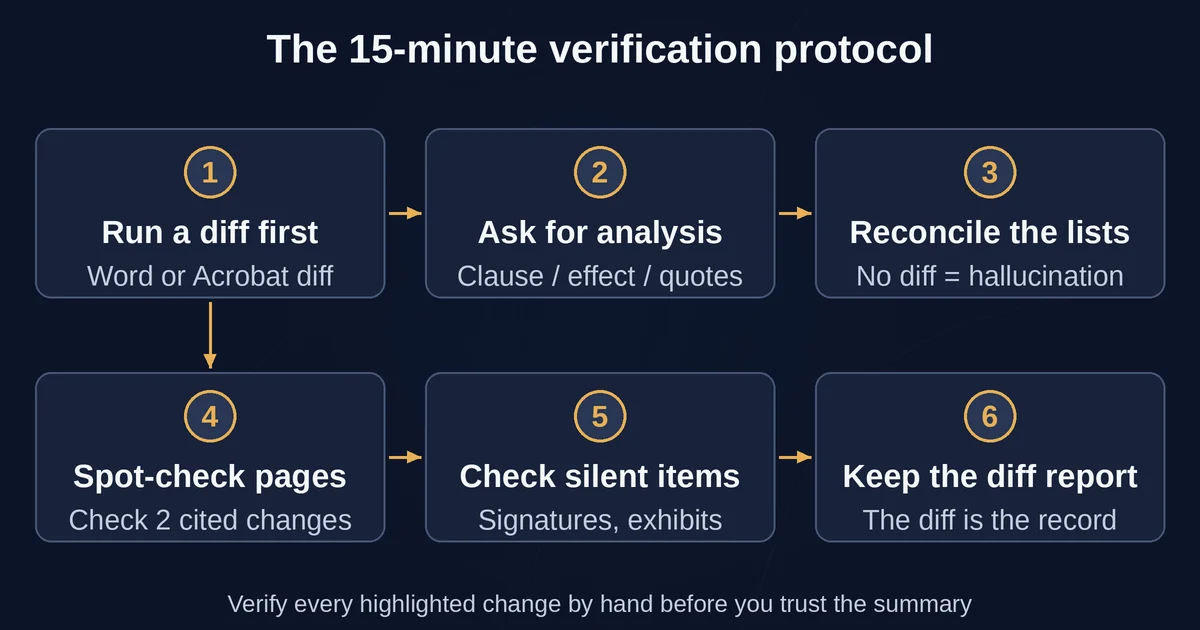
1. Run a deterministic diff first. Word's legal blackline if both versions are .docx. Acrobat's Compare Files if they are PDFs. Before trusting anything an AI told you, you need ground truth. Save the diff report. This is your inventory of what textually changed.
2. Ask the AI only for the analysis layer. Upload both versions and prompt for structure, not vibes: "List every difference between these two contracts in a table: clause reference, original wording, revised wording, and the practical effect. Where there is no change, write no change. Quote exact text, do not paraphrase." Requiring quotes is the single highest-leverage trick in AI document review, because a hallucinated clause usually collapses when the model is forced to produce verbatim text that does not exist.
3. Reconcile the two lists. Every change the AI reported should exist in the deterministic diff. If the AI lists a change with no counterpart in the diff report, that is either a hallucinated change or, more dangerously, the AI merged two similar clauses. Check it directly. Every change in the diff report that the AI did not mention deserves a second look, it may be formatting noise, or it may be the change that mattered.
4. Spot-check with page numbers. Take two or three AI-reported changes and find them in the actual documents. If the model cites Section 9.2 and the page it names does not contain that text, stop trusting the rest of the summary and re-run. Two minutes of spot-checking calibrates your confidence in the whole output.
5. Check the silent things. Signature blocks, exhibit lists, defined-terms sections, the payment table. These are exactly the areas where OCR stumbles, where visual-only content disappears in longer PDFs, and where a text-only model cannot see a changed logo or seal. If the two versions differ in file format, scan the final pages manually regardless of what the AI said.
6. Keep the diff report as the record. When a dispute surfaces eleven months later, "the AI said it was fine" is not an artifact anyone wants to produce. The deterministic diff is.
One habit worth borrowing from research workflows: ask the AI for page citations, and treat any claim that does not come with one as unverified. We use the same discipline in our NotebookLM research guide, and it translates directly to contract review.
The honest verdict
If you compare documents occasionally, and the stakes are a vendor agreement you could survive misreading: use a general-purpose AI assistant, demand quotes, and spot-check. It is a genuine improvement over reading sixty-two pages twice, and the fifteen-minute protocol above keeps the risk bounded.
If you compare contracts as part of your job, the answer is not a better AI, it is the layered stack: a deterministic engine as the foundation, AI as the explanation and triage layer, and a human doing the final read on every flagged clause. Word's blackline is already in your Office license. Acrobat Pro is ~$20 a month. Draftable and Litera cost real money and earn it when comparison is a weekly task.
The dangerous move is the one that feels safest: skipping the diff, trusting the AI's clean summary, and filing it. No vendor publishes false-positive rates on clause-level hallucination, which is itself information. A tool can be genuinely useful most of the time and still not be the system of record for whether your liability moved.
One boundary this article cannot draw for you: none of this is legal advice. AI comparison tools, and articles about them, tell you what the text says now versus before. Whether a change is acceptable, enforceable, or a negotiation problem is a lawyer's call, and the tools above are at best a very fast way to prepare for that conversation. For real contracts with real money attached, AI narrows what your lawyer has to read. It does not replace the read.
Frequently asked questions
Can Claude or Gemini compare two PDFs accurately? Yes, within limits. Both accept multiple PDFs in one conversation and can produce clause-by-clause difference tables. Claude visually analyzes PDFs only up to 100 pages, with text-only processing from 101 to 1,000 pages, and Google warns that content exceeding Gemini's context window can be summarized incompletely. For contracts under a hundred pages with clean digital text, accuracy is good, but verify quotes before acting.
Is AI document comparison a substitute for a legal redline? No. A legal redline from Word, Acrobat, or a tool like Litera is a deterministic record of every textual difference. AI comparison is an explanation layer on top of that record. Use AI to triage and understand a redline faster, but the redline itself, and any decision about the changes in it, should rest on the deterministic diff and, where stakes justify it, a human lawyer.
Pricing and plan details are as published by the vendor around September 2026 and can change, confirm on the official site.