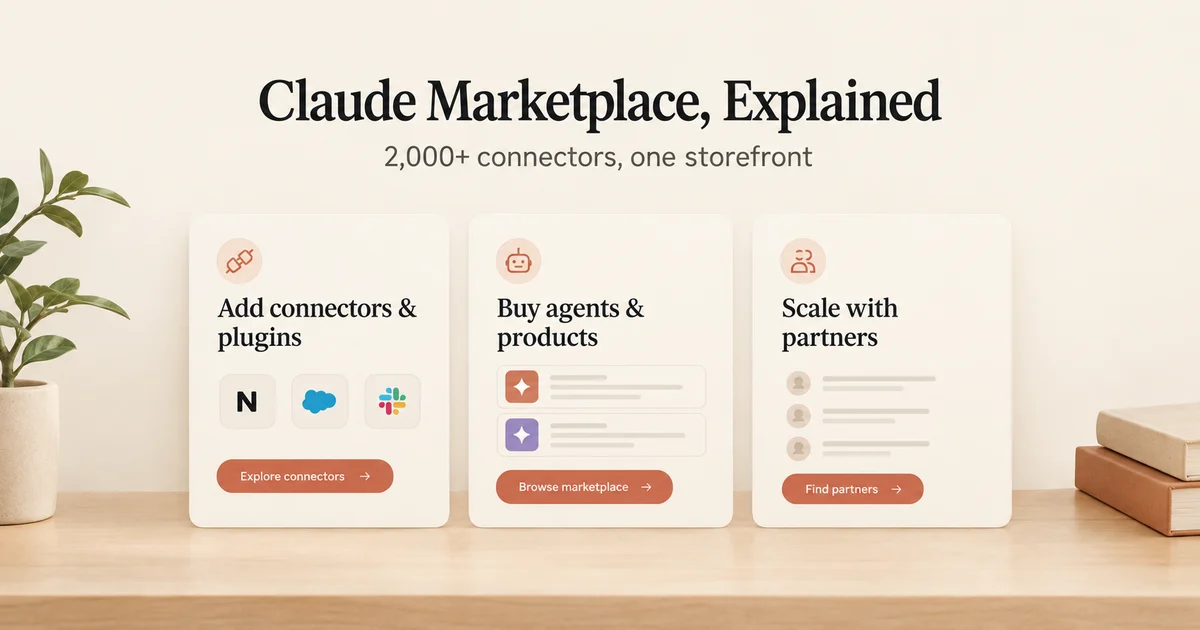
Claude Marketplace is Anthropic's new storefront, and it quietly does three jobs at once. You can add from more than 2,000 connectors and plugins that link Claude to workplace tools like Notion and Salesforce. You can buy Claude-powered software from partners such as Cursor, Harvey, and Snowflake, paid for with part of an Anthropic spend commitment your company may already have. And you can hire service partners, consultancies like Accenture and Deloitte, to help roll Claude out across your whole organization. The marketplace went live on September 23, 2026.
Under the hood, everything you can add is built from two building blocks: MCP connectors and Agent Skills. And here is the happy surprise for developers: if you are on any paid Claude plan, you can submit your own plugin to the directory. No partner program. No gatekeeping.
This post walks both paths: connecting your team's apps today, and shipping your own plugin.
In short:
- Claude Marketplace at claude.com/marketplace has three sections: add (2,000+ connectors and plugins), buy (partner products paid with committed Anthropic spend), and scale (Partner Network services).
- Adding happens inside Claude, on the Customize page, not just on the website.
- One add reaches the web app, the desktop and mobile apps, Cowork, and Claude Code.
- Developers on any paid plan can submit a listing, and updates ship with a simple git merge.
What's actually in the Claude Marketplace?
The Claude Marketplace has three sections: add (more than 2,000 connectors and plugins), buy (Claude-powered partner software paid with committed Anthropic spend), and scale (Partner Network consulting services). Anthropic's launch post frames the marketplace around three things a customer might want to do. Picture a store with three aisles:
- Add. More than 2,000 connectors and plugins that connect Claude to workplace apps and data, from Atlassian, Google, Microsoft, Notion, Salesforce, and more.
- Buy. Claude-powered partner software, purchased with a portion of an existing Anthropic spend commitment. The launch names CrowdStrike, Cursor, Harvey, Legora, Lovable, and Snowflake.
- Scale. Service partners from the Claude Partner Network, consultancies such as Accenture, Boston Consulting Group, and Deloitte, who "build your AI strategy and roll Claude out across your organization."
The Partner Network behind that third aisle was announced on March 12, 2026 with an initial $100 million investment, membership is free, and qualified partners appear in a Services Partner Directory where buyers can find firms with Claude implementation experience.
One distinction will save you confusion later. Browsing happens on the public website at claude.com/marketplace. The actual adding happens inside Claude, on the Customize page (claude.ai/customize) in the web and desktop apps. Browse anywhere, add inside. That is the whole pattern.
How do you connect an app like Notion or Salesforce to Claude?
You connect an app by finding a connector or plugin on the marketplace website, then adding it on the Customize page at claude.ai/customize inside the Claude web or desktop app and authenticating with that app. The user-side how-to, in four small steps:
- Browse the marketplace website and find a connector or plugin you like.
- Open the Customize page at claude.ai/customize, in the claude.ai web app or the desktop app, and add it there.
- Authenticate with the app you are connecting.
- Start using it. Prebuilt first-party connectors, like Google Drive, Gmail, Google Calendar, GitHub, Slack, and Microsoft 365, need "no setup beyond authentication."
The reach of one add is wider than you would guess. Per the directory docs, a listing is found in "claude.ai on the web, the desktop and mobile apps, and Cowork, and a plugin they add is also available in their Claude Code sessions." Add once, and it follows the person everywhere they work.
Two labels tell you how much review a listing has had. Everything starts as a Community listing. Anthropic "may escalate a listing to Verified review, in which a reviewer tests each tool." Verified means a human actually tried it.
One caution for Claude Code users: installing a plugin in Claude Code is its own step. Claude Code plugins install through the /plugin command's Discover tab, and cloud sessions on claude.ai/code do not load locally installed plugins. The docs put it bluntly: "A plugin marketplace isn't Claude Marketplace. Claude Marketplace is the website at claude.com/marketplace where you browse plugins, connectors, partner products, and service partners." Same family, different doors.
Connector, plugin, or Agent Skill - which one are you adding?
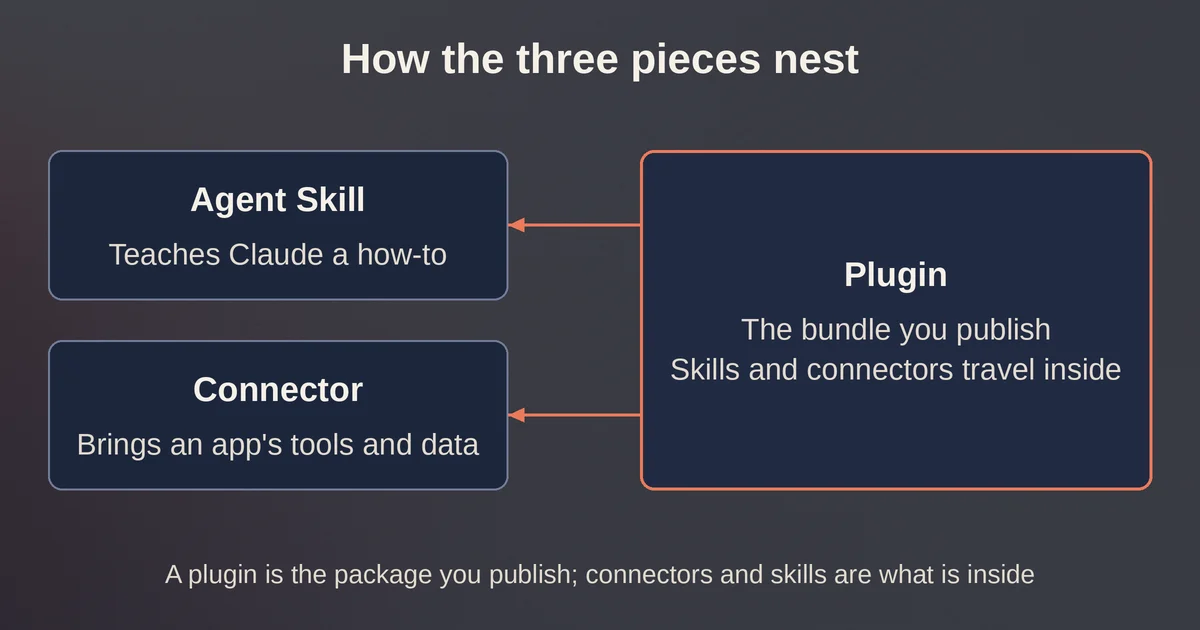
A plugin is the bundle you actually submit and install: it wraps one or more MCP connectors and Agent Skills, the two building blocks of every marketplace listing. An Agent Skill is a folder of instructions, a SKILL.md file, that Claude loads when a task looks relevant. A connector is a remote MCP server that hands Claude tools and data from an outside app, and it can even surface interactive UI inside chat through MCP Apps. MCP itself is the open protocol Anthropic created for connecting models to outside tools and data.
A plugin is the wrapper that bundles the other two, as the next sentence puts it. In Anthropic's words, "Plugins package MCP connectors, Agent Skills, or both, and are the main way to build third-party extensions for Claude."
| Term | What it is | What it gives Claude |
|---|---|---|
| Agent Skill | A SKILL.md instruction block | Know-how, loaded when a task looks relevant |
| Connector | A remote MCP server, optionally with MCP Apps UI | Tools, actions, and live data from an outside app |
| Plugin | A bundle of connectors, skills, or both | The unit you actually submit and install |
Two fine-print rules from the directory docs. First, "Skills aren't a submission type on their own. Put them in a bundle." Second, the old desktop extension (MCPB) listings are deprecated, so local MCP servers must now ship inside a plugin bundle.
If the connector idea is new to you, pointing an assistant at a live MCP server is the same pattern behind Zapier's MCP harness for desktop LLM apps, which walks through one concrete build.
Can your Anthropic commitment pay for partner software?
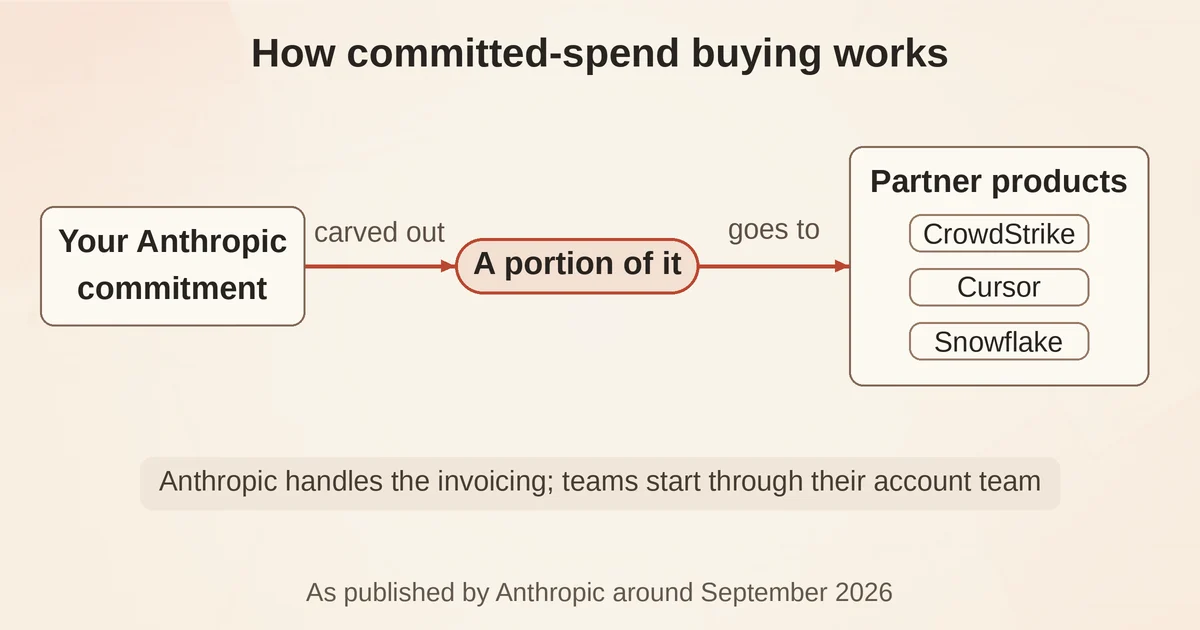
Yes: partner purchases count against a portion of your existing Anthropic spend commitment, and Anthropic manages all invoicing for that partner spend. The platform marketplace FAQ states the mechanics in two sentences: "Partner purchases count against a portion of your existing Anthropic commitment. Anthropic will manage all invoicing for partner spend." One commercial relationship, one invoice.
How much of the commitment can you apply? Anthropic's page says only "a portion," so treat the exact number as a conversation for your account team.
Getting started is refreshingly analog: "Reach out to your Anthropic account team to get started." Vendors who want their product listed apply through a partner waitlist.
The launch post paints the picture with real customers: "CodeRabbit put part of its Anthropic commitment toward Vercel, where its coding agents run, and Power Digital and ThoughtSpot did the same with Snowflake, where their data lives." Press coverage of the launch has also described the purchasing channel as being in limited preview, with onboarding handled by an Anthropic account team.
How does a developer get a plugin into the directory?
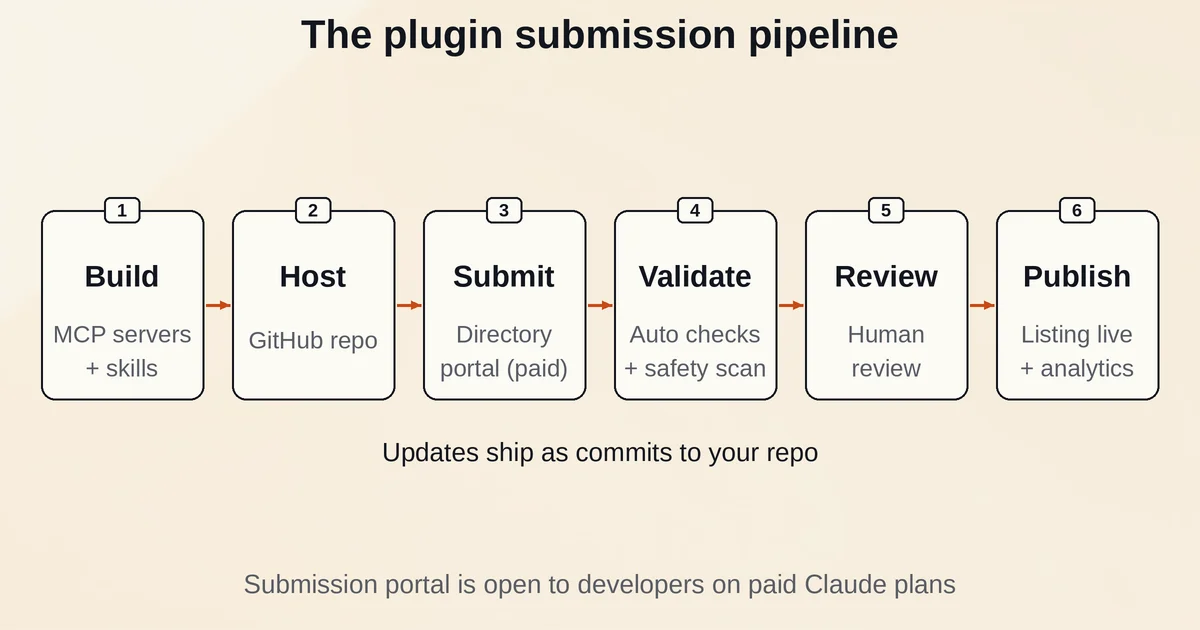
Any developer on a paid Claude plan (Pro, Max, Team, or Enterprise) can submit a listing through the developer portal at claude.ai/directory/manage, with no partner program to apply to first. On Team or Enterprise, the Owner submits or holds the "Directory" permission through custom roles. Beyond that, in the docs' words, "Anyone on a paid Claude plan can submit, there's no partner program to apply to first."
- Check the prerequisites. A paid plan, and a GitHub repo if you are shipping a plugin bundle.
- Pick your submission type. A single MCP connector, where you point at your remote server, or a plugin bundle, where you combine MCP servers and skills, host them on GitHub, and submit the repo. Claude Code plugins can also include LSPs, commands, hooks, and agents.
- Submit through the developer portal at claude.ai/directory/manage. Per the builder announcement, "Each submission is checked and safety-scanned as soon as you submit, so you catch issues early." Every version gets automated validation plus a security scan, and a human reviews before a new listing goes live.
- Track and pick your moment. The portal shows where your plugin is in the review process, the safety-scan results, and recommended changes. You decide when to publish.
- Update without resubmitting. Merge to your tracked branch. "The directory picks up each commit, scans it, and once it's published serves it to the people who have your plugin."
- Read the analytics. Installs by product surface and version, listing views, which searches lead people to you, how often each skill and MCP server runs, and error rates.
One tip before you package anything: if you are starting from zero, it helps to know what an agent actually needs first, and the guide to building your first AI agent covers those fundamentals.
The plumbing is current, too. Claude supports the MCP 2.0 spec with its stateless core, plus MCP Apps for interactive UI and Enterprise Managed Auth for zero-touch OAuth in enterprise deployments. The full submission rules, including the Software Directory Policy, live in the publish docs.
What should you check before enabling a connector?
Before enabling a connector or plugin, check four things: it runs code with your user privileges, it costs context on every turn, its review level (Community or Verified), and what your organization's admin controls allow. The checklist, for team leads, before anyone clicks add:
- Privileges. The Claude Code docs warn that "Whatever the tier, a plugin you install can run code with your user privileges." Read the security and trust notes before installing anything sensitive.
- Context cost. Skill and agent names and descriptions occupy context on every turn, even in sessions where nothing from the plugin runs. Official listings show a "Context cost" estimate, so compare before installing.
- Review level. Community is the default. Verified means a reviewer has tested each tool.
- Admin controls. Managed settings let an organization allowlist or block marketplaces, force-install plugins, and turn off session-only loading. Individuals can disable a plugin with the interactive /plugin command or from the command line with
claude plugin disable. - Auth at scale. Enterprise Managed Auth gives enterprise deployments zero-touch OAuth, so nobody pastes tokens by hand.
Labels and settings help, but judgment stays yours. As Runtimewire put it in its launch coverage, customers "will still need to assess what a listed tool can access, what work it performs and how it fits their security and deployment requirements."
In short
- Three sections, three actions: add from 2,000+ connectors and plugins, buy partner products with committed Anthropic spend, scale with Partner Network consultancies.
- Adding happens inside Claude on the Customize page, and one add reaches the web, desktop, and mobile apps, Cowork, and Claude Code.
- Skills and connectors are the parts; the plugin bundle is what you actually submit.
- Developers on any paid plan get auto-validation, a safety scan, and human review, then pick their own publish date. Updates ship by merging to the tracked branch.
- Before enabling anything, remember that plugins run code with your user privileges and cost context every turn. Check labels, context-cost estimates, and admin controls first.
Pricing, spend programs, and plan details are as published by Anthropic around September 2026 and can change; confirm on the official site before committing spend.
Frequently asked questions
Can I browse or submit listings on a free Claude plan?
You can browse the marketplace on a free plan, but you cannot submit a listing: publishing requires a paid plan (Pro, Max, Team, or Enterprise) per the publish docs. Browsing is open to everyone at claude.com/marketplace.
How long does directory review take?
There is no fixed review timeline. The developer portal shows live review status, safety-scan results, and recommended changes, and you choose the moment your plugin goes public.