
NotebookLM and Gemini Notebook are the same product under two names. Google announced the rename on July 16, 2026, and your existing shared notebooks and links still work.
The comparison that matters now is Gemini Notebook versus the notebooks inside the Gemini app. Both open the same notebooks, and your changes sync automatically.
Rule of thumb: use Gemini Notebook to turn sources into Audio Overviews, Video Overviews or Slide Decks. Use a notebook in the Gemini app when you also want web search and other Gemini tools in the same chat.
Is NotebookLM the same as Gemini Notebook?
Yes. As of November 2026, Gemini Notebook is NotebookLM's new name, not a new app. Google's rename announcement puts it plainly: "It's the same standalone product, now doing more across the Google ecosystem and updated with a secure cloud computer."
So if a coworker says it's in my NotebookLM and your screen says Gemini Notebook, you are both looking at the same app. Google's Workspace update adds two reassurances: automatic redirects keep existing shared notebooks and links working, and admins don't need to take any action.
Here's what changed, in order:
- July 16, 2026: Google announces the rename, and the new name starts rolling out to Workspace the same day. The name and logo then change across different screens over several weeks. On a phone, you may need to update the app to see them.
- Announced with the rename: Google started rolling out a secure cloud computer for every notebook, which it says enables "entirely new output formats and deeper analysis". Google said it would reach all Pro users on the web over the coming weeks. Treat it as rolling out, not switched on for everyone.
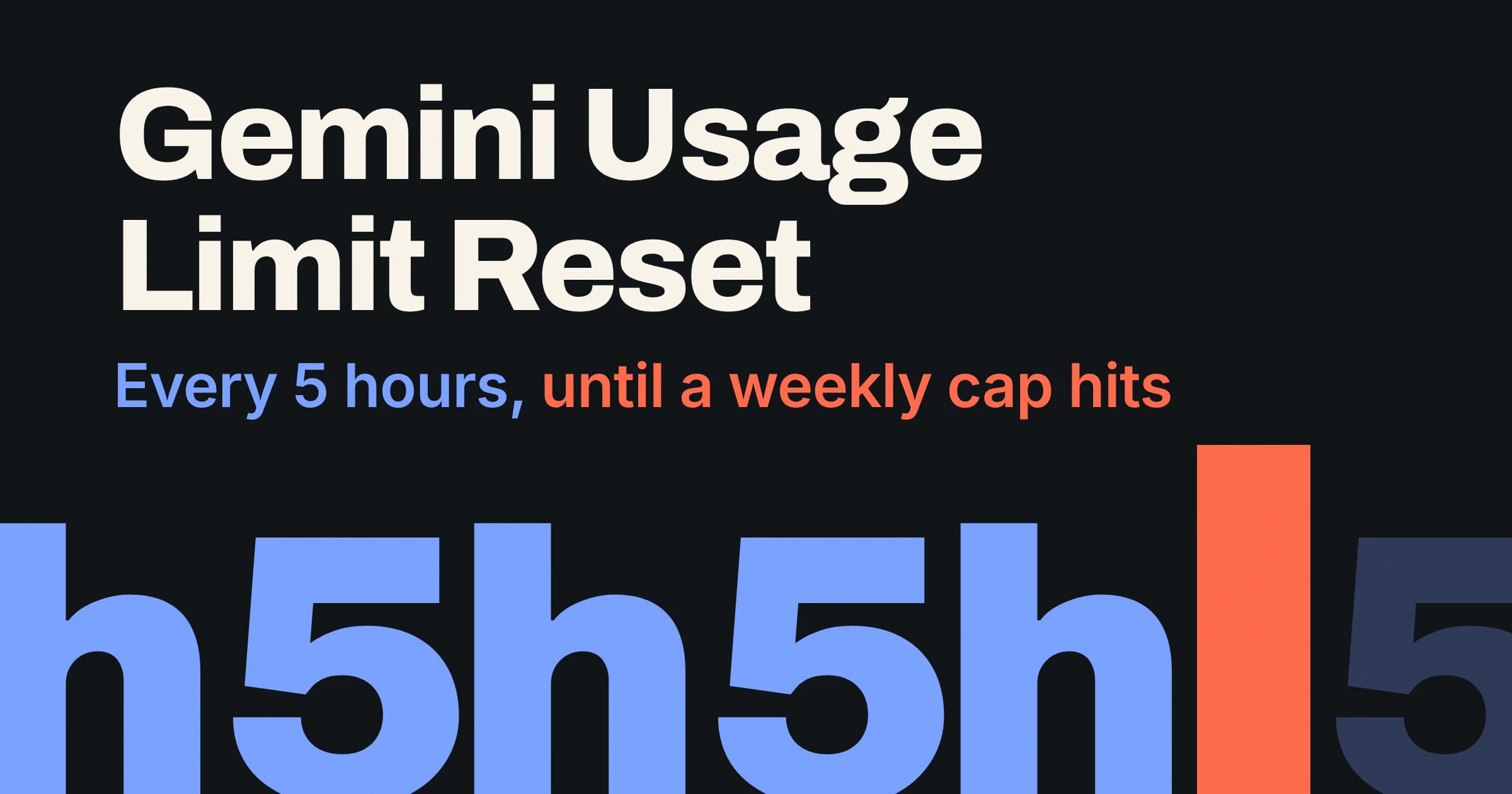
- September 2: flexible usage limits start rolling out to consumer (personal) accounts on web and mobile. Limits now refresh every five hours instead of once a day.
- Announced as coming soon: notebooks in Google Search. Google's words: "Soon, we'll also bring notebooks directly into AI Mode in Search."
How is Gemini Notebook different from notebooks in the Gemini app?
As of November 2026, Gemini Notebook is the standalone notebook app, and notebooks in the Gemini app are the same notebooks opened inside Gemini's chat. There, Google says, you can also run web searches and use any Gemini tools.
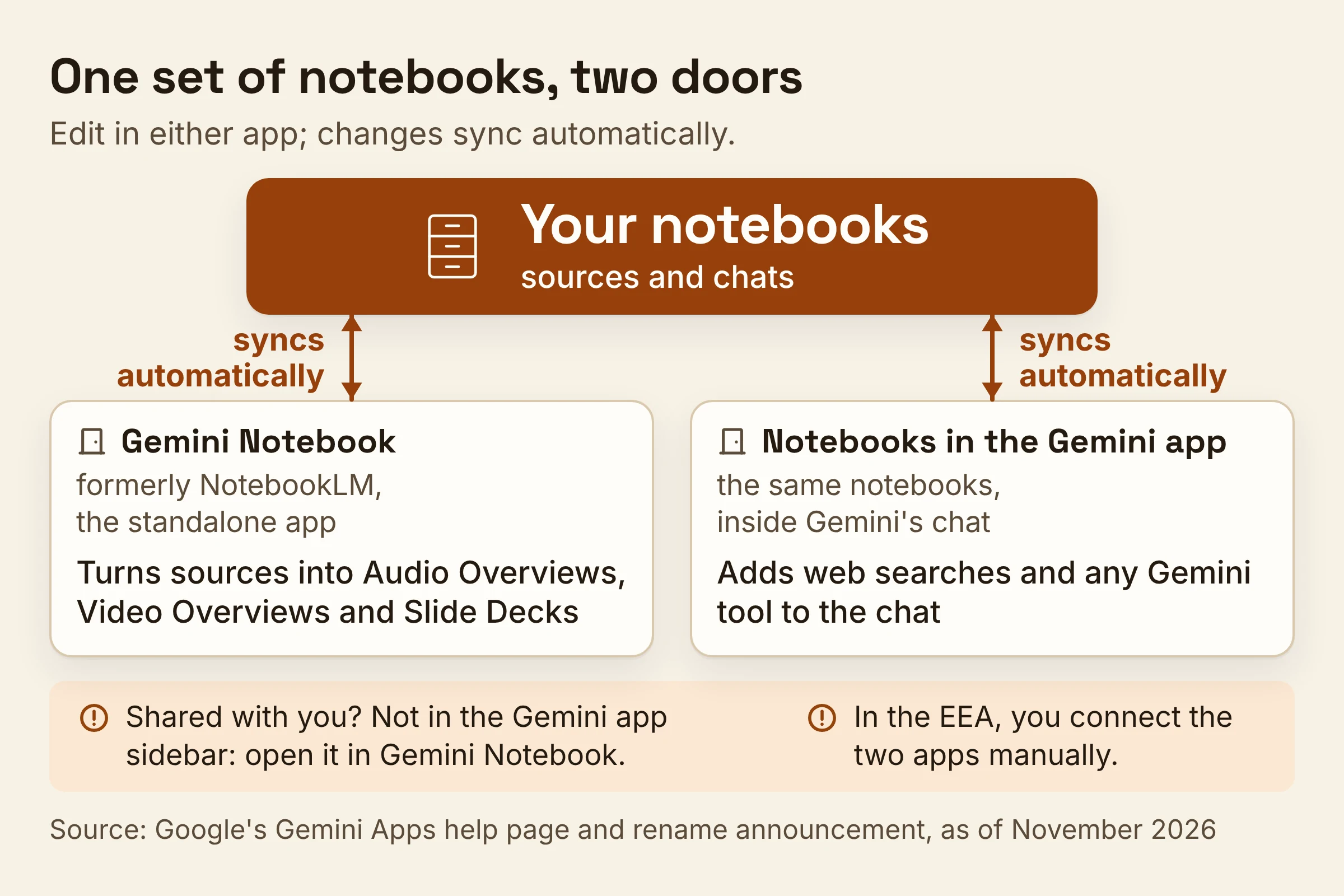
Think of one filing cabinet with two doors. The drawers are shared, but each door opens onto a different desk.
| Feature | Gemini Notebook (formerly NotebookLM) | Notebooks in the Gemini app |
|---|---|---|
| What it is | The standalone notebook app, under its new name | The same notebooks, as one continuous chat that remembers your sources, instructions and discussion |
| Where you open it | A web browser or the mobile app | gemini.google.com, the Gemini mobile app, the Gemini app on Mac |
| What Google documents there | Audio Overviews, Video Overviews, Slide Decks; a secure cloud computer rolling out to Pro users on the web | Web searches and any Gemini tool in the chat |
| Sources per notebook | 50 to 600, by plan | Up to 600, by plan |
| Watch out for | Compute-based limits that refresh every 5 hours, up to a weekly cap | Still rolling out; some features need History turned on; shared notebooks don't show in the sidebar |
| Best for | Finished outputs, and notebooks others share with you | Long project chats that mix your files with the web |
The Gemini app door suits long projects. Google describes it as a continuous chat that remembers your sources, instructions and ongoing discussions. It takes PDFs, documents, spreadsheets, images, audio, text files and .md files from your device.
Picture a Q4 launch notebook. You upload the brief once and ask for your brand voice once. A week later, you pick up mid-conversation and ask it to check a competitor's website too.
The Gemini Notebook door is where Google documents the outputs, sharing options and usage limits. The Gemini app door has one catch: Google is adding notebooks there gradually, so they might not be on your account yet.
Do notebooks in Gemini sync with NotebookLM?
Yes. As of November 2026, Google's Gemini Apps help page says you can create and edit notebooks in both the Gemini app and Gemini Notebook, NotebookLM's new name. In its words, "Any changes to your notebooks automatically sync between them." The exceptions are few, but they are easy to trip on.
| What | Carries over? | What to know |
|---|---|---|
| Notebooks and your edits | Yes | Create or edit in either place; changes sync automatically |
| The link between the two | Automatic in most regions | In the European Economic Area (EEA), you connect them manually |
| Notebooks others shared with you | No, not in the Gemini app sidebar | Open them in Gemini Notebook |
| Old NotebookLM links | Yes, by redirect | Existing shared notebooks and links keep working |
| Deleting a notebook | Takes its sources and chats with it | The sources and chats you added are deleted too |
| A notebook as a source | Not possible | A notebook can't use another notebook as a source |
| Usage limits | Not stated | The Google help pages we read don't say if Gemini app use counts against Gemini Notebook limits |
Two rows bite in real life:
- Treat delete as final. Removing an old Client A notebook also deletes the sources and chats you added to it.
- No notebook of notebooks. You can't build a master All clients notebook that reads your other client notebooks. You would add the original files again.
How many sources can NotebookLM hold on each plan?
As of November 2026, Google's plans page allows 50 sources per notebook with no plan, 100 on Google AI Plus, 300 on Google AI Pro and 500 or 600 on Google AI Ultra. Notes have their own allowance. Google's FAQ adds that each source can be up to 500,000 words, or 200MB for a file you upload, with no page limit.
| Plan | Notebooks per user | Sources per notebook (notes not counted) | Notes per notebook | Usage allowance | Best for |
|---|---|---|---|---|---|
| No plan (free with a Gmail account) | 100 | 50 | 500 | Standard | Trying it on one class or project |
| Google AI Plus | 200 | 100 | 500 | 2x standard | Freelancers with a handful of client folders |
| Google AI Pro | 500 | 300 | 500 | 4x standard | Regular research, plus watermark removal |
| Google AI Ultra (20 TB plan) | 500 | 500 | 600 | 5x or 20x Pro, by subscription | Large archives in one notebook |
| Google AI Ultra (30 TB plan) | 500 | 600 | 600 | 5x or 20x Pro, by subscription | The biggest notebooks, at 600 sources |
The Gemini app's help page gives the same top number: up to 600 sources in a notebook, depending on your Google AI plan. One line on the plans page matters for teams: "Sharing a notebook does not change the source limit for any collaborator."
Worked example: say you teach a course with more than 100 PDFs. The free tier stops you at 50 and Google AI Plus at 100, so you either move to Google AI Pro (300) or split the course across two notebooks. Splitting works, but as the sync table shows, you can't later point one notebook at the other.
Is NotebookLM free, and what does a paid plan change?
Yes. As of November 2026, you can sign up for Gemini Notebook (formerly NotebookLM) at no charge with a Gmail account. Paying for Google AI Plus, Pro or Ultra raises your notebook, source and usage limits and adds a few extras. Check the price for your country on Google's own plan page first.
How the usage limits work
Google's usage limits page says Gemini Notebook has compute-based limits, which determine how much you can interact with its features. For personal plans, Google gives those limits as multiples of a standard level, not as a fixed number of chats. The plan table above shows them, from standard on the free tier to 5x or 20x Pro on Ultra.
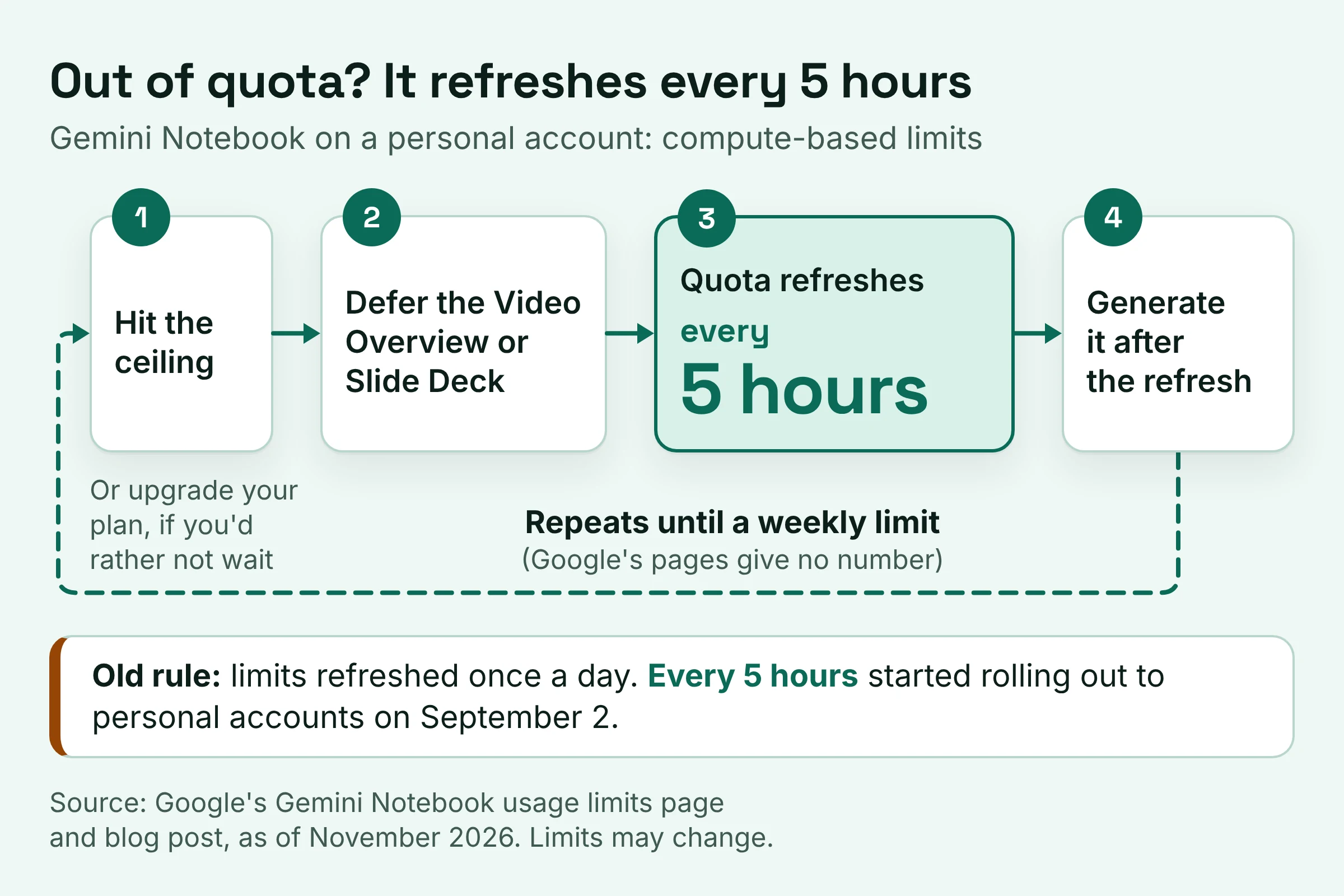
When you hit the ceiling, the quota refreshes every 5 hours until you reach a weekly limit. The Google pages we read don't put a number on that weekly cap.
Google's blog post on the change says you can defer outputs like Video Overviews or Slide Decks for later. So if you run out halfway through prepping a client pitch, defer the Slide Deck and generate it after the refresh. If you'd rather not wait, Google's own suggestion is to upgrade your plan.
What else paying changes
Per Google's plans page:
- Watermark removal: listed for Pro and both Ultra plans, not for the free tier or Plus. A footnote adds that a visible watermark is applied automatically if you live in India, South Korea or Vietnam.
- Advanced sharing: for paid users. Custom chat and analytics are available to everyone, free tier included.
- Pro in the browser: Gemini Notebook with Pro access works in browsers in the regions where Google AI Pro is available. The secure cloud computer is also rolling out to Pro users on the web, per the rename announcement.
On a work or school account
Work and school accounts use a separate table, with daily caps instead of multiples:
- Standard access: 50 chats and 3 Audio Overviews per day.
- Highest level: 5K chats and 200 Audio Overviews per day.
- To move up: ask your Google Workspace administrator for an upgraded license.
- Your data: with standard access, Google says it is not used to train Gemini Notebook unless you give feedback.
Why is NotebookLM not available to you?
As of November 2026, four things in Google's help pages can keep Gemini Notebook (formerly NotebookLM), or its notebooks in the Gemini app, out of reach. They are your country, an unverified age on your Google Account, a work or school admin who hasn't turned it on, and features still rolling out.
Work down this checklist from the top:
- Look for the new name. NotebookLM now shows up as Gemini Notebook, and on a phone you may need to update the app first. Old links still redirect.
- Check your country. Google's FAQ asks you to check if your country is among the 180+ regions where the Gemini app is available.
- Verify your age. Google says to verify your age in your Google Account before you access Gemini Notebook.
- On a work or school account, ask your admin. Most of these accounts have access, but turning the app on goes through your Workspace admin.
- In the EEA, connect it yourself. Gemini Notebook links to the Gemini app automatically in most regions, but in the European Economic Area you connect it manually.
- No notebooks in the Gemini app yet? Google is adding them gradually. They work at gemini.google.com, in the Gemini mobile app and in the Gemini app on Mac. On Mac, though, Google says the Gemini Notebook connected app isn't available yet.
- No Study notebooks on your phone? For now, Study notebooks are at gemini.google.com, not in the Gemini mobile app.
- A notebook feature missing? Some need the Gemini app's History setting turned on.
- A source won't import? Copy-protected PDFs can't be added, and each source has to fit within 500,000 words, or 200MB for an upload.
Which one should you open for each job?
As of November 2026, open Gemini Notebook for finished outputs and shared notebooks. Open a notebook in the Gemini app for ongoing chats that mix your files with the web. Because the notebooks sync, you can switch doors mid-project without copying anything.
| If you want to... | Open | Why |
|---|---|---|
| Turn sources into an Audio Overview, Video Overview or Slide Deck | Gemini Notebook | Google documents these outputs, and the limits on them, for Gemini Notebook |
| Ask about your files and pull in fresh web results in the same chat | A notebook in the Gemini app | Notebook chats there can include web searches and any Gemini tool |
| Keep a long project chat that remembers your instructions | A notebook in the Gemini app | It keeps sources, instructions and ongoing discussions in one continuous chat |
| Open a notebook a colleague shared with you | Gemini Notebook | Shared notebooks aren't listed in the Gemini app sidebar |
| Run deeper analysis with the secure cloud computer | Gemini Notebook on the web, with Google AI Pro | That is where Google is rolling it out |
| Work from the Mac desktop app | A notebook in the Gemini app | Notebooks work there; the Gemini Notebook connected app doesn't yet |
| Finish an output after hitting your limit | Gemini Notebook, after the refresh | Defer the Video Overview or Slide Deck; the quota refreshes every 5 hours |
New to the app? Our NotebookLM research guide walks through a full research session. The NotebookLM and ChatGPT study workflow pairs it with a tutor-style chatbot for exam prep. Still weighing Google against other tools? See Perplexity Spaces vs NotebookLM vs Claude Projects.
Do this next
Three moves show which door fits your work: Gemini Notebook, a notebook in the Gemini app, or both.
- Size your biggest folder against your plan. Count the files in your largest project and compare them with your plan's sources per notebook: 50 on the free tier, 100 on Plus, 300 on Pro. If it won't fit, move up a plan or split it across two notebooks.
- Open one notebook through both doors. Create it in Gemini Notebook, find it in the Gemini app (connect the two manually if you're in the EEA), and ask one question that needs the web.
- Plan around the 5-hour refresh. Ask your questions first. If you hit the limit, defer the Video Overview or Slide Deck instead of upgrading on impulse.
We checked these limits on Google's help pages in November 2026. Google notes that Gemini Notebook limits may change, so give them a quick recheck before a big project.