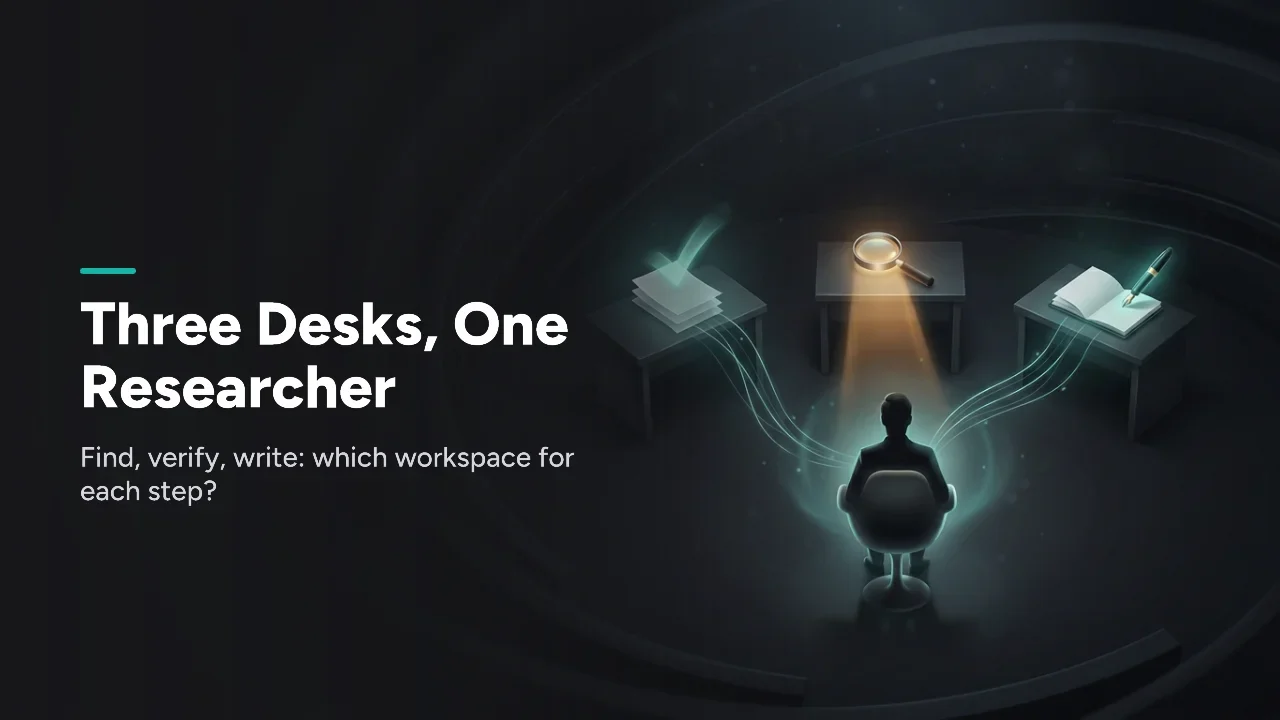
Pick by the job: Perplexity Projects to find material on the web and Gemini Notebook to check claims against your sources. Claude Projects is where you write the long document. Two names changed in 2026: Google renamed NotebookLM to Gemini Notebook on July 16, and Perplexity turned Spaces into Projects on July 30.
Quick verdict
- Pick Perplexity Projects when the answer lives on the live web: news, competitors, anything newer than your files.
- Pick Gemini Notebook when every claim must trace back to a source you chose.
- Pick Claude Projects when the output is a long document you draft over many sessions.
- Pick two for most research jobs: Perplexity to find, Gemini Notebook to verify.
Which workspace should you open for each research job?
Open the workspace that matches the step you are on (find, verify or write). The table below sets the three side by side.
| Axis | Perplexity Projects | Gemini Notebook | Claude Projects | Winner |
|---|---|---|---|---|
| Main job | Find material on the web | Answer from your sources | Write with saved context | Depends on the step |
| Where answers come from | The web, plus what you add to a Project | The sources in the notebook | Project knowledge base and instructions | Depends on the step |
| Memory | Brain, Computer's memory system | Your notebook's sources | Project knowledge base | Depends on the step |
| Files | Persistent, hierarchical file system | Up to 50 sources per notebook (free) | Project knowledge | Depends on corpus |
| Worst at | Promising only your sources were used | Anything the sources don't cover | Fresh web facts without extra setup | Depends on the step |
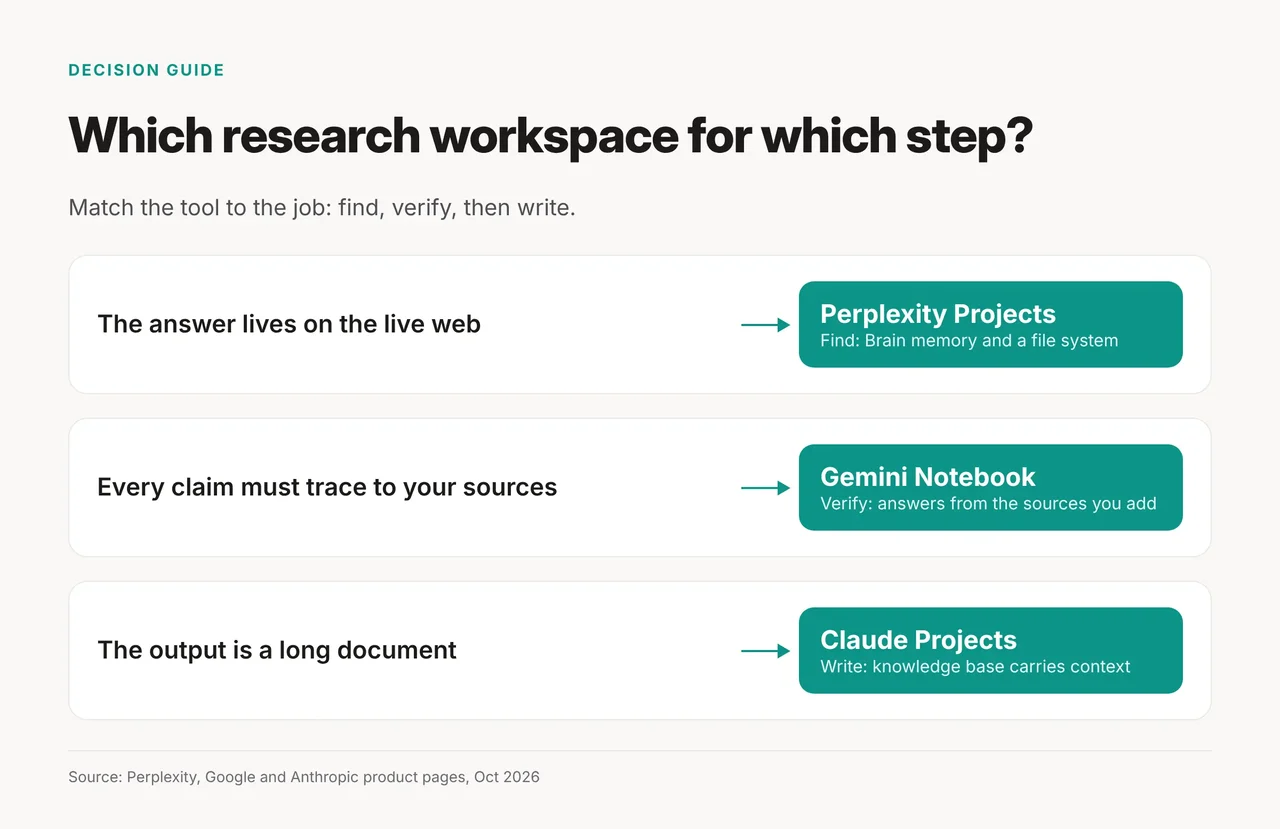
Load the same 15 PDFs into each and ask one question: Perplexity reaches past them to the web, Gemini Notebook answers from them with citations, and Claude Projects turns them into a draft. In short, you find on the web, verify inside your own sources and write in a workspace that remembers your files. Our Perplexity tool page covers the search side in more depth.
How we compared the three workspaces
We compared them on finding, verifying and writing, reading vendor pages on October 21, 2026; no hands-on tests.
Perplexity Projects win when the answer lives on the web
Perplexity Projects is the workspace for finding things you don't have yet. Perplexity's Projects announcement calls Projects "an evolution of Spaces," released July 30, 2026.
What the announcement says a Project adds:
- Memory: every Project can connect to Brain, which Perplexity calls "Computer's self-improving memory system."
- Files: Projects use "a persistent, hierarchical file system."
- Admin limits: "A Project can only narrow what an organization already permits."
- Access: "Projects are available to all Computer users today."
The announcement gives no numeric quotas and no per-plan breakdown, so check the vendor page for limits before you plan around one.
Gemini Notebook wins when every claim must trace to your sources
Gemini Notebook is the workspace for checking claims against a source set you control. Google's Gemini Notebook announcement says: "We're renaming NotebookLM to Gemini Notebook." The rename is dated July 16, 2026.
The same post added code execution, but not for everyone at once:
- First: "available today for Google AI Ultra users and Workspace business customers."
- Pro: "It will roll out to all Pro users on the web over the coming weeks."
- Since then: we found no Google page confirming the Pro rollout is complete.
- Free: the post doesn't name the free plan.
Our NotebookLM research guide walks through the source-first workflow under the old name.
Claude Projects win when the output is a long document
Claude Projects is the workspace for writing over many sessions with the same files and instructions. Anthropic's help center says projects "are available to all users, including those with free Claude accounts."
Two details shape how you use it:
- Context: "Context is not shared across chats within a project unless the information is added into the project knowledge base." Put key files and rules there.
- Redesign: Anthropic's projects redesign post (September 17, 2026) put updated projects in beta for "select Claude Pro and Max subscribers" using cloud sessions in Claude Code.
Updated projects for chat, Team and Enterprise come "after that," with no date given. Existing Pro and Max projects "keep working as they do today." For a wider view, see Claude Projects compared with ChatGPT Projects and Gemini Gems.
Pricing, free limits and rollouts by plan
Only Google and Anthropic publish free limits we could verify, while Perplexity's limits are unconfirmed, so check the vendor page.
| Tool | Free plan | Paid plan | 2026 rollout |
|---|---|---|---|
| Perplexity Projects | Not confirmed: check vendor page | Not confirmed: check vendor page | All Computer users, Jul 30 |
| Gemini Notebook | 100 notebooks per user, 50 sources per notebook | Plus: 200 notebooks, 100 sources per notebook | Code execution: Ultra and Workspace business first; Pro web pending |
| Claude Projects | Up to five projects | Check vendor page for prices | Redesign beta for select Pro and Max users |
- Gemini chat limits: Google's help page points to a separate usage-limits page for daily limits. We didn't verify a daily chat cap, so check that page.
- Prices: none of the pages we checked lists a price. Check each vendor's pricing page before you commit.
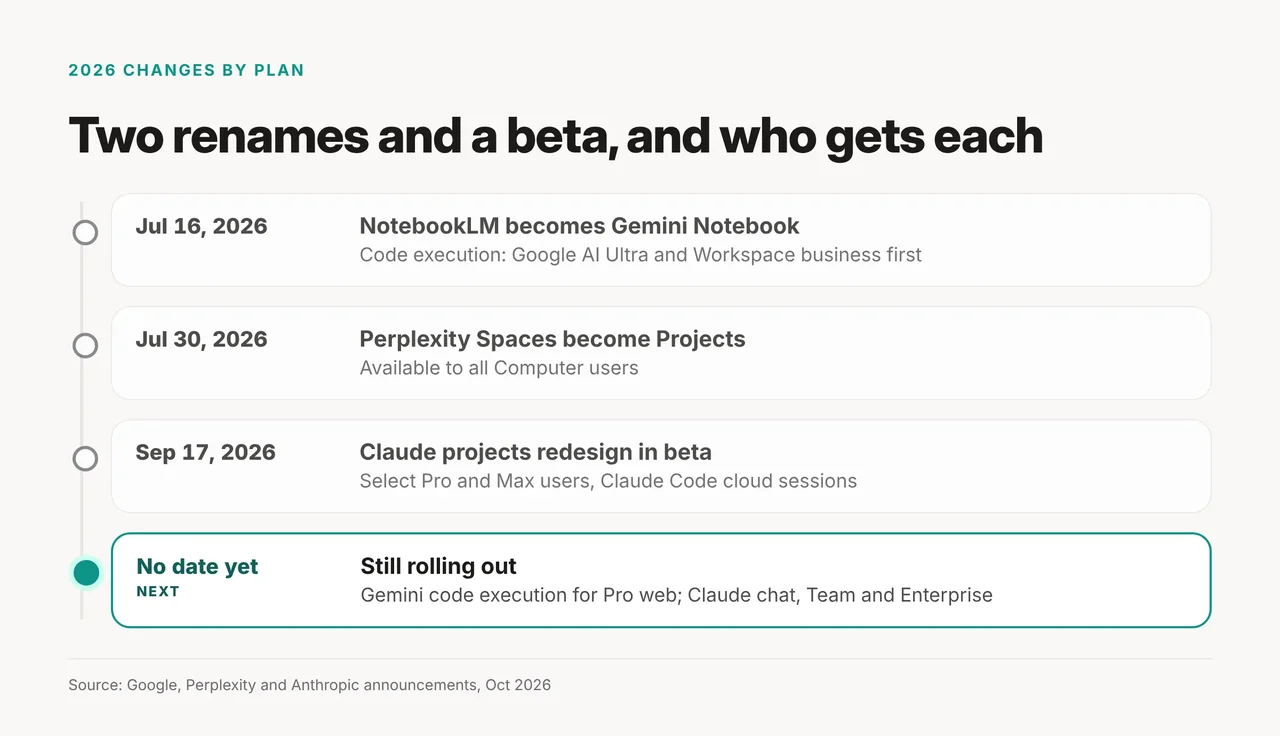
The timeline repeats the table's dates: July 16 for Google, July 30 for Perplexity and September 17 for Anthropic. The Pro and chat rollouts are still undated.
Run all three as a find, verify, write chain
For a multi-week research report, run the tools in this order and pass original files between them rather than copied chat answers.
- Find (Perplexity Projects). Write instructions naming the audience and what counts as a good source. Ask the open questions. Save the original page or PDF behind each good answer.
- Verify (Gemini Notebook). Load those originals as sources and ask it to compare pricing claims across sources, flag where marketing diverges from documentation and list each compliance statement with its citation. A free notebook holds up to 50 sources.
- Write (Claude Projects). Add the verified files and your rules to the project knowledge base. Draft the report there.
Keep the chain clean. Never add an AI answer to a source set as if it were a finding, since it then looks citable later. Nothing enters the binder unless you would cite it to a colleague.
One notes file is the record. Keep every finding with its URL in one file you own; Perplexity threads and notebook chats are working surfaces, not the memory.
Set the citation rule once. Add a rule that every factual claim carries its source URL to the Claude project's instructions on day one, so every drafting session doubles as a fact-check. Claude uses a project's instructions for all its chats.
Two tools are often enough. With no long write-up at the end, pair Perplexity for finding with Gemini Notebook for checking: search outside, answer inside.
Pick none of the three if...
Skip all three when a different tool fits the job better:
- You need one long cited web report. A deep research tool is the better start; see our deep research comparison.
- You only need to question one file. See chat with a PDF compared.
- Your team already works in ChatGPT. The ChatGPT Projects guide covers the same idea there.