Claude Code is Anthropic's agentic coding tool: it reads your codebase, edits files, runs commands, and integrates with your development tools. Unlike a chat assistant that hands you code snippets to copy and paste, Claude Code acts on the repository itself - it plans an approach, writes code across multiple files, runs your tests, and opens the pull request when you're satisfied. It runs as a terminal CLI, inside VS Code and JetBrains IDEs, and as its own desktop app and web experience, among other surfaces, so the same engine meets you wherever you work.
Under the hood it is still Claude, but wrapped in a tool loop that can touch a real project. You describe outcomes in plain language, it figures out the steps. Below is a practical tour of what it can actually do, how it remembers your project, how far it extends, and where it falls short.
In short:
- It's agentic. It edits files, runs shell commands and tests, stages git changes, and ships pull requests - not just suggests code.
- It understands a whole repo. It works across multiple files and tools, so multi-file refactors and cross-cutting bug hunts are in scope.
- It has memory. CLAUDE.md files you write and an auto-memory layer it writes itself carry conventions and corrections between sessions.
- It's extensible. MCP servers connect it to external tools, subagents give it parallel specialists, and hooks enforce guaranteed automation.
- It's included in paid Claude plans (Pro and Max), or you can run it against API billing with pay-as-you-go credits.
- It's best at build, debug, test, and chore workflows - the kind of work where describing the outcome is easier than typing every line.
What Is Claude Code - and How Is It Different From a Chat Assistant?
A chat assistant - whether that's Claude in the browser or any other model - is a conversation window. You paste code in, you copy code out, and every action on the repo is yours to perform. Claude Code inverts that: it's an agent that operates on your codebase directly. It reads files to understand context, writes changes where they belong, executes commands to verify the result, and integrates with the tools your team already uses. Anthropic's overview documentation describes it as a tool that "understands your entire codebase and can work across multiple files and tools to get things done."
That difference in shape produces a difference in usage. A few practical points:
- Surfaces. It runs in the terminal, as extensions in VS Code and JetBrains IDEs, as a desktop app, and on the web - with the same underlying engine. Your CLAUDE.md memory, settings, and MCP servers work across all of them.
- Install. On macOS, Linux, or WSL:
curl -fsSL https://claude.ai/install.sh | bash. Windows has PowerShell and CMD equivalents; Homebrew (macOS) and WinGet (Windows) are also available. Native installs update themselves. - Access. Most surfaces require a Claude subscription or an Anthropic Console account. The terminal CLI and VS Code extensions also support third-party model providers.
- Unix philosophy. It plays well with pipes:
tail -200 app.log | claude -p "find the root cause of this error"feeds log output straight into a query. The-pflag runs it non-interactively, which makes it scriptable in CI.
If you're weighing it against other options in the Claude family, we've written a broader complete Claude guide that covers the assistant side of the ecosystem.
What It Can Do End-to-End: Build, Debug, Test, Refactor, Ship
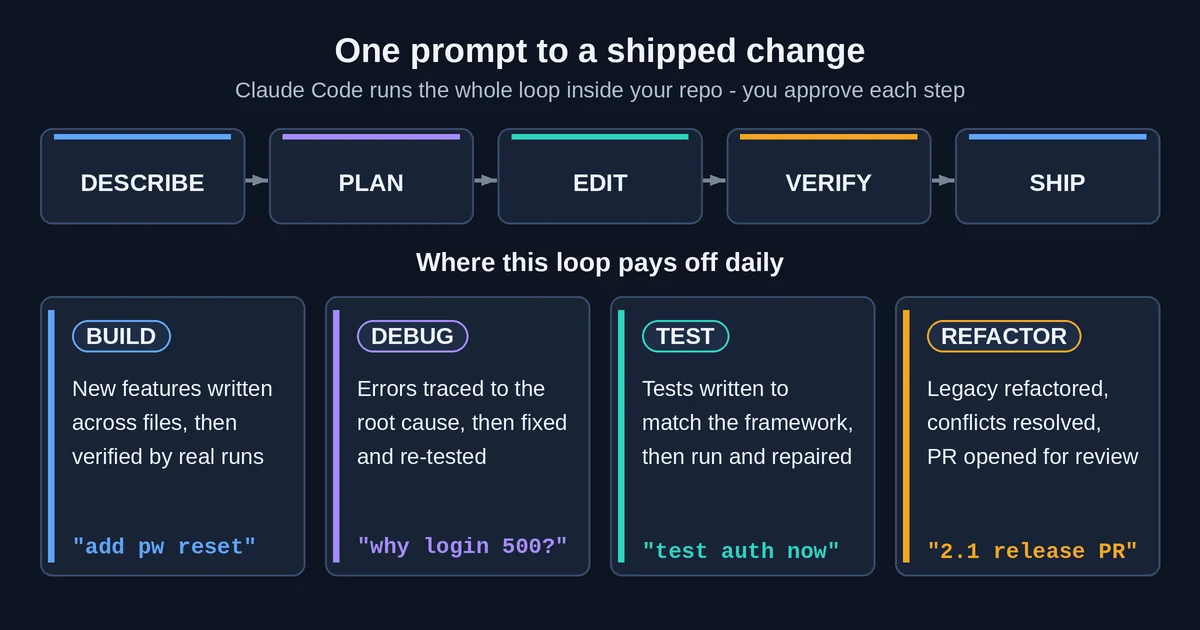
This is the core of it. Claude Code's capabilities cluster around whole task families - not single-file edits, but jobs that span reading, planning, writing, running, and verifying. Here's what that looks like per task, based on Anthropic's own workflow docs.
Write and build features
Describe a feature in plain language and Claude Code plans the approach, writes the code across multiple files, and verifies that it works. Because it can read the whole project, the code it writes tends to match the patterns that are already there - imports, naming, structure - rather than generic boilerplate.
Debug
Paste an error, or describe a symptom like "the checkout page hangs for logged-out users." Claude Code traces the issue through your codebase, identifies the root cause, and implements the fix. Since it can run the project's tests and commands, it doesn't stop at a hypothesis - it can confirm the fix.
Test
It writes tests for untested code, and it matches the testing patterns your project already uses. The docs' canonical example is one sentence: claude "write tests for the auth module, run them, and fix any failures." That's the entire interaction - it generates the tests, executes them, and iterates on failures until they pass.
Refactor and pay down debt
Point it at deprecated or legacy code and it proposes a modernization, applies the changes, and verifies nothing broke using your test suite. This makes it useful for the kind of gradual cleanup that human developers always deprioritize.
Git, PRs, and chores
It stages changes, writes commit messages, creates branches, and opens pull requests with descriptions. Sessions link back to PRs automatically (claude --from-pr 1234 picks up where a previous session left off). Beyond git, it handles the mechanical layer of development: fixing lint errors across a project, resolving merge conflicts, updating dependencies, writing release notes, and generating docstrings or JSDoc for undocumented code.
Understand a codebase
Ask for an overview of an unfamiliar project, an explanation of its architecture, or a trace of a flow that spans layers - "trace the login process from front-end to database." It accepts screenshots and mockups too, so it can analyze an error dialog or generate CSS from a design image. Sessions are resumable with --continue and --resume.
One safety rail worth knowing before you hand over a repo: plan mode. Start it with claude --permission-mode plan (or toggle with Shift+Tab) and Claude Code reads and proposes changes without editing anything until you approve the plan. It's a good way to inspect what it would do before letting it do it.
How It Learns Your Repo: CLAUDE.md, Rules, and Auto Memory
Every session starts with a fresh context window - Claude Code doesn't silently remember yesterday's chat. Two mechanisms carry knowledge across sessions, and both load at the start of every conversation. Anthropic's memory documentation covers both in detail.
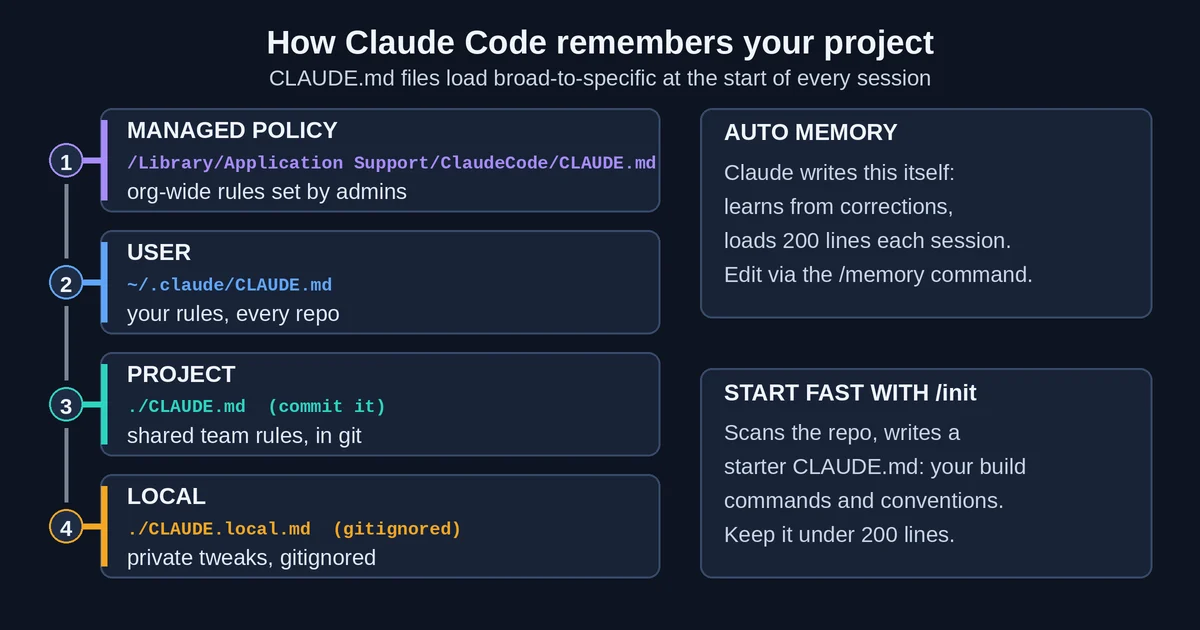
CLAUDE.md files are context you write. Think of them as a README for the agent: build commands, test commands, conventions, and preferences. Run /init once and Claude Code analyzes your codebase and generates a starter file for you. CLAUDE.md scopes load from broad to specific:
- Managed policy - an org-wide file enforced across an entire company.
- User -
~/.claude/CLAUDE.md, applying to all your projects. - Project -
./CLAUDE.mdat the repo root, shared via source control so the whole team gets it. - Local -
CLAUDE.local.md, gitignored, for personal preferences.
On top of scopes there are refinements: @path imports pull other files into a CLAUDE.md (up to 4 hops deep), .claude/rules/ files scope instructions to specific file types or paths, and claudeMdExcludes keeps other teams' files out of the context in monorepos. A few guidelines from the docs: keep each file under 200 lines (files over 4 MiB are skipped entirely), and write concrete instructions - specific rules are followed far more reliably than vague ones.
Auto memory is context Claude writes. As you correct it - "we use pnpm, not npm" - it accumulates those learnings per repository and loads the first 200 lines (or 25KB) at the start of each session. Browse what it has stored with /memory.
The framing that matters: CLAUDE.md is context, not enforced configuration. It guides what Claude is likely to do; it doesn't guarantee anything. When you need a guarantee - "this command must never run" or "this check must always pass" - you want hooks, covered next.
Extending Claude Code: MCP Servers, Subagents, and Hooks
Out of the box, Claude Code works on your local repo. Three extension mechanisms turn it into something that spans your whole toolchain and team.
MCP: connecting external tools
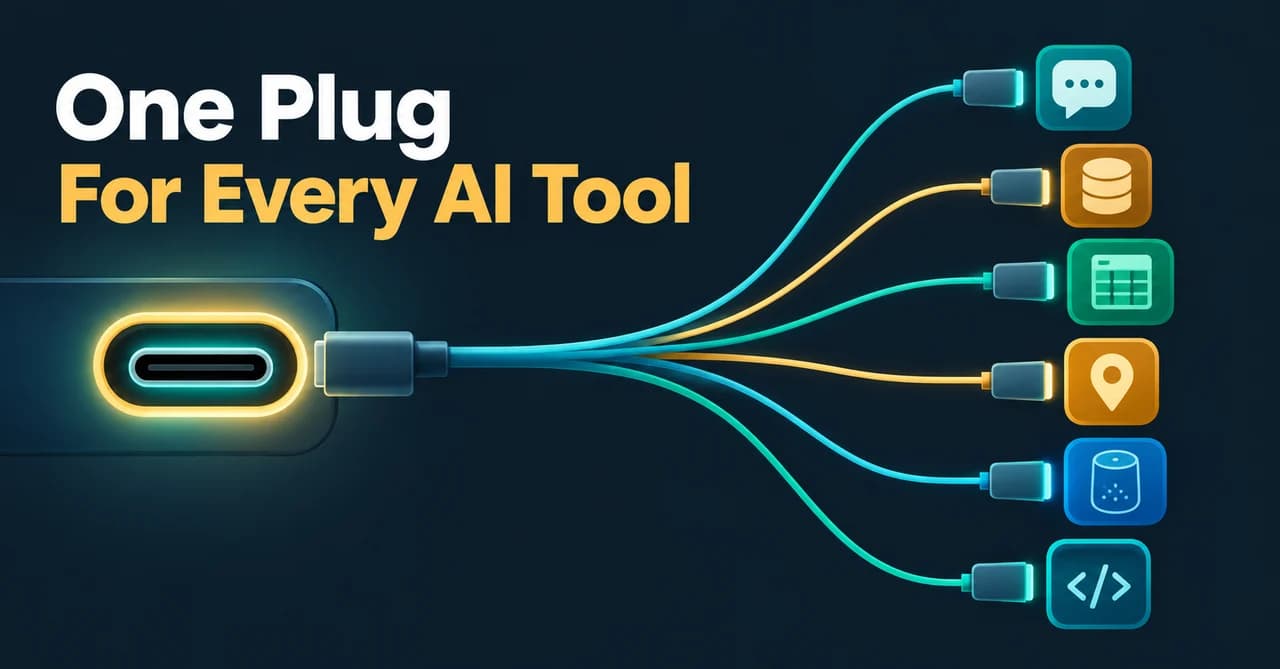
MCP (Model Context Protocol) is an open-source standard for connecting AI tools to external systems. Through MCP servers, Claude Code reaches "hundreds of external tools and data sources" - the MCP docs list use cases like implementing features from JIRA issues and opening PRs, analyzing Sentry or Statsig monitoring data, querying PostgreSQL, applying Figma designs posted in Slack, and drafting Gmail messages. We've covered the protocol itself in our MCP guide for developers.
Adding a server is one command: claude mcp add --transport http <name> <url>. Servers can be scoped locally, to the project (a .mcp.json file you can share via git), or to the user. One warning the docs make themselves: verify that you trust a server before connecting it, because servers that fetch external content can carry prompt-injection risk.
Subagents: specialists in their own context
Subagents are specialized assistants that run "in their own context window with a custom system prompt, specific tool access, and independent permissions" - and they return only a summary to the main conversation, which keeps your primary context lean. The subagent docs ship three built-ins: Explore (read-only search and analysis), Plan (research for plan mode), and general-purpose (all tools, multi-step work).
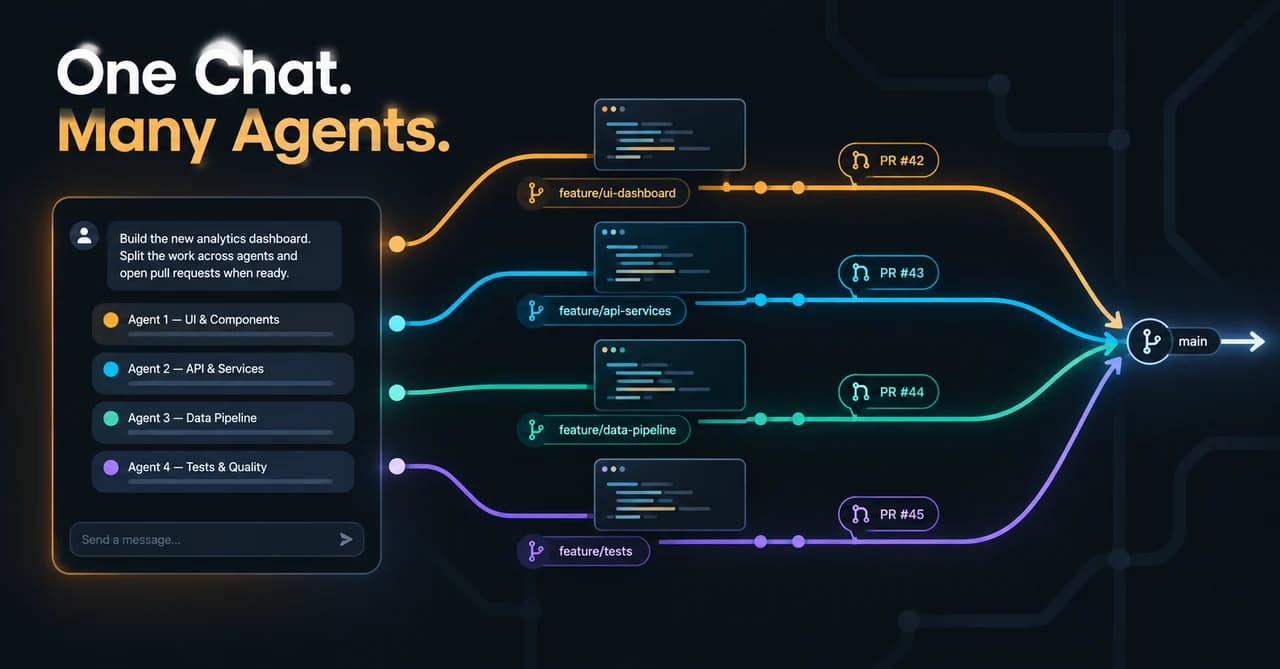
Custom subagents are just Markdown files with YAML frontmatter in .claude/agents/. Define a description and Claude delegates to them automatically when a task matches; define a model field and you can route that specialist's work to a cheaper, faster model for cost control. For many independent tasks at once, background agents let you run parallel sessions - and if you want a subagent to remember things between runs, a memory field gives it a persistent directory.
Hooks: guaranteed automation
Hooks run shell commands at fixed lifecycle events - SessionStart, PreToolUse, PostToolUse, Stop, SubagentStop, and others - and they behave identically across the terminal, IDE, desktop, and cloud sessions. A PreToolUse hook can allow, deny, or even rewrite what Claude is about to do; exiting with code 2 blocks the action outright.
The docs' own example shows why this beats instructions in prose: a PreToolUse hook greps a 10,000-line log file for ERROR lines, so Claude receives hundreds of tokens of relevant data instead of tens of thousands of tokens of noise. The rule of thumb is simple - CLAUDE.md is guidance Claude will probably follow; hooks are automation that runs no matter what Claude decides.
Real Limits and What It Costs
An honest guide needs the failure modes. Three that matter:
- Memory is influence, not law. CLAUDE.md adherence depends on how specific and concise your instructions are. Vague or contradictory rules may be followed arbitrarily - and a file over 200 lines measurably reduces adherence.
- The context window is finite. Long sessions fill it. The documented mitigations are subagents (which do heavy reading in their own context), git worktrees, and compaction.
- Autonomous runs can't ask questions. Scheduled and background tasks have no way to clarify ambiguity, so the docs advise writing explicit success criteria up front. Same for subagent descriptions: too many (over 15,000 tokens combined) bloats context at startup.
Costs follow two models. On API billing, you're charged by token consumption, and per-developer spend varies with model selection, codebase size, and usage patterns - running multiple instances or heavy automation multiplies it. The /usage command tracks spend, and the /model picker shows per-million-token list prices. There's also background token usage to be aware of: session summarization and command processing consume tokens even when you're not actively prompting. On subscription billing, Claude Code is not part of the Free plan but is included in Pro, Max 5x, and Max 20x, and it shares one usage pool with the rest of your plan - terminal work and chats draw from the same quota. Max plans give 5x or 20x the usage of Pro per 5-hour session, and heavy coding sessions can switch to pay-as-you-go API credits via a Console account.
Exact prices vary by page and change over time - check the official pricing page before deciding. If you're comparing it against other tools in this space, our AI coding tools comparison covers the alternatives side by side.
Workflows Where Claude Code Pays Off Most
Capability lists are abstract; here's where they convert to saved time:
- Onboarding to an unfamiliar codebase. Ask for an overview, then a deep-dive, then trace specific flows. Faster than reading every file.
- Test-gap loops. "Write tests, run them, fix failures" is a single instruction, and it closes coverage gaps that never seem to make the sprint.
- Mechanical chores at scale. Lint fixes project-wide, merge-conflict resolution, dependency updates, release notes - high-frequency, low-joy work.
- Git-heavy flow. Commits, branches, PR creation with descriptions, and PR re-linking across sessions.
- CI and automation. PR review and security review of diffs, issue triage, and scheduled audits - the
-pmode makes it a pipeline citizen:git diff main --name-only | claude -p "review these changed files for security issues". - Parallel and research-heavy work. Delegate context-heavy research to subagents and run background agents across worktrees.
- Cross-tool pipelines. MCP ties the loop together: issue tracker to code to PR to notification.
- Team standardization. A shared project CLAUDE.md,
.claude/rules/files, managed policy, and shared subagent definitions give every developer the same assistant - tuned the same way.
FAQ
Is Claude Code the same as the Claude chat app?
No. The chat app is conversational - it suggests code but can't touch your project. Claude Code is the agentic tool that edits files, runs commands, and ships PRs, and it runs as a terminal CLI, VS Code and JetBrains extensions, a desktop app, and on the web.
Can I stop Claude Code from making changes I don't want?
Yes, at three levels. Plan mode (--permission-mode plan or Shift+Tab) lets it read and propose without editing, actions prompt for permission by default, and a PreToolUse hook can hard-block specific commands with exit code 2 - the only option that's a guarantee rather than a default.
Does Claude Code support AGENTS.md?
Not natively - it reads CLAUDE.md files. For compatibility with the AGENTS.md convention, reference it from CLAUDE.md with an @AGENTS.md import, or set up a symlink.
Pricing and plan details are as published by the vendor around September 2026 and can change - confirm on the official site.
Want to see how Claude Code stacks up against other agentic coding tools before you commit? Browse the Toolbit AI tools directory for side-by-side breakdowns.